
Make the AI Receptionist sound like part of your shop: pick its voice, give it a name, choose its style and write the first thing callers hear. Most changes apply to the very next call.
Before you start
- Owners and admins can change these settings.
- The AI Receptionist must be active and set up. See Setting up the AI Receptionist.
Where to find it
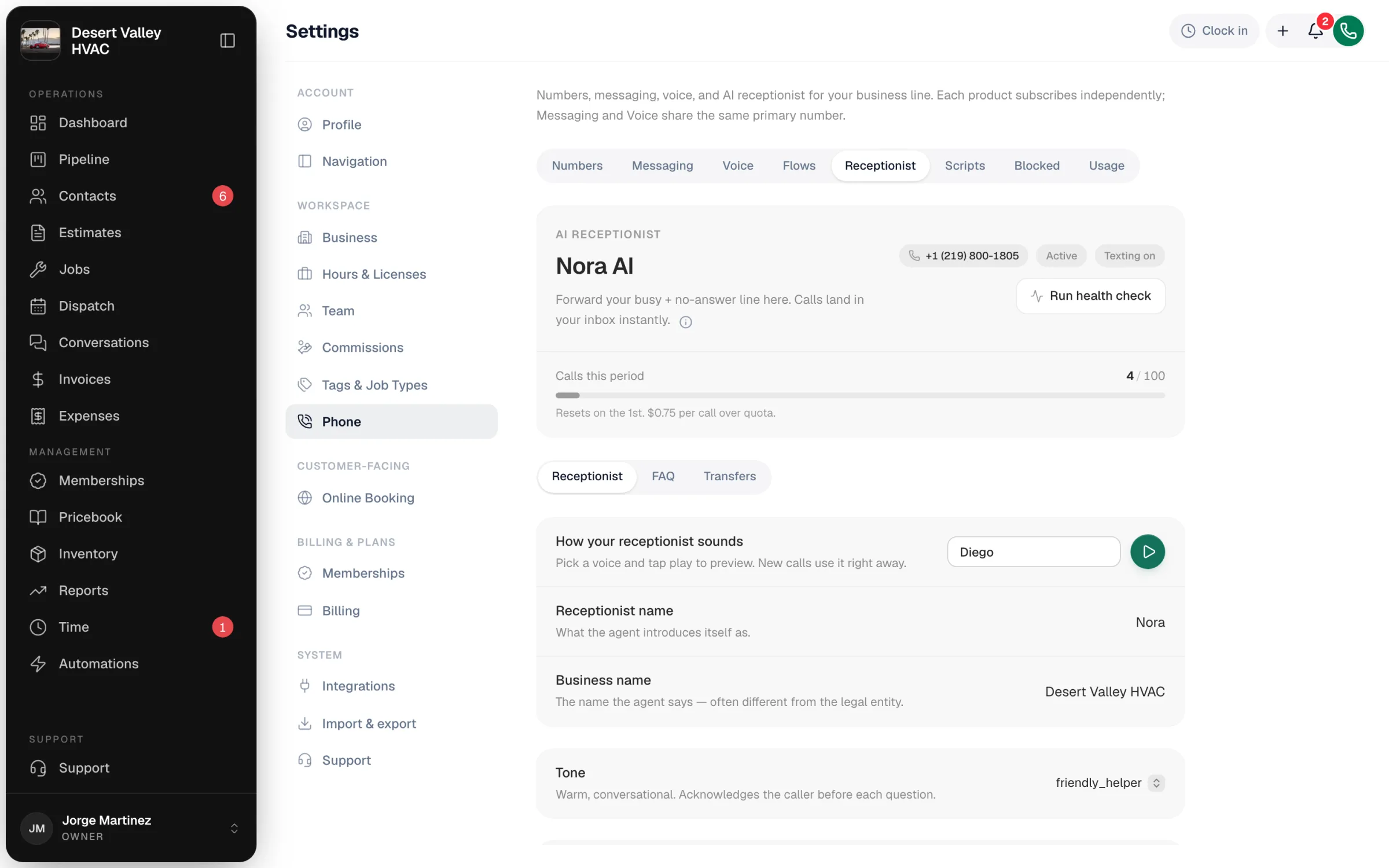
Go to Settings → Phone → Receptionist. The card at the top shows the receptionist's name, its number, whether it's Active, whether texting is on, and calls used this period. Below it are three tabs: Receptionist, FAQ and Transfers. Everything in this article is on the Receptionist tab.
What you can change
| Setting | What it controls |
|---|---|
| How your receptionist sounds | The voice. Pick one and tap play to hear it. New calls use it right away. |
| Receptionist name | What it calls itself, for example "Nora" or "Riley". |
| Business name | The name it says to callers. Useful when your legal name differs from the name on your trucks. |
| Tone | Its conversational style (see below). |
| The first line callers hear | Your greeting, up to 500 characters. |
| What happens past 100 calls | Stop at your monthly quota or allow extra calls. See How the AI Receptionist is billed. |
Voices
| Voice | Sounds |
|---|---|
| Sarah | Warm, confident. The all-round default. |
| Olivia | Friendly and conversational. Suits residential service. |
| Emma | Clear and polished. Suits premium or commercial work. |
| Daniel | Steady and professional. Calm under pressure. |
| Marcus | Younger and energetic. Good for busy after-hours lines. |
| Diego | Bilingual English/Spanish. Best if many callers speak Spanish. |
Tones
| Tone | Style |
|---|---|
| Friendly | Warm and conversational. Acknowledges the caller before each question. |
| Professional | Formal and polished. Full sentences, explicit confirmations. |
| Quick & efficient | Brisk and focused. Polite, but moves quickly through the call. |
Choosing a new tone asks you to confirm, then takes about 30 seconds to apply. New calls use the new style.
You can change the tone 10 times per month. After that the tone stays put until the 1st of next month. The voice, name, greeting and FAQ have no monthly limit.
Writing the greeting
Type your greeting in The first line callers hear. It saves when you click away or click Save. If you leave it empty, the receptionist uses the standard greeting:
"Thanks for calling Desert Valley HVAC, this is Nora on a recorded line. How can I help?"
If you've turned off Announce that calls are recorded in Settings → Phone → Numbers, the standard greeting leaves out "on a recorded line": "Thanks for calling Desert Valley HVAC, this is Nora. How can I help?" See Recording calls.
Click Use stock greeting to go back to it.
| Do | Why |
|---|---|
| Keep it to one short sentence plus a question | Callers want to explain their problem, not listen. |
| Use the receptionist's name | "This is Nora" sounds more natural than "the receptionist". |
| Match your recording announcement | With Announce that calls are recorded on, keep "on a recorded line" (or similar) so callers know. With it off, take that wording out of your own greeting. It isn't removed for you. |
| Skip "press 1 for…" | The receptionist is conversational. If you want a key-press menu, put it in a call flow before the receptionist. |
Good to know
- What it knows about your business (prices, brands, service area) is set on the FAQ tab. See Adding business facts to the AI prompt.
- Business hours come from Settings → Business. The receptionist reads them during each call.
- Change history: the FAQ tab links to a log of who changed what and when.
- There's no raw prompt editor. The receptionist's instructions are built from these settings.