
Turning on the AI Receptionist takes about 15 minutes: activate the add-on, run the setup wizard, and make a test call. By the end it's answering your calls.
Before you start
- Owners and admins activate and set up the receptionist.
- A card on file is required, even during your trial. The receptionist is free while you're on trial, then $99/month with 100 answered calls included. See How the AI Receptionist is billed.
- Have handy: your business hours, your website address, and how your current phone line is set up (Run a Call Voice or another provider).
Activate the add-on
Start from either place:
- Conversations in the sidebar (if you don't have Phone yet): choose AI Receptionist, listen to a sample call, click Set up AI Receptionist, then confirm.
- Settings → Phone → Receptionist: click Add AI Receptionist — $99/mo, then Activate AI Receptionist.
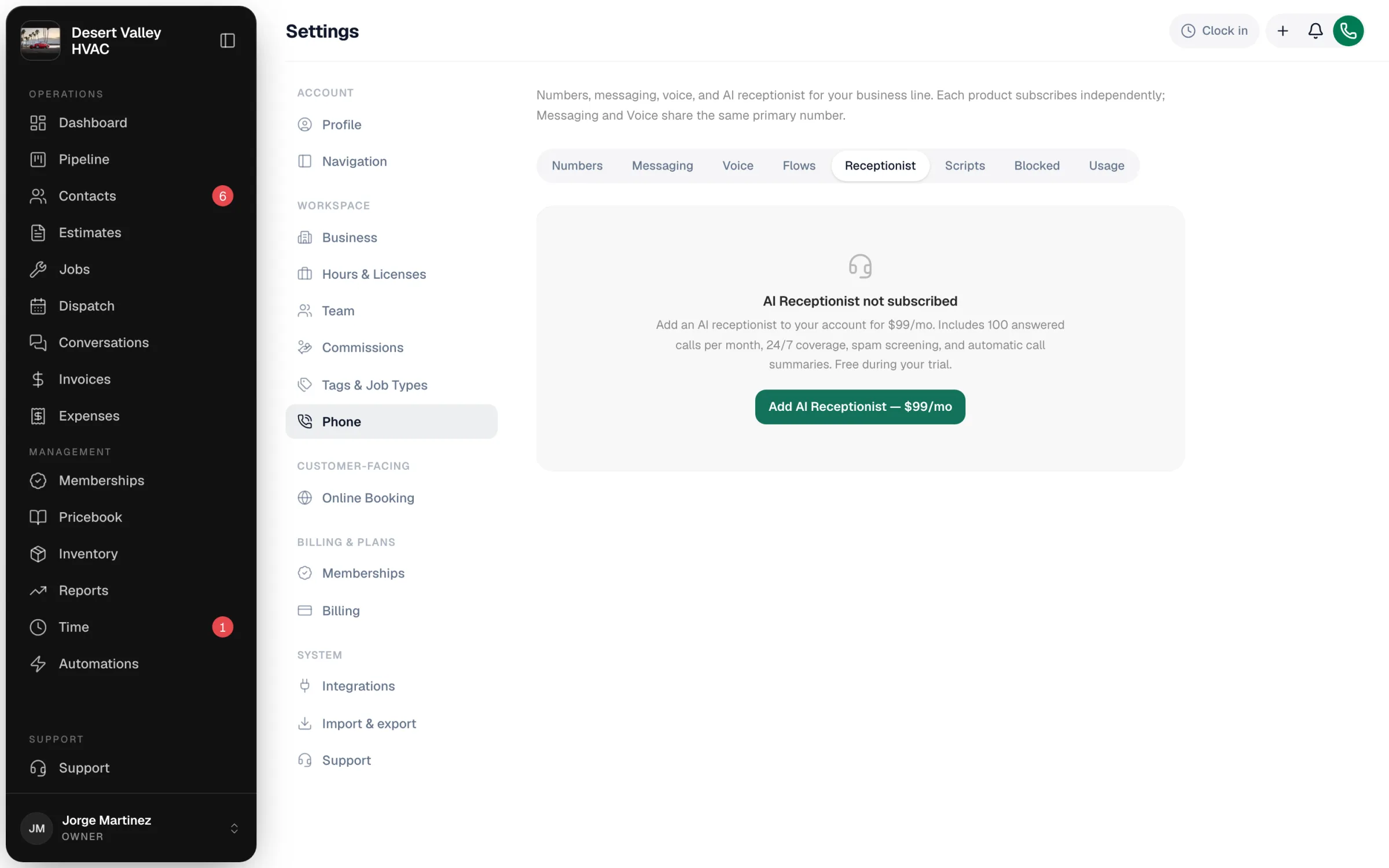
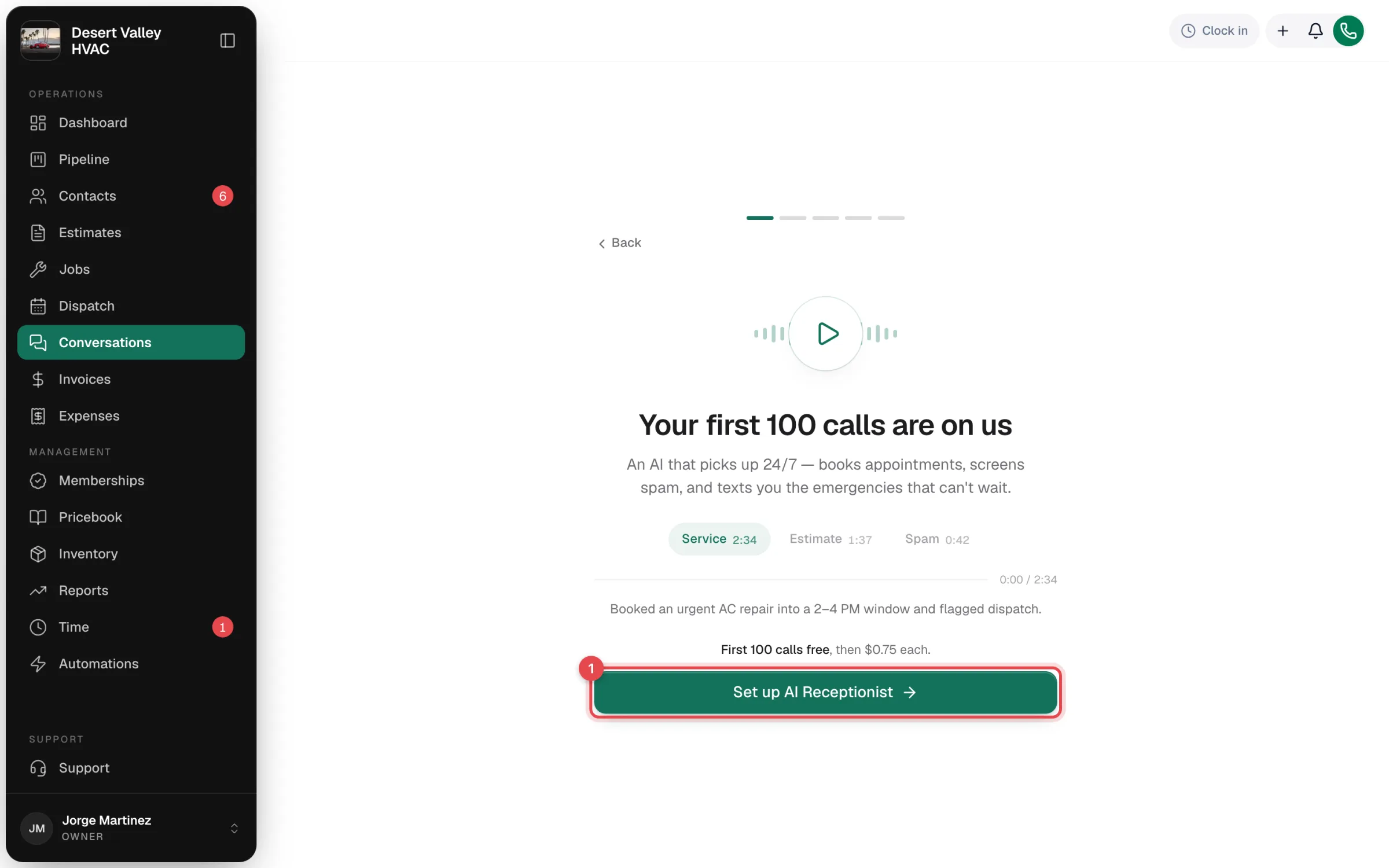
Once it's active, the setup wizard opens.
Get the receptionist's number
Confirm your area code. The receptionist gets its own local phone number, set up in a few seconds. You'll forward calls to it (or route them to it) in step 4.
Customize
The wizard walks you through five short screens:
| Screen | What you set |
|---|---|
| Name your receptionist | The name it introduces itself with, for example "Nora". |
| When are you open? | Your business hours, so "are you open?" gets the right answer. |
| Pick a voice | Tap a voice to hear it. One option is bilingual English/Spanish. |
| Pick a conversational style | Friendly Helper, Professional Receptionist, or Quick & Efficient. |
| Confirm your website | We read your website and suggest business facts (services, brands, service area). |
On Review what we found, check the suggested facts before you continue. They become the receptionist's FAQ, which you can change any time. See Adding business facts.
Send calls to the receptionist
What you see depends on your phone line:
If you have Run a Call Voice: there's nothing to forward. Pick when the receptionist answers:
| Setting | Choose |
|---|---|
| When you don't answer | AI receptionist or Voicemail for calls that ring with nobody picking up. |
| After business hours | AI receptionist or Voicemail for calls outside your hours. |
Click Save & continue. You can change these later in Settings → Phone → Voice → Call routing, or build something more detailed with call flows.
If you use another phone provider: the wizard shows the receptionist's number with a Copy button. Pick your Carrier (AT&T, Verizon, T-Mobile, Spectrum, RingCentral, OpenPhone, or Other) to get the exact forwarding code or steps. Use busy/no-answer forwarding so your team still gets first pick of each call.
If you forward from another system, set it to pass through the original caller's number. Otherwise every call looks like it came from your own line and the receptionist can't recognise customers.
Test it live
The wizard shows the receptionist's number and starts Listening for your call. Call that number from your cell phone and talk to it like a customer would: "My AC isn't cooling, can someone come tomorrow morning?"
Want to check your forwarding too? Click Want to verify forwarding instead? Call your business line. and call your normal business number instead. If no call arrives in time, the wizard explains the usual causes (forwarding not active yet, or your phone system hiding the caller's number) so you can fix them and try again.
Afterwards, find the call in Conversations → AI.
You're live
The receptionist now answers calls. Its settings live in Settings → Phone → Receptionist, where you'll also find Run health check if calls ever stop reaching it.
After the first few calls
Read the first few transcripts. They usually show one or two things to adjust:
- A question it couldn't answer: add a fact on the FAQ tab.
- An opening line that's too long: edit The first line callers hear.
- Callers asking for a person: consider turning on transfers.
Changes apply to the next call.