
A webhook sends a message to another system the moment something happens in Run a Call — a new customer, a job completed, an invoice paid, a missed call. You give Run a Call a web address (URL), pick the events you care about, and each event is sent there as JSON. It's how tools like Zapier, Make, n8n or your own software react in real time, without checking back every few minutes.
Only the account owner can create and manage webhook subscriptions. You'll need a URL that can receive web requests — most automation tools give you one (for example a Zapier "Catch Hook" URL).
Looking to start a Run a Call automation from another system instead? See Triggering automations from an inbound webhook.
Open Webhooks
Go to Settings → Integrations and click Manage subscriptions on the Webhooks card.
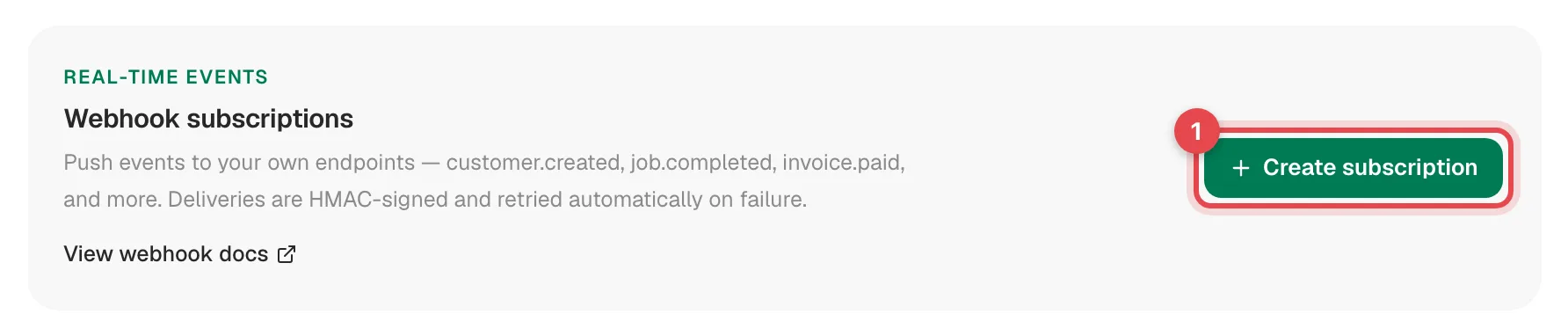
Click Create subscription
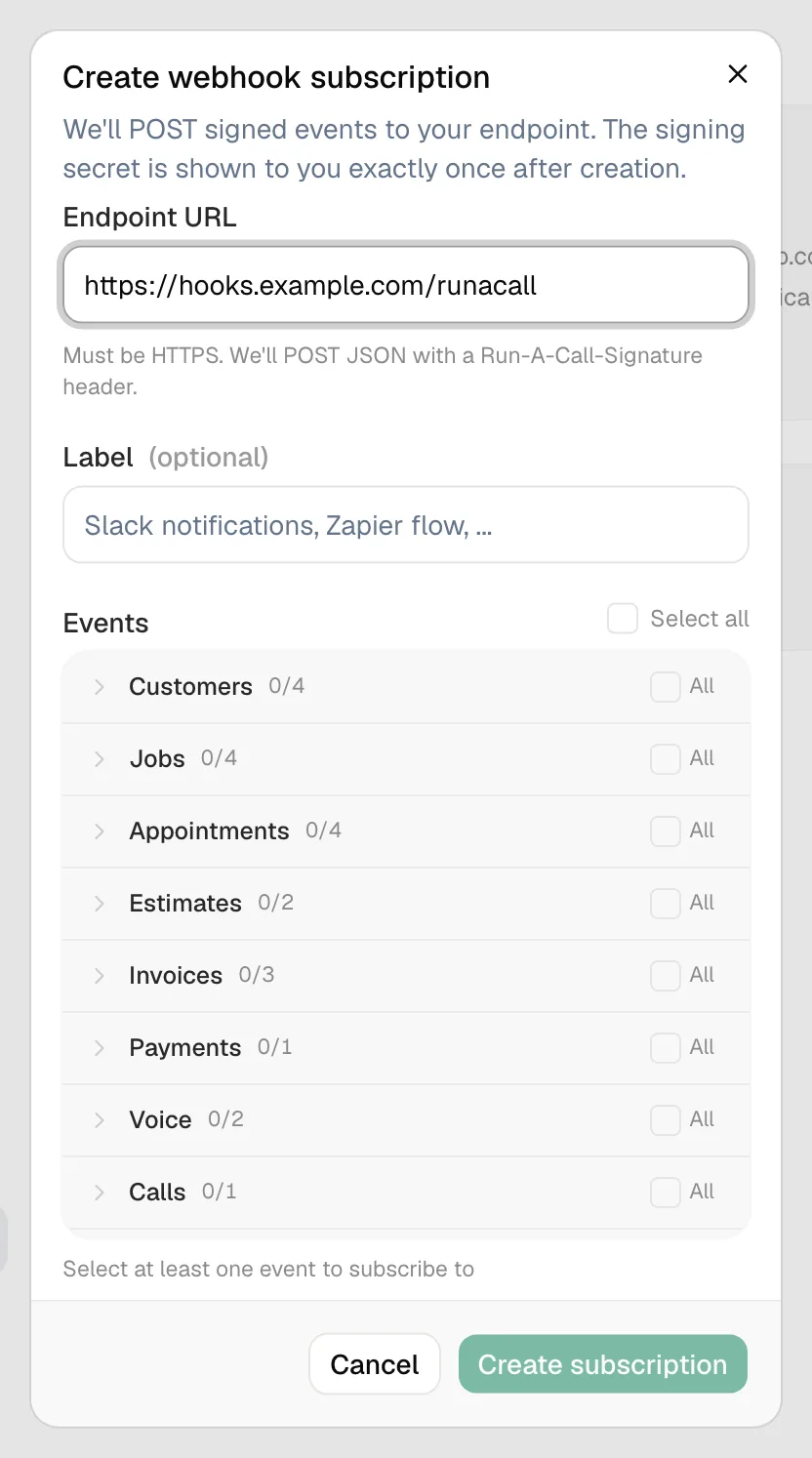
Fill in the subscription
| Field | What to enter |
|---|---|
| Endpoint URL | Where to send events. Must start with https://. |
| Label (optional) | What it's for, like Slack notifications or Zapier flow. |
| Events | Tick individual events, All for a group, or Select all. At least one is required. |
Save the signing secret
Click Create subscription. The next screen, Save your signing secret, shows a secret starting with whsec_ — once. Copy it and store it with the receiving system; it's how that system proves an event really came from Run a Call. See Verifying webhook signatures.
Send a test
Open the subscription from the list and click Send test event. Run a Call sends a webhook.test event ("Hello from Run a Call. This is a test event.") to your URL. Check Recent deliveries to see whether it arrived.
Events you can subscribe to
| Group | Event | When it's sent |
|---|---|---|
| Customers | customer.created | A customer is added (in the app, through the API, or by an import) |
customer.updated | Someone changes a customer's contact details, billing address or tags | |
customer.tagged | A tag is added to a customer | |
customer.merged | Two customers are merged | |
| Jobs | job.scheduled | A job's status becomes Scheduled |
job.status_changed | A job's status changes | |
job.completed | A job is completed | |
job.tagged | A tag is added to a job | |
| Appointments | appointment.scheduled | A visit is added to a job (including each day of a multi-day job) |
appointment.status_changed | A visit's status changes (on the way, arrived, in progress…) | |
appointment.completed | A visit is completed | |
appointment.assignments_changed | The crew on a visit changes | |
| Estimates | estimate.sent | An estimate is sent (every send, including re-sends) |
estimate.approved | A customer approves an estimate | |
| Invoices | invoice.issued | An invoice is sent for the first time |
invoice.updated | An invoice the customer already has is edited | |
invoice.paid | Payments add up to the invoice total | |
| Payments | payment.received | Any payment is recorded against an invoice |
| Voice | voice.call.completed | An AI receptionist call finishes |
voice.followup.created | The AI receptionist creates a follow-up | |
| Calls | call.missed | An incoming call on your line ends unanswered (sent about two minutes later) |
| Memberships | membership.created | A customer is enrolled in a membership |
membership.renewed | A renewal invoice is paid and the membership rolls forward | |
membership.cancelled | A membership is cancelled | |
membership.suspended | A membership is suspended | |
membership.reactivated | A suspended membership is reactivated | |
membership.transferred | A membership moves to the new owner of a sold house |
The full field-by-field payload for each event is at docs.runacall.com.
What a delivery looks like
Each event is a POST with a JSON body:
{
  "id": "evt_4f1c...",
  "type": "invoice.paid",
  "created_at": "2026-09-16T15:04:05.000Z",
  "organization_id": "…",
  "data": { "...": "the invoice as it is right now" }
}
It also carries these headers: Run-A-Call-Signature (for verification), Run-A-Call-Event-Id, Run-A-Call-Event-Type, and User-Agent: RunACall-Webhooks/1.0. Use the event id to ignore duplicates.
Retries and auto-pause
| What happens at your URL | What Run a Call does |
|---|---|
Responds with any 2xx within 10 seconds | Delivered. |
| Errors, times out, or can't be reached | Tries again — up to 3 attempts in total, spaced further apart each time. |
| 10 events in a row fail every attempt | The subscription is Auto-paused and the owner gets an email. |
While a subscription is paused, events that happen aren't saved up to send later. To get going again: fix the endpoint, click Resume (this also resets the failure count), then click Send test event and check Recent deliveries.
A test event is only delivered to an active subscription — resume first, then test.
Managing a subscription
The subscriptions list shows each Endpoint, how many Events it has, its Last delivery and its Status (Active, Paused or Auto-paused). Click one to open it:
- Status, Events, Last 7d total and Last 7d errors at the top, and the Subscribed events.
- Recent deliveries — the last 7 days (up to 100): response code, event, response time and when, plus Recent error messages.
- Send test event, Rotate secret, Pause / Resume, and Delete.
To change the URL or events, create a new subscription and delete the old one. Deleting stops deliveries immediately; delivery history is kept for 30 days.