
A customer who opens your estimate but doesn't decide is your warmest lead. Run a Call tracks when the approval link is opened, how often, and which option got the most attention, so you know exactly when to follow up.
What gets tracked
| What | Where you see it |
|---|---|
| First open | The estimate changes from Sent to Viewed, on the estimate and in the Estimates list. |
| How many times it was opened | The next-step bar on the estimate. Reopening within 30 minutes (a refresh, say) doesn't count again. |
| When it was last opened | The next-step bar on the estimate. |
| Which option they looked at most | The next-step bar on the estimate. |
| Viewed in the timeline | The estimate's History includes Customer viewed the estimate. |
The next-step bar reads like this:
Clint opened this 3 times, last Sep 14, 2026 7:42 PM, mostly looking at Best. Worth a follow-up call.
Until the customer opens it, the bar says Sent — waiting for Clint to review.
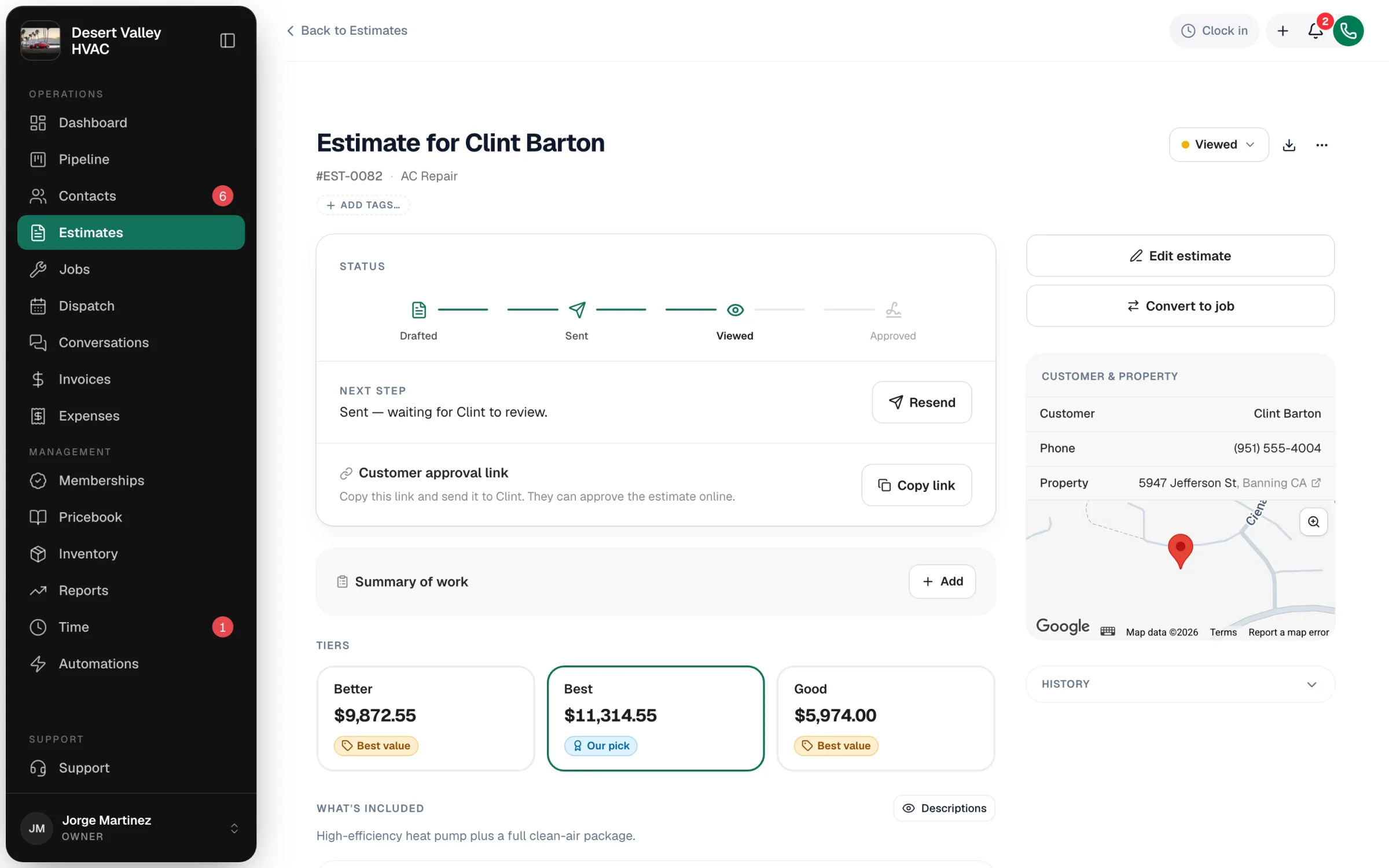
Finding viewed estimates
On the Estimates page, set the Status filter to Viewed. That's your list of customers who have seen a price and haven't said yes or no.
Notifications
- You aren't notified when an estimate is viewed. Check the Viewed filter, or the estimate itself.
- You are notified when a customer approves or declines. Everyone on your team gets an in-app notification.
- Daily digest (owners). If you turn on the Daily digest under Settings → Business, the morning email includes Estimates approved and Estimates with customers, the open estimates and their total value.
Turning the signal into a sale
- Call soon after a view. The customer has your price in mind right now.
- Lead with the option they looked at most. It's usually the one they're weighing.
- Resend if the link got buried. Click Resend on the estimate.
- Offer to walk through it on site. Click Convert to job, choose Not yet — sales visit, and a tech can present it in person.
Good to know
- Opening the link yourself counts as a view. If you copy the approval link to check it, expect the count to go up.
- Nothing is shown to the customer. There's no read receipt or tracking notice on their side.
- Opening an expired link shows the customer the expired message, and the estimate changes to Expired.