
Bought a part at the supply house, filled up the van, or paid for something out of pocket? Snap the receipt in the app. Run a Call reads the merchant, date, and total for you, ties the cost to the job if there is one, and puts anything you paid personally on the office's reimbursement list.
Who can do this
Anyone whose role can log expenses. The standard Field Tech role can. If you don't see My expenses on your Profile or Expenses on a job, your role doesn't include expenses.
Start a new expense
Pick where to start:
- For a job: open the job, tap Expenses under This visit, then Add expense. The expense is tied to that job automatically.
- Not for a job (fuel, tools, shop supplies): tap the person icon in the bottom bar, then My expenses, then Add expense.
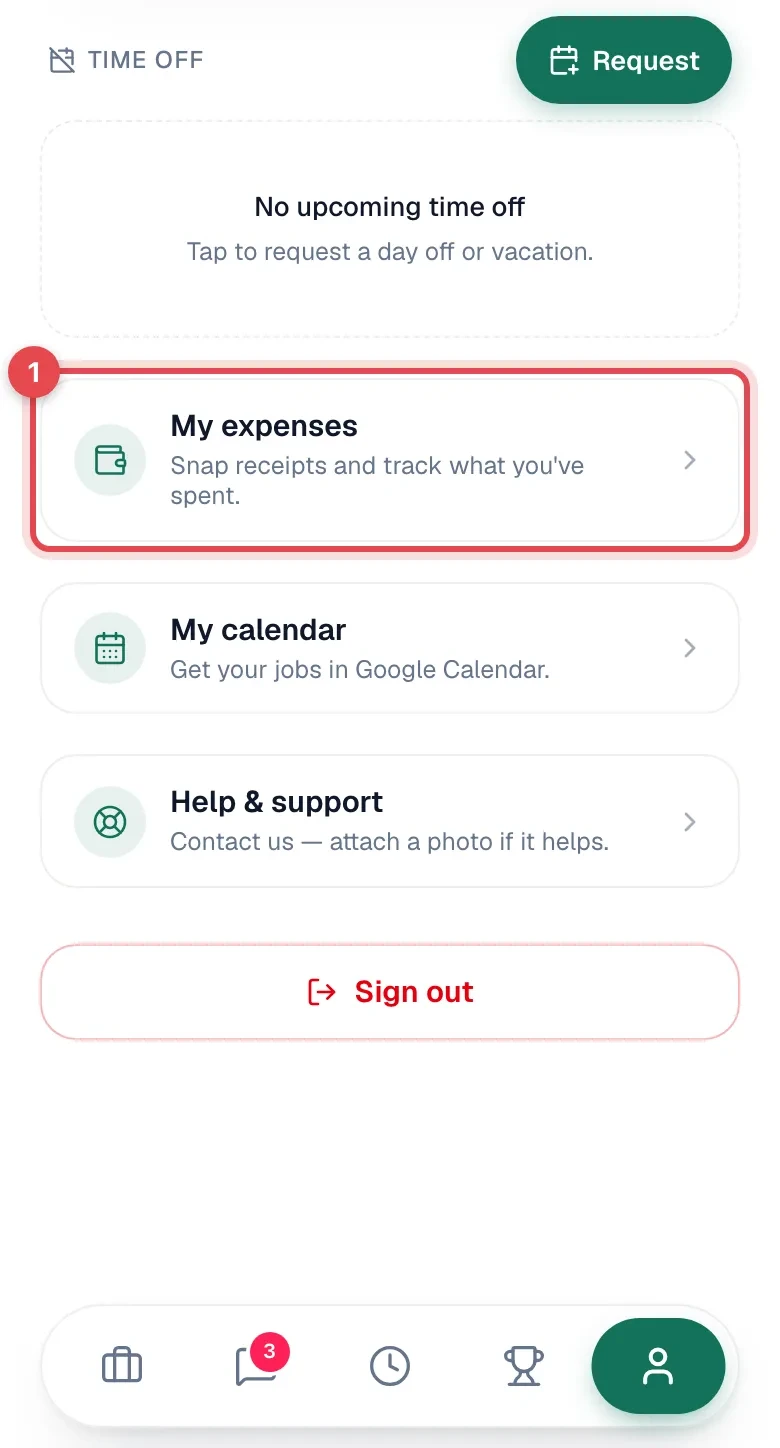
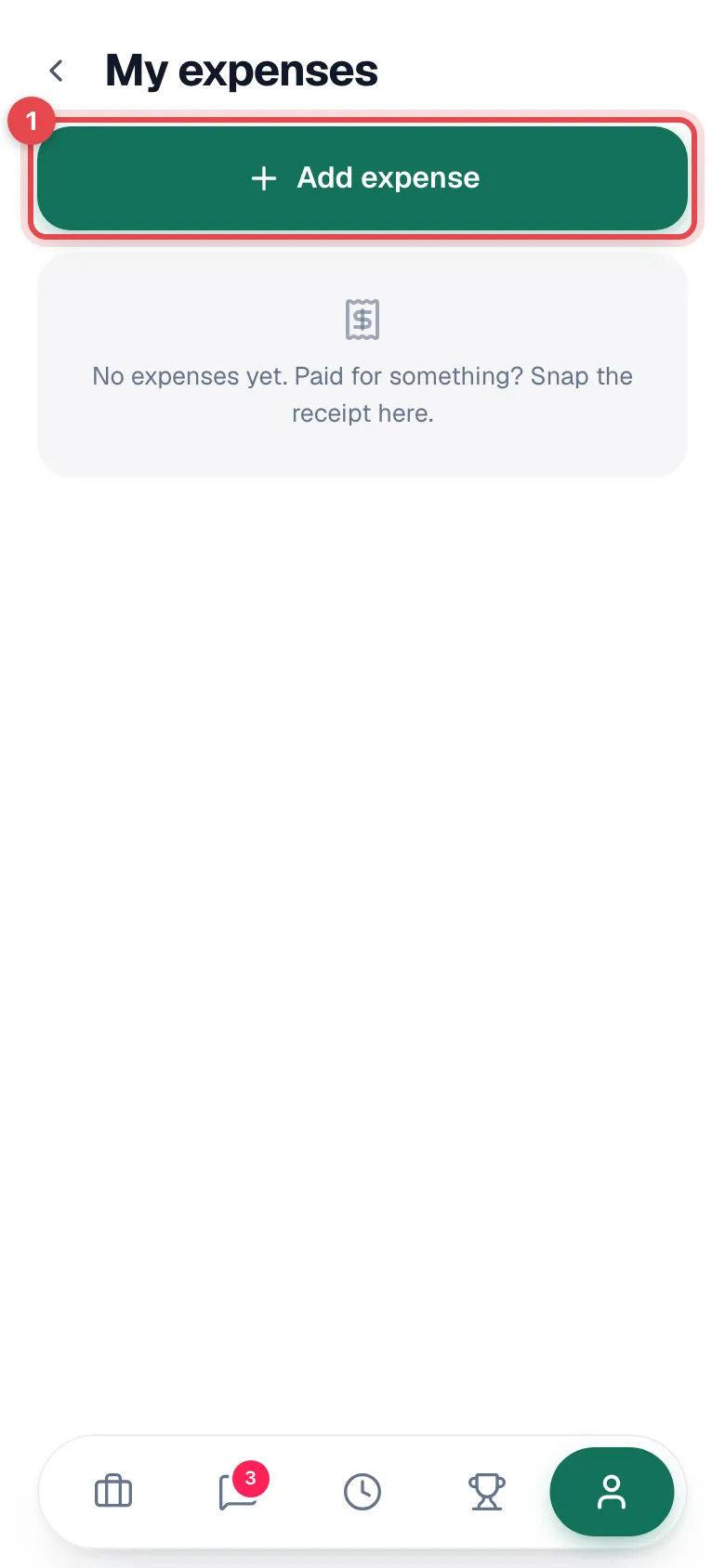
Snap the receipt
Tap Snap the receipt and take a photo (or pick one). You'll see Reading your receipt… while the app fills in the merchant, date, and total. Anything you already typed stays put.
When it's done, Filled from your receipt — check it over and save. Always check the highlighted fields.
- Got a long receipt or more than one page? Tap Add another receipt.
- A PDF receipt attaches fine, but you'll need to type the details in yourself.
Check the details
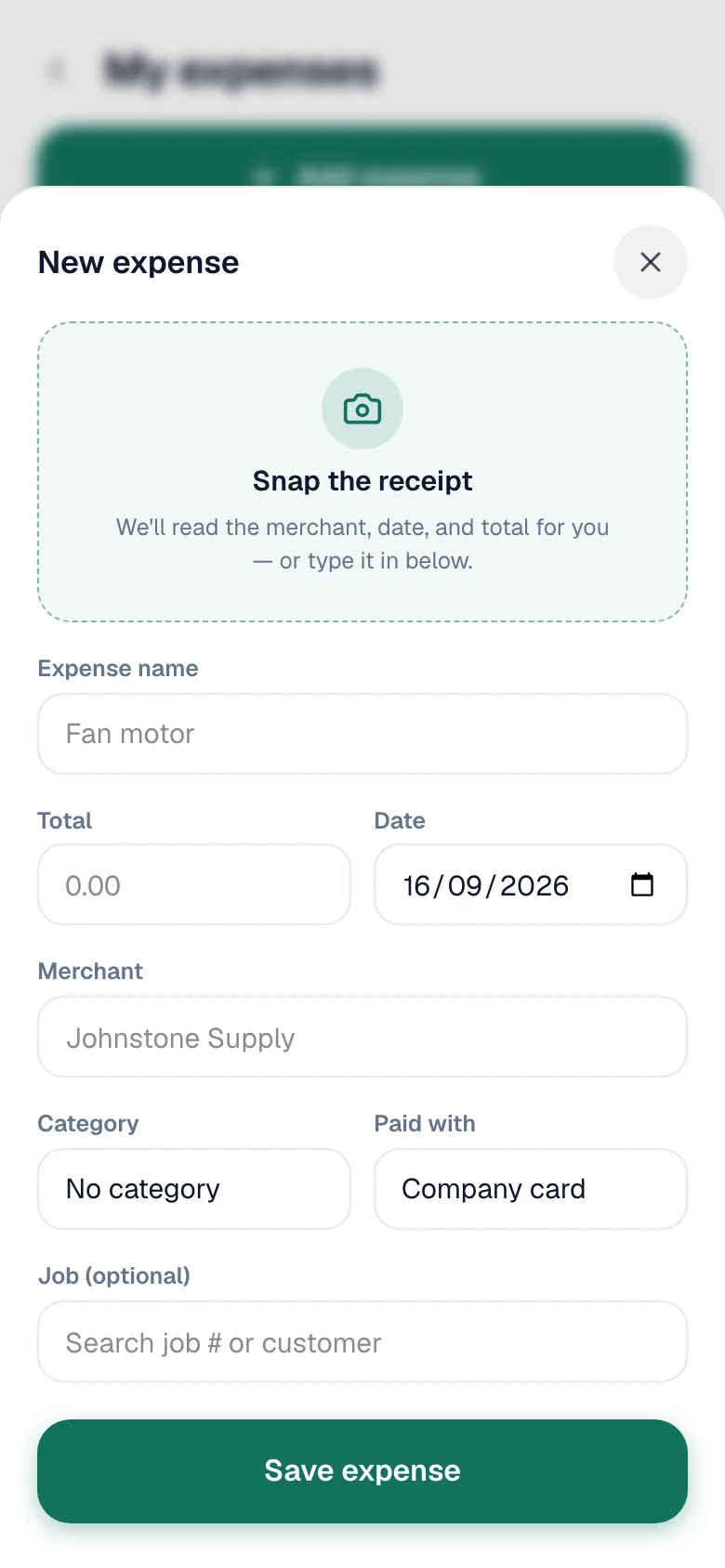
| Field | What to enter |
|---|---|
| Expense name | What it was, for example Fan motor. Required. |
| Total | The amount on the receipt. Required. |
| Date | The purchase date. |
| Merchant | Where you bought it, for example Johnstone Supply. |
| Category | One of your company's expense categories, or No category. |
| Paid with | Company card, Cash, Company account, or Personal (reimburse). |
| Job (optional) | From My expenses, search by job number or customer to tie it to a job. Leave it empty for things like fuel. |
Choosing Personal (reimburse) shows This goes on the office's reimbursement list for you.
Tap Save expense
You'll see Expense saved. On a job, the Expenses row now shows the total.
Tracking what you logged
My expenses lists everything you've logged, with a label once the office acts on it:
| Label | Meaning |
|---|---|
| To reimburse | You paid personally and the office still owes you. |
| Paid back | The office reimbursed you. |
| Reviewed | The office checked it. |
| Rejected | The office didn't accept it. Ask them why. |
You can edit or delete your own expense until the office reviews, rejects, or reimburses it. After that it's read-only. To delete, open the expense and tap Delete expense, then Tap again to delete.
No signal
You can still log an expense. It saves on the phone (Saved offline — it'll sync when you reconnect) and the receipt uploads when you're back online. The app can't read the receipt offline, so type the details in.