
Robocalls and spam dialers are screened out automatically, and you can block any number yourself. Spam and blocked calls never count toward your AI Receptionist's monthly calls.
How spam is caught
Calls to the AI Receptionist go through three checks:
| Check | When | What happens |
|---|---|---|
| Carrier reputation | Before the receptionist picks up | Every incoming call carries a spam score from the phone network. Calls from numbers known for spam are dropped before the receptionist answers. |
| During the call | While talking | If the "caller" is clearly a robocall or a sales pitch, the receptionist marks it as spam and ends the call. |
| After the call | When the call is analysed | Calls whose purpose turns out to be spam are flagged afterwards. If one had already been billed as an extra call, the charge is credited back. |
Spam calls stay out of your Needs review list, so your team doesn't waste time on them.
Blocking a number
Blocked numbers are rejected before anything rings: they never reach your team, the AI receptionist or voicemail. Blocking applies to all your Run a Call lines. Text messages aren't affected.
From a call
Open the call in Conversations and click Block number. Add an optional reason (for example "Solar robocalls") and confirm.
From settings
Open the Blocked tab
Go to Settings → Phone → Blocked.
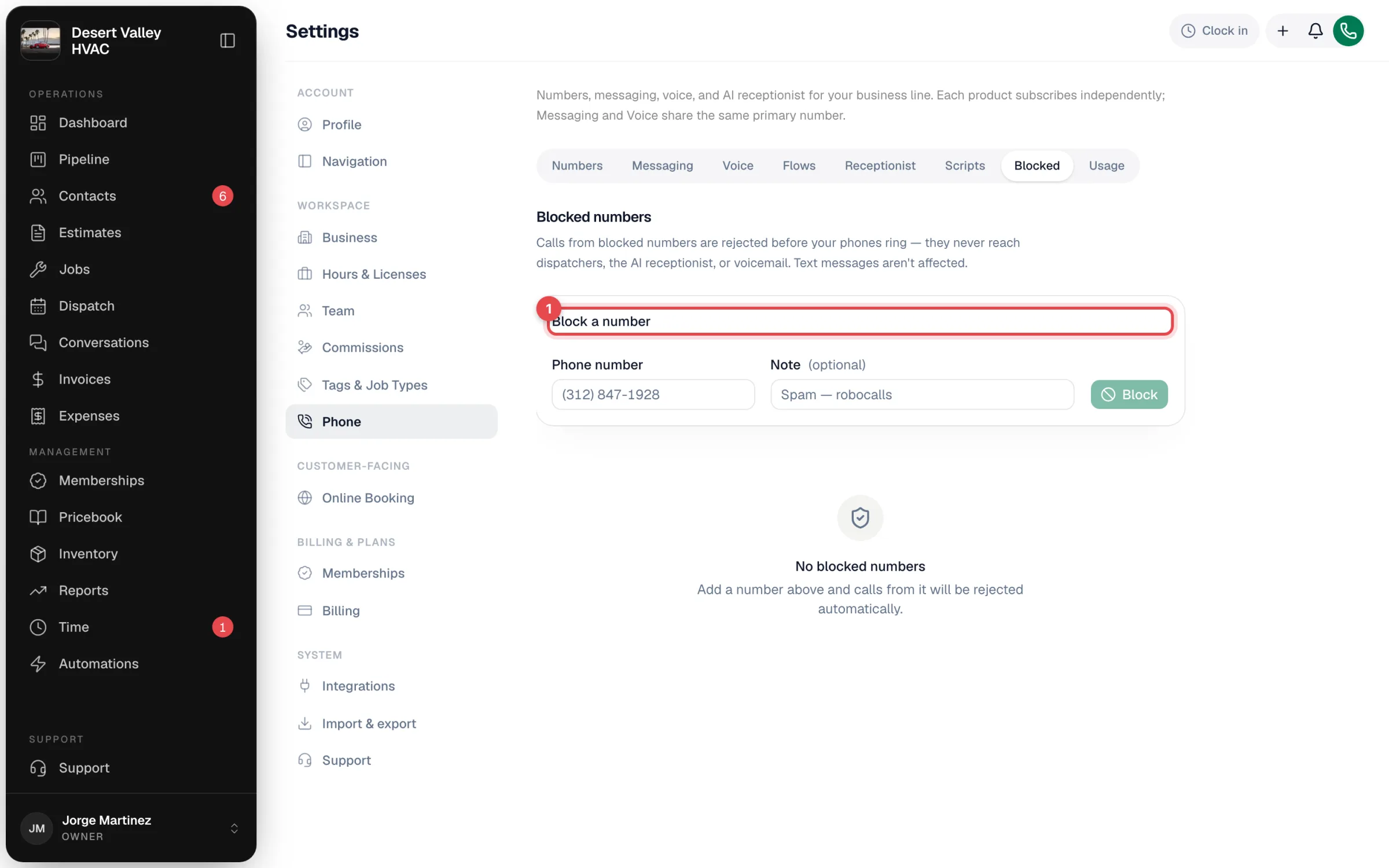
Add the number
Under Block a number, enter the Phone number and an optional Note, then click Block.
Blocked numbers are listed below with how many calls each has made since it was blocked and when it last tried. To let a number through again, unblock it from the list.
Owners, admins and staff (anyone with access to Conversations) can block and unblock numbers.
What it means for your bill
None of these count toward your 100 included AI Receptionist calls or cost an extra-call charge:
- Calls dropped for a bad carrier reputation.
- Calls the receptionist ended as spam.
- Calls from blocked numbers.
See How the AI Receptionist is billed.
Good to know
- There's no "always let through" list. If a real customer's call is mistakenly treated as spam, reach out from Settings → Support.
- The spam threshold isn't adjustable per account.
- Hidden numbers: if you use transfers, you can stop callers with hidden numbers from being transferred.
- Want to stop robocalls on your main line too? The Spam gate call flow template asks unknown callers to press 1 before anything rings, while known customers go straight through. See Call flows.