
This article is about what Run a Call charges your shop for the AI Receptionist add-on. It covers the monthly price, what counts as a call, and what happens once you pass your included calls. It has nothing to do with what you charge your own customers.
The price
| Monthly price | $99/month, added to your Run a Call subscription |
| Included | 100 answered calls per month |
| During your trial | Free |
| Extra calls | $0.75 per call, only if you allow them (see below) |
| Resets | At the start of each billing period for your Run a Call subscription |
It's priced per call, not per minute: a 40-second question and a 6-minute booking count the same.
What counts as a call
| Counts | Doesn't count |
|---|---|
| A real conversation the receptionist handled | Spam caught before the receptionist picks up |
| Calls the receptionist hangs up on because they're spam | |
| Calls from numbers on your Blocked list | |
| Calls rejected because you've hit your limit |
If a call is billed as an extra call and is later found to be spam, the $0.75 is credited back on your invoice.
What happens after 100 calls
You choose. Go to Settings → Phone → Receptionist, stay on the Receptionist tab, and scroll to What happens past 100 calls.
| Option | What happens |
|---|---|
| Stop at your quota (default) | The receptionist stops taking calls once 100 have been answered this period. No extra charges. |
| Allow overage | The receptionist keeps answering. Each call past 100 is billed at $0.75 on your next invoice. Requires a card on file. |
What a caller hears once the receptionist stops taking calls depends on how calls reach it:
- On a Run a Call line with a call flow: the call moves to the flow's AI unavailable path. In the built-in flow templates that's your voicemail, so the caller can leave a message.
- Forwarded from another phone provider to the receptionist's own number: the call isn't answered and ends. Nobody takes a message, so consider Allow overage or a spend cap instead if you rely on forwarding.
With Allow overage on, you can also set Stop accepting calls after: a dollar cap on extra charges per billing period. Once extra calls reach the cap, the receptionist stops taking calls until the next period, the same way as above. Leave it empty for no cap.
Turning on Allow overage while you're on a trial ends your trial immediately. Your card is charged a prorated amount for the rest of the billing period (your plan plus the $99 add-on), and the trial can't be restarted. If you just want to try the receptionist, leave it on Stop at your quota until your trial ends.
Where to see usage
| Where | Shows |
|---|---|
| Settings → Phone → Receptionist (top card) | Calls this period out of 100, and extra calls and their cost once you pass 100. |
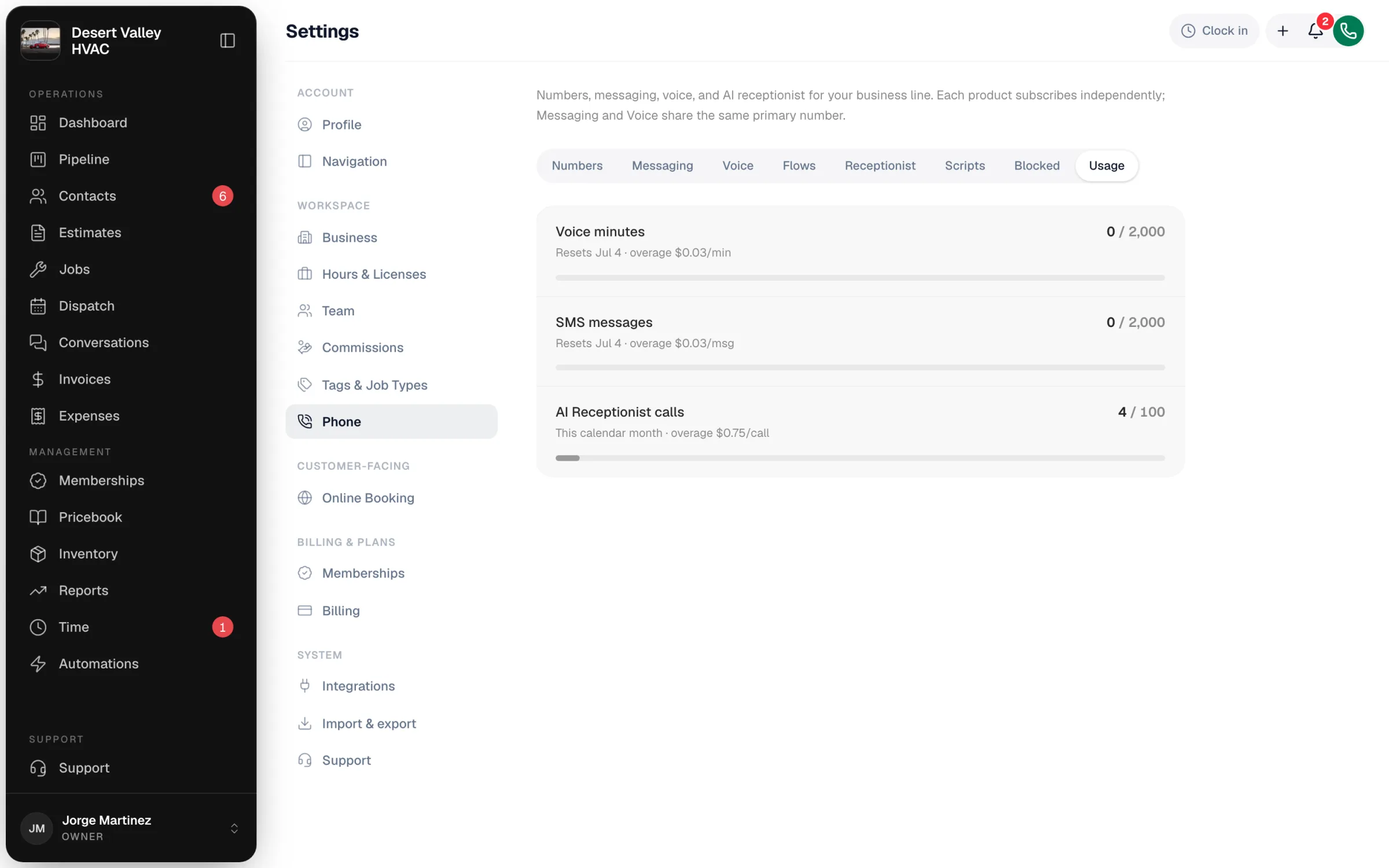
| Settings → Phone → Usage | AI Receptionist calls this calendar month, alongside your voice minutes and texts. Your 100-call allowance follows your billing period, so this count can differ slightly from the Receptionist card. |
| Settings → Your plan | Your Run a Call invoices, including the add-on and any extra calls. |
Good to know
- If a payment fails, the receptionist is suspended and the card at the top shows Suspended. Update your card in Settings → Your plan to reactivate it.
- Other phone charges (Voice minutes, texts, extra numbers) are separate. See Run a Call Phone overview.