
On call and the phone rings? Book the job for yourself straight from the app, without waiting for the office. It lands on your board already assigned to you and opens the moment it's booked.
Who can do this
Your role needs permission to edit jobs. The standard Field Tech role has it. If you don't see the green + button at the top of Jobs, ask the office to check your role.
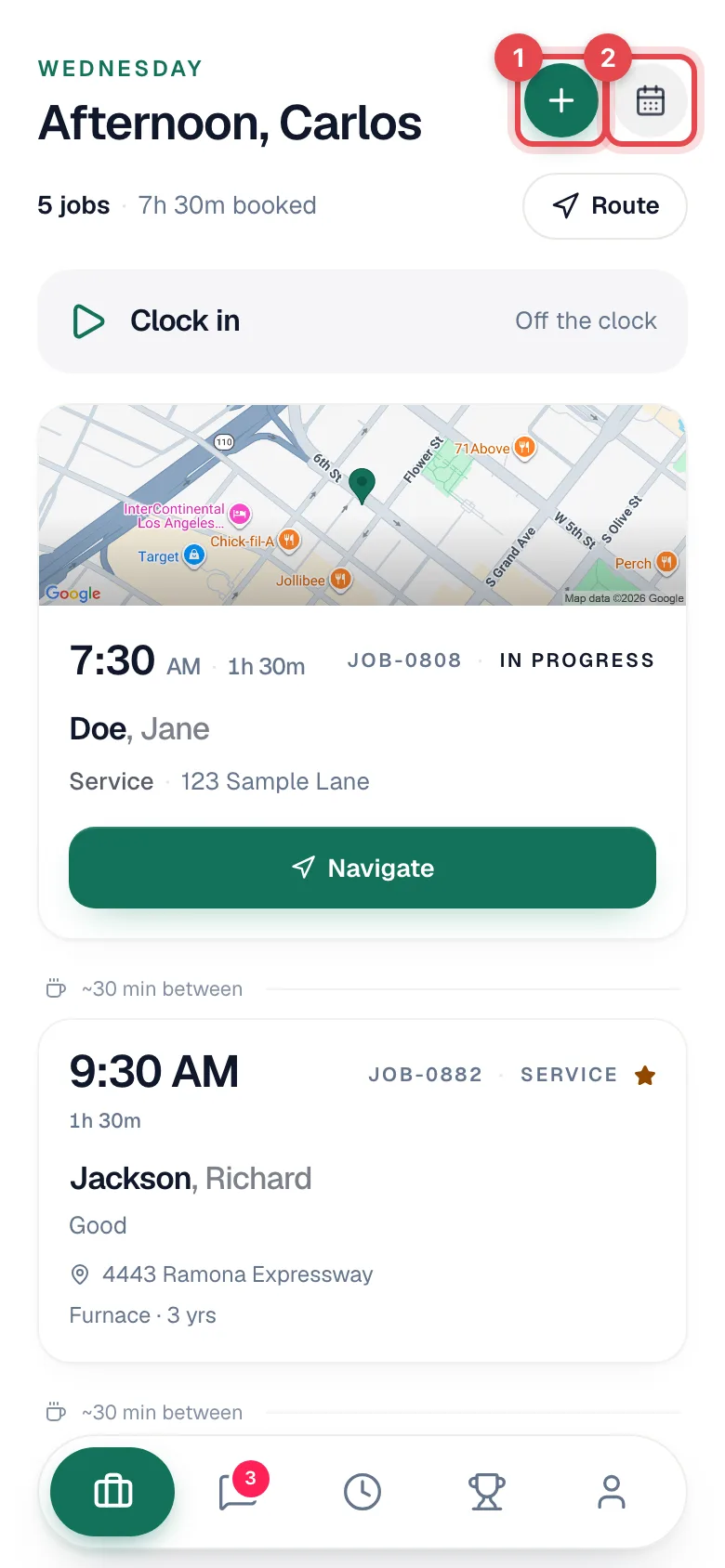
Tap the green + on Jobs
At the top of your Jobs screen, tap the green + next to the calendar button. The New job form opens.
Pick the customer
Under Customer, search by Name or phone and tap the match. If the customer has more than one address, pick the Service address.
A customer the office has flagged Do not service shows a red Do not service pill in the search results. Pick them anyway and a red banner appears under their name — Do not service — Stop and check with the office before booking. You'll see the flag even when the office set it to Office only; what the office wrote about the customer stays in the office. See Booking a flagged customer below.
Under the picked customer's name, View history opens their customer history — addresses, equipment, past jobs and what's owed — so you can check before you book. Book a job over there brings you straight back here with the customer already picked. You need permission to view customers to see it.
<!-- labels: components/field/field-new-job-form.tsx:488-496 (red pill, CUSTOMER_FLAG_LABELS.do_not_service), :310-321 (banner: label + hint), :44 (kind only — note text stays in the office), :335-342 ("View history"), :333-334 (Book a job returns with the customer picked); lib/types/customer-flags.ts:11 ("Do not service"), :20 ("Stop and check with the office before booking."); app/(field)/my-jobs/new/page.tsx:111 (customers.view); components/field/field-customer-view.tsx:241 ("Book a job") -->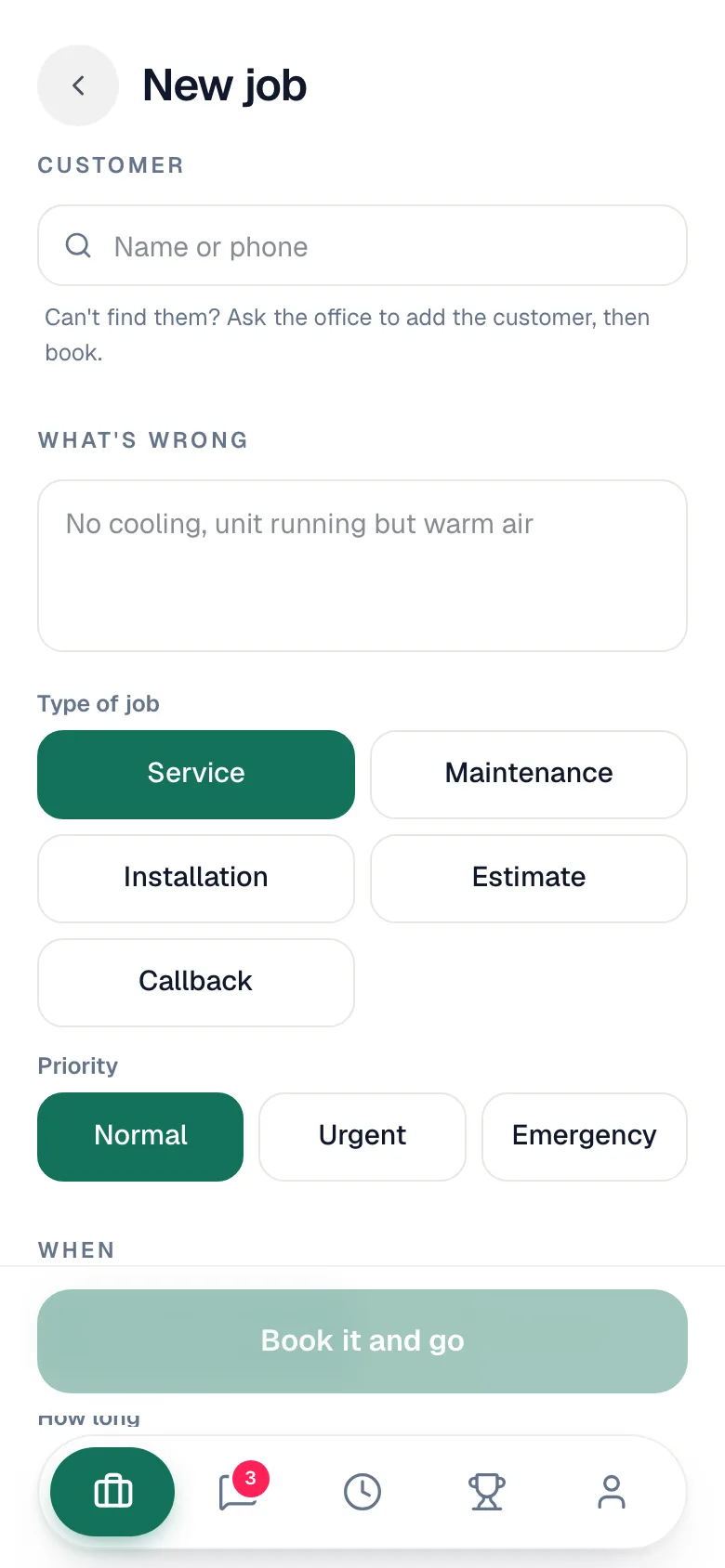
Customer not in the system yet?
- If your role can add customers, tap New customer, fill in the name, phone, and service address, and tap Add customer.
- If it can't, you'll see Can't find them? Ask the office to add the customer, then book.
Describe the job
| Field | What to enter |
|---|---|
| What's wrong | One line is enough, for example No cooling, unit running but warm air. This becomes the job's problem description. |
| Type of job | Service, Maintenance, Installation, Estimate, Callback, or any job type your company added. |
| Priority | Normal, Urgent, or Emergency. |
Pick when and how long
| Field | What to pick |
|---|---|
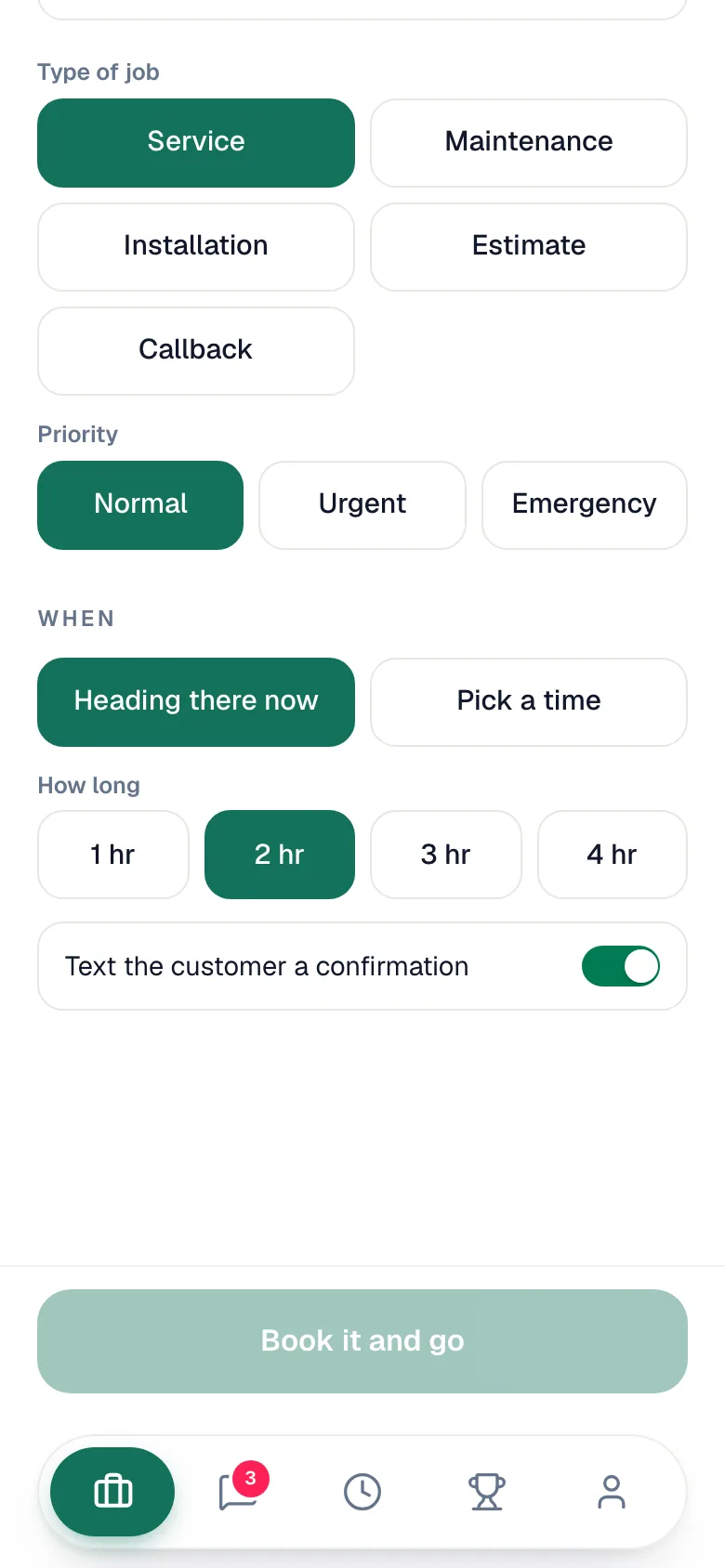
| When | Heading there now starts the visit at the current time. Pick a time lets you set a Date and Start time, today or later. |
| How long | 1 hr, 2 hr, 3 hr, or 4 hr. This sets the appointment window on the board. |
| Text the customer a confirmation | On by default. Turn it off if the customer shouldn't get the booking text. |
Tap Book it and go
The button reads Book it when you picked a time. You'll see Booked. It's on your board. and the new job opens, ready for On My Way.
Booking a flagged customer
For a customer flagged Do not service, the button reads Book anyway instead. Tapping it asks This customer is flagged Do not service — Check with the office before you book. Book this job anyway? Tap Book anyway to go ahead, or back out and call the office first.
<!-- shot: New job form with the red Do not service banner and the Book anyway button --> <!-- labels: components/field/field-new-job-form.tsx:635-637 (confirm title, description, "Book anyway") -->What happens next
- The job is Scheduled, with you as the tech, and shows on your Jobs list and the office's dispatch board like any other job.
- If the job type has default line items, they're already under Parts and labor, for example a dispatch fee on every Service call.
- A late-evening job that would run past midnight ends at 11:59 PM so it stays on today's board.
What you can't do from the phone
Adding helpers, making it a multi-day install, attaching forms or tags, and linking a membership all stay on the office's New Job form. Book the call from the field, and the office can add those later from the job page.
Booking needs a connection. Offline, the form says You're offline. Booking needs a connection, so try again when you have signal.