
Every call on your Run a Call numbers is recorded and transcribed by default. Recordings help you settle "that's not what I was quoted" disputes, coach new CSRs, and give the AI wrap-up something to read. This article covers the recording settings; to listen to calls, see Listening to call recordings.
Before you start
- Owners and admins change recording settings.
- Recording applies to calls on your Run a Call Voice numbers, inbound and outbound.
How recording works
| What | Default |
|---|---|
| Recording | On for every number. Both sides are recorded on separate channels (your team and the customer). |
| Disclosure | Before each recorded call, callers hear: "This call may be recorded for quality and training purposes." |
| Transcription | On. Every call gets a transcript with speaker labels. |
| AI wrap-up | On. After a call, the wrap-up panel is pre-filled from the transcript. |
| Retention | Recordings are kept for 1 year, then deleted automatically. |
Change the disclosure or turn recording off for a number
Open the number
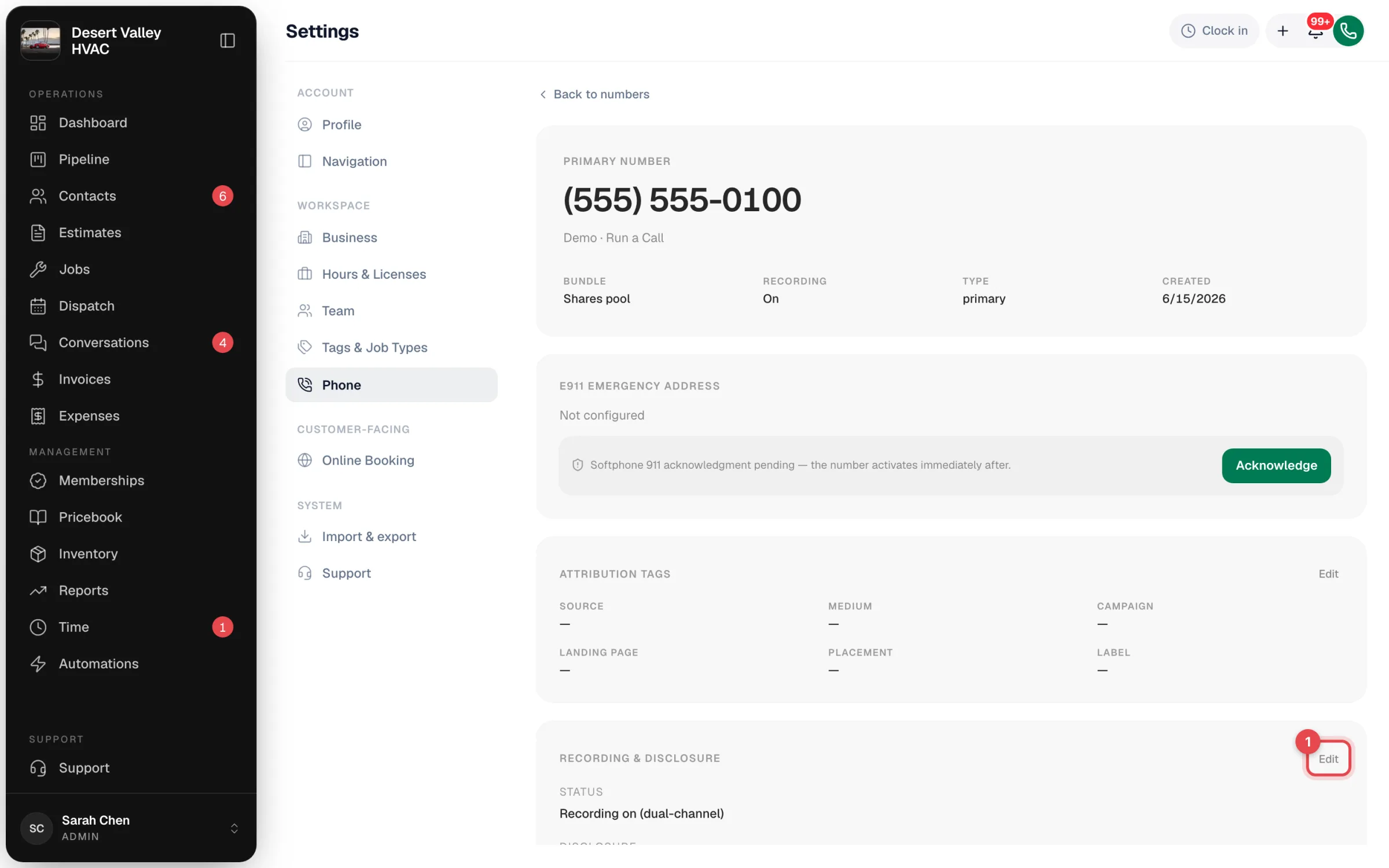
Go to Settings → Phone → Numbers and click the number.
Edit Recording & disclosure
Scroll to Recording & disclosure and click Edit.
Make your change
| Setting | What it does |
|---|---|
| Record calls on this number | Switch off to stop recording. When it's off, no disclosure plays either. |
| Disclosure text | What callers hear before the call. Leave it blank to use the standard wording. Up to 500 characters. |
Click Save changes.
If your business address is in a two-party-consent state (CA, CT, FL, IL, MD, MA, MT, NV, NH, PA, WA), you can't turn recording off or remove the disclosure. Those states require every party to be told the call is recorded.
Transcription, AI wrap-up and retention
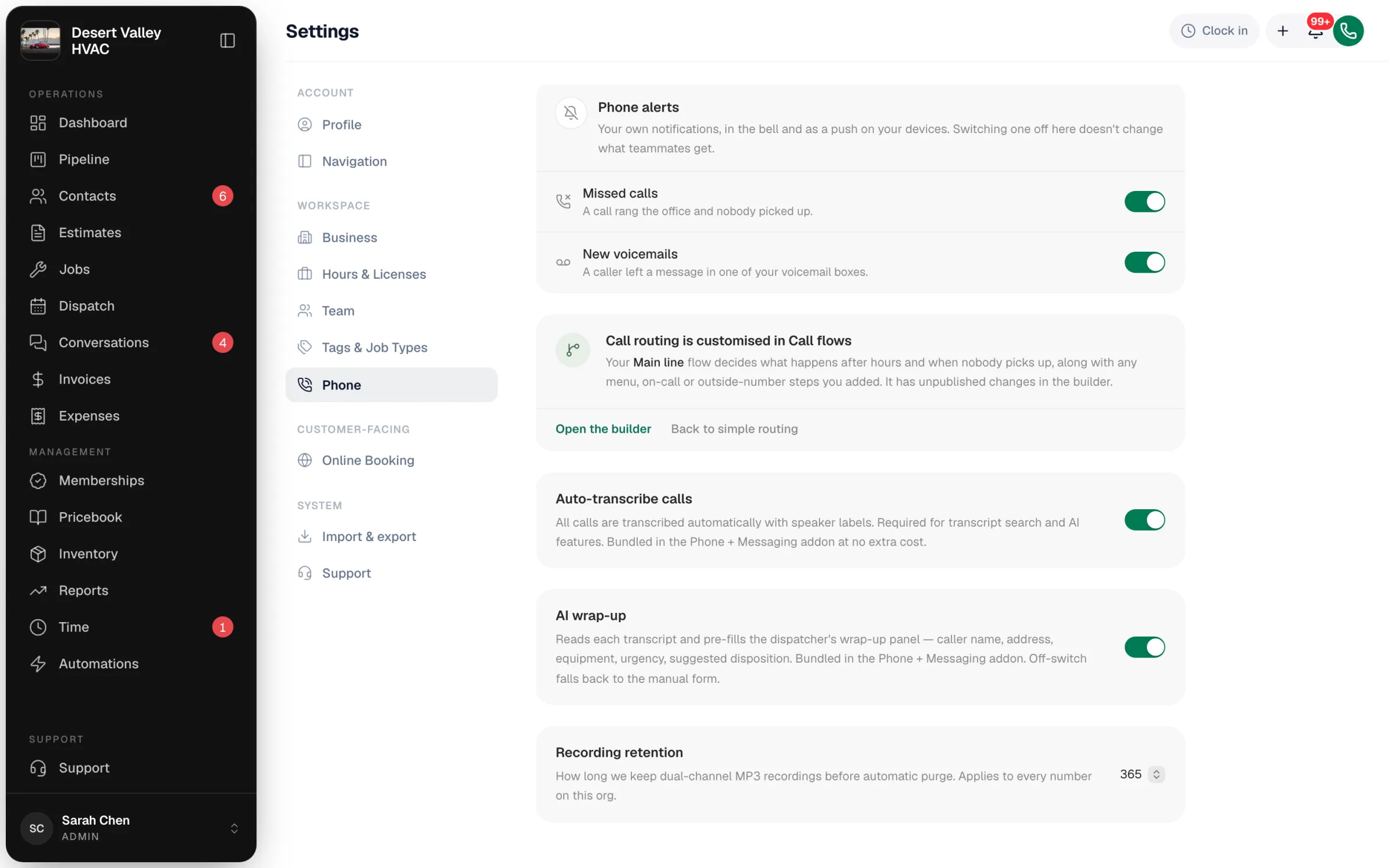
These apply to every number on your account. Go to Settings → Phone → Voice and scroll down.
| Card | What it does |
|---|---|
| Auto-transcribe calls | Transcribes every call with speaker labels. Transcripts power search and the AI features. Included at no extra cost. |
| AI wrap-up | Reads each transcript and pre-fills the wrap-up panel your team sees after a call: caller name, address, equipment, urgency and a suggested outcome. Switch it off to get the plain manual form. |
| Recording retention | How long recordings are kept before automatic deletion: 30 days, 90 days, 180 days, 1 year (the default, shown as 365), 3 years, or Keep forever. |
A shorter retention only affects recordings made after the change. Calls handled by the AI receptionist have their own Recording retention setting on Settings → Phone → Receptionist → FAQ.
Good to know
- What the disclosure plays on: inbound calls before they ring your team, and outbound calls you place from the in-app dialer.
- Not legal advice. If you're unsure which rules apply to you, keep recording on with the disclosure.