
Deleting a job removes it from your Jobs list, the dispatch board, the pipeline and the customer's history. Use it for jobs that should never have existed — a duplicate, or one created on the wrong customer.
There's no undo button for a deleted job. If the appointment simply isn't happening, cancel the job instead so the customer's history stays complete.
Who can delete jobs
Owners, admins and dispatchers (anyone whose role can edit jobs in the office app). Field techs can't delete jobs.
Delete a job
Open the job
Find it on the Jobs page (search by customer, address or job number) and open it.
Open the ⋯ menu
Click the ⋯ button in the top-right corner of the job, next to the print icon, and choose Delete job.
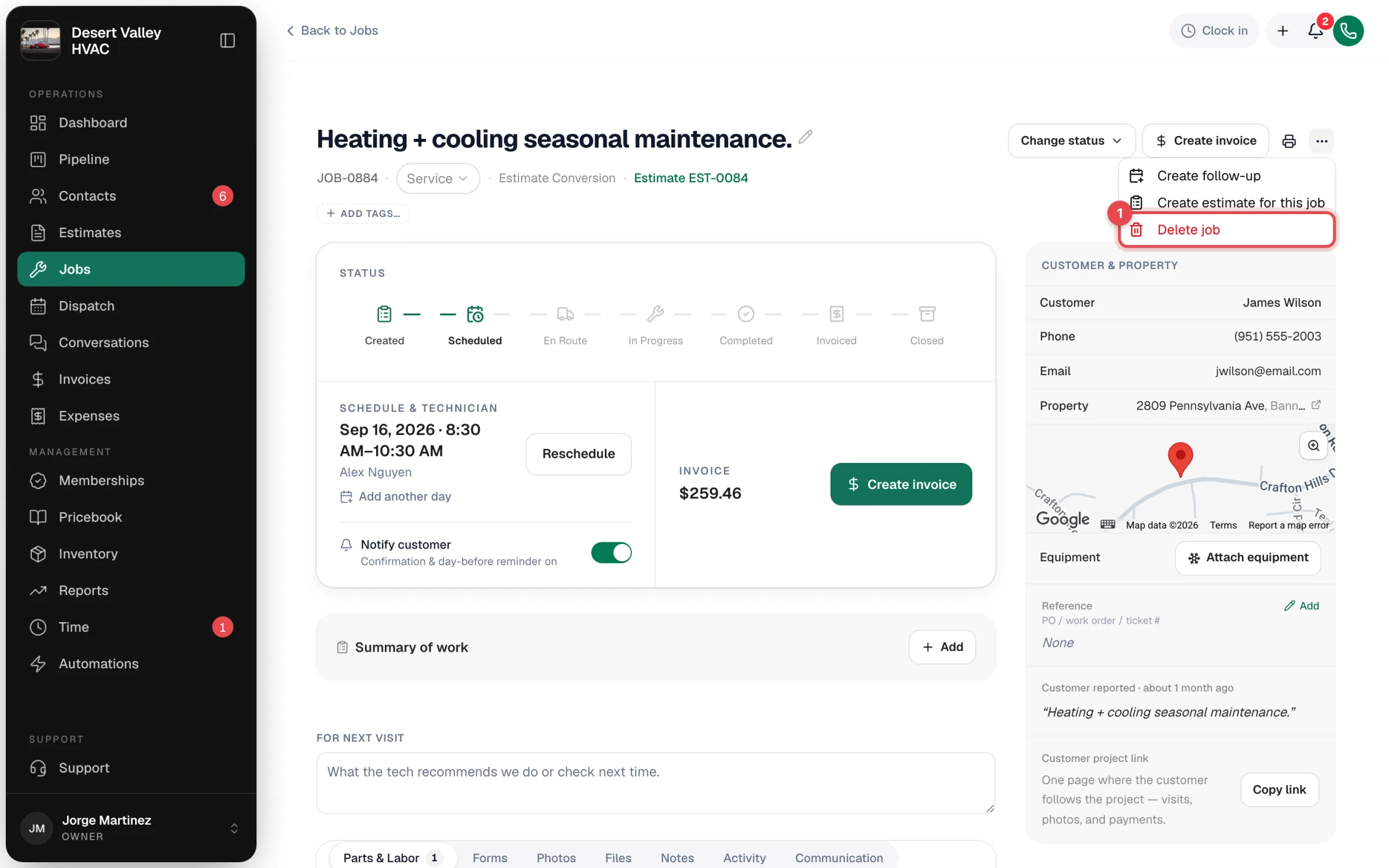
Confirm
A dialog asks Are you sure you want to delete this job? This action cannot be undone. Click Confirm.
You're taken back to the Jobs list and a Job deleted message appears.
Before you delete, check the job
Deleting doesn't stop to check what's attached to the job. Look at it first:
| If the job has… | Do this instead |
|---|---|
| An invoice or payments | Keep the job. Deleting it doesn't delete or void the invoice, so you'd be left with an invoice for a job that no longer shows anywhere. |
| Texts already sent to the customer | Cancel it, so the history matches what the customer was told. |
| A tech who already went out | Mark it Completed or No Show so the visit counts. |
Cancel vs delete
| Cancel | Delete | |
|---|---|---|
| Stays on the customer's history | Yes | No |
| Shows on the Jobs list | Yes, as Cancelled | No |
| Can be put back | Owners and admins can move it back to Scheduled | No |
| Best for | The customer called it off, the job fell through | Duplicates and mistakes |
Deleted a job by mistake?
It can't be restored from the app. Contact support as soon as possible with the customer's name and the job number.