
Turn off online booking when you can't take new web requests — you're booked solid, closed for a holiday, or short on office staff. Your settings are kept, so turning it back on is one switch.
Who can do this
Owners and admins.
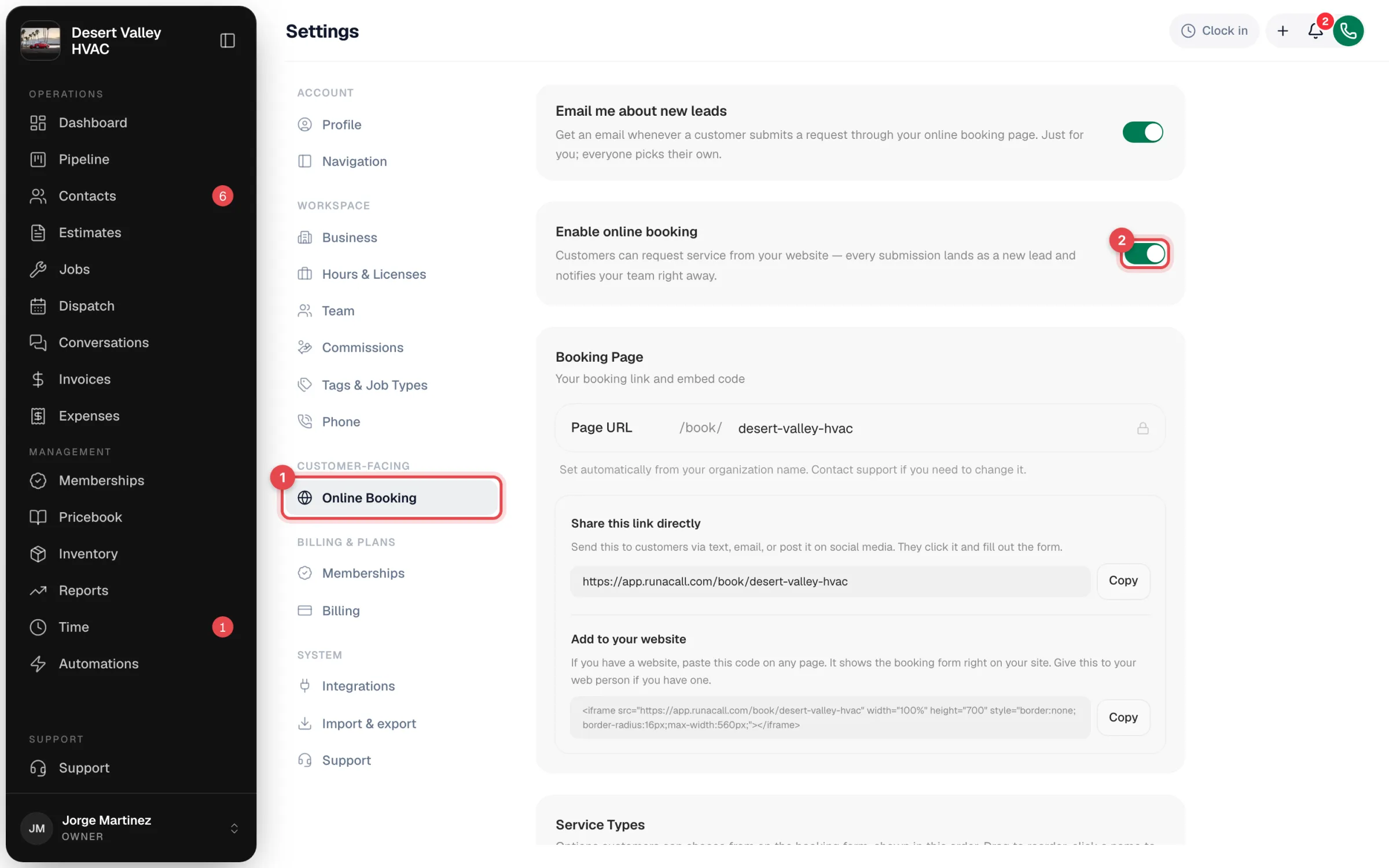
Open Online Booking settings
Go to Settings → Online Booking.
Turn off Enable online booking
Flip the Enable online booking switch off. It saves right away — you'll see Saved. The Booking Page, Service Types, and Confirmation Message cards disappear from the page while booking is off.
What customers see while it's off
Anyone who opens your booking link — directly or through the form embedded on your website — sees Booking Not Available with the line This booking page may be inactive or the link is incorrect.

This message can't be changed, and it doesn't show your phone number. If you're pausing for more than a day or two, put a note with your phone number on your website next to the form.
What stays the same
| What | What happens |
|---|---|
| Requests that already came in | Nothing changes — the leads and their notes stay in Contacts. |
| Your booking link | Stays the same. Links you've shared start working again when you turn booking back on. |
| Service list and confirmation message | Kept exactly as they were. |
| Customer portal link | Not affected — it's a separate link. See The customer portal. |
| Other ways customers reach you | Calls, texts, and your AI Receptionist (if you have it) keep working. |
Turn it back on
Flip Enable online booking on again. The page accepts requests immediately, with the same link, services, and message as before.