
Your booking page is a simple two-step form with your company name and brand color. This article walks through what a customer sees, and the three things you can change: the brand color, the list of services, and the message shown after they submit.
Step 1 — Service
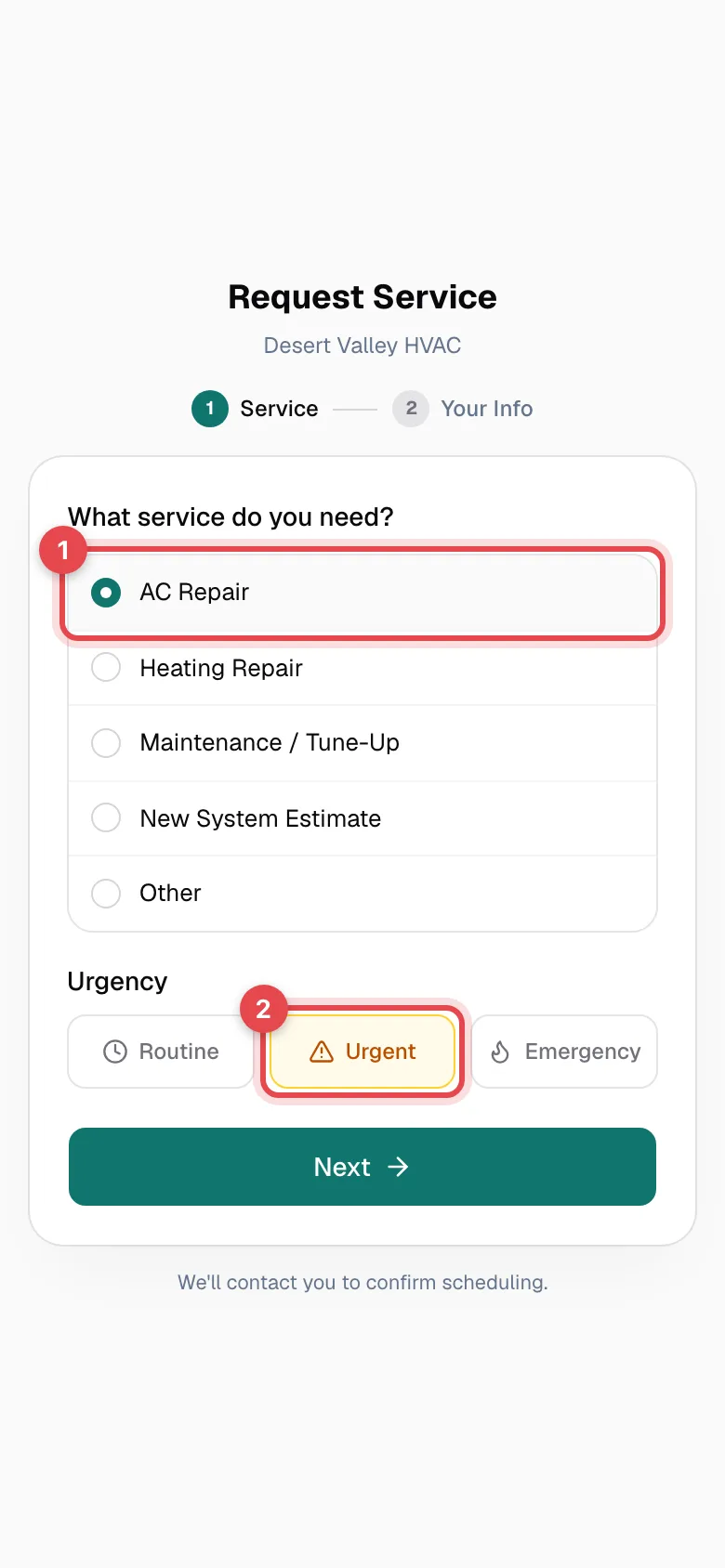
The customer sees Request Service with your company name underneath, then:
- What service do you need? — one choice from your service list, in the order you set. If they pick Other, a box appears for them to describe what they need.
- Urgency — Routine (selected by default), Urgent, or Emergency. See Urgency on booking requests.
They tap Next to continue.
Step 2 — Your Info
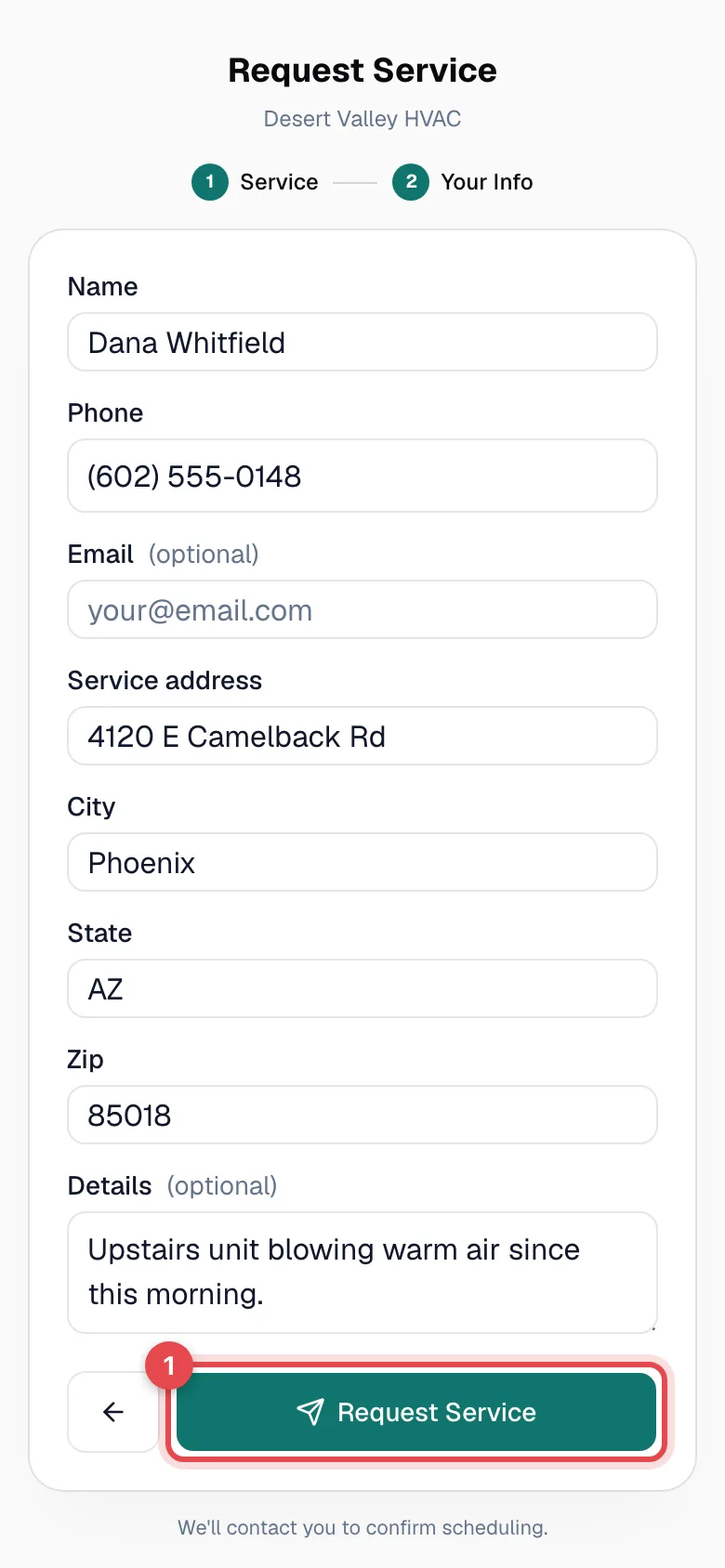
The customer enters their Name and Phone (both required), and optionally their Email, Service address, City, State, Zip, and Details. The Request Service button stays greyed out until they've entered a name and a full 10-digit phone number. The back arrow returns them to step 1 without losing what they picked.
After they submit
The page changes to Request Submitted, shows your confirmation message, and adds "Your company will contact you shortly." See Customizing the confirmation message.
What you can change
| What | Where to change it |
|---|---|
| Brand color — the step markers, selected options, and buttons | Settings → Business → Brand color. The same color is used on your emails, PDFs, and customer payment and approval pages. |
| Company name under the title | Settings → Business. See Updating your business info. |
| Services customers choose from | Settings → Online Booking → Service Types. See Adding services to your booking page. |
| Message after submitting | Settings → Online Booking → Confirmation Message. See Customizing the confirmation message. |
What stays the same
- The form's fields, their order, and which ones are required.
- The three urgency options.
- The page layout and fonts. Your logo isn't shown on the booking page — only your company name and brand color.
- The link itself (it's set from your company name — contact support to change it).
Good to know
- It works on phones. Most customers open the link from a text or a Google listing, so the form is built for a phone screen first.
- No customer account needed. Customers don't sign in or create a password to request service.