
Every Run a Call number has an emergency (E911) address: the street address 911 dispatchers are sent to if someone dials 911 from the in-app dialer on that number. You set it when you get the number, and you confirm it once a year.
Why it matters
Calls from Run a Call go over the internet, not a landline or a cell tower. A 911 dispatcher can't locate the caller on their own, so they rely on the address registered to the number.
If you dial 911 from somewhere other than the registered address, the dispatcher will not know where you are. Keep a cell phone or landline handy for emergencies.
Setting the address on a new number
The address is part of getting a number (see Getting a new phone number):
- Emergency address: enter the business name and the street address where the number is used. Suite or floor is optional. We verify the address before registering it; PO boxes and virtual mailboxes are rejected, and only US addresses are accepted.
- Acknowledge 911 limits: tick I understand the softphone 911 limits and confirm the registered emergency address matches the physical location of this number.
When someone dials 911 from any number on your account, Run a Call sends a text and an email to your owners and admins.
Checking a number's address
Go to Settings → Phone → Numbers and look at the E911 line on each number:
| Shows | Meaning |
|---|---|
| Verified | The address is registered and the 911 limits were acknowledged. |
| Pending acknowledgment | Someone still needs to acknowledge the 911 limits. |
Click the number to see the full E911 emergency address. If it says the acknowledgment is pending, click Acknowledge there.
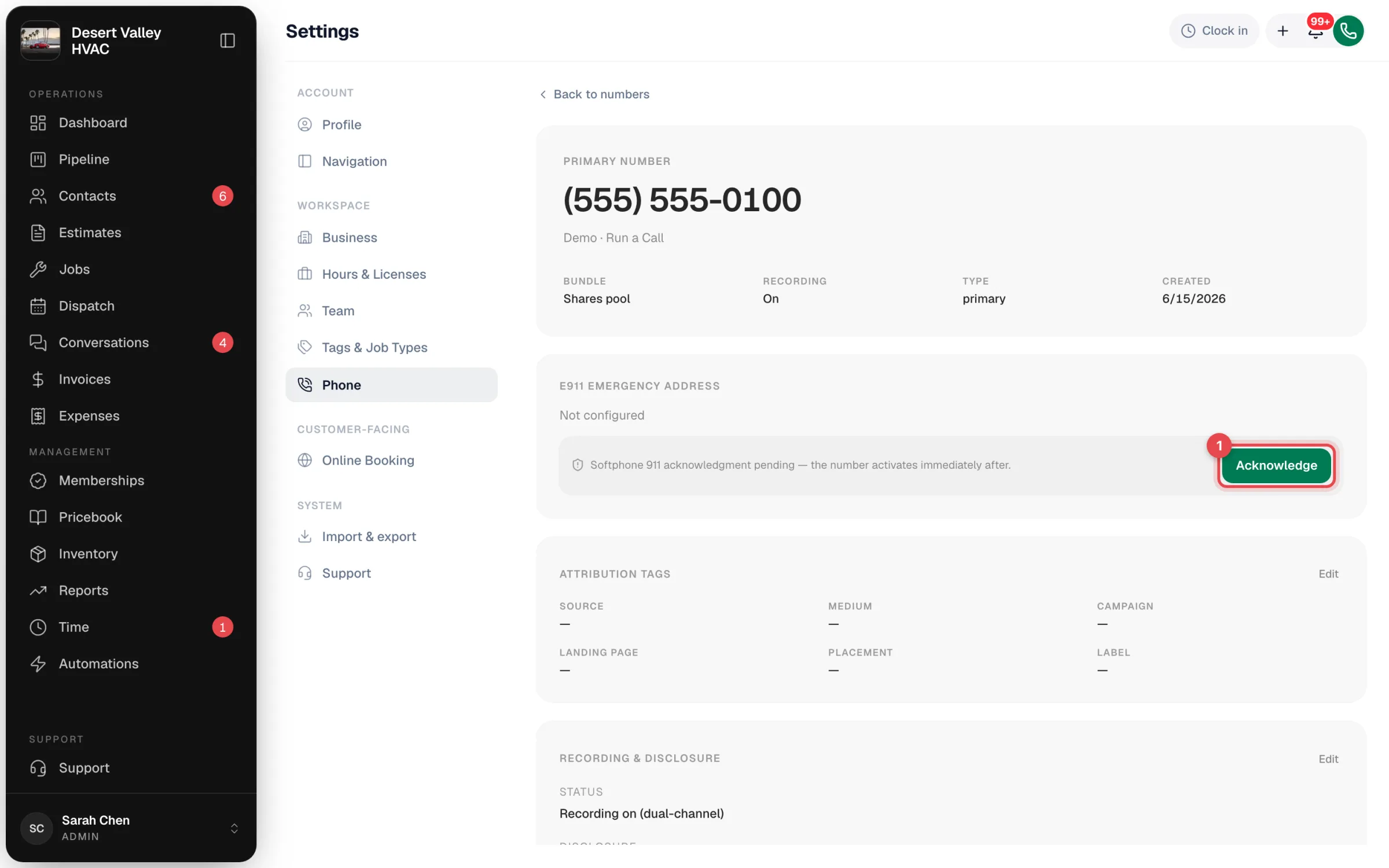
Confirming the address every year
Carriers require the emergency address to be re-confirmed every year. When a number's address hasn't been confirmed for 12 months, a banner appears at the top of Settings → Phone → Numbers:
- Reconfirm if the address is still right.
- Edit to open Edit emergency address, correct it, and click Save & reconfirm.
Don't ignore the banner. If the address goes too long without being confirmed, outbound calls from that number may be blocked.
Moving offices
If you move before the yearly banner appears, contact us from Settings → Support with the new address for each number so we can update the registration.
Best practices
| Do | Why |
|---|---|
| Use the address where people sit when they make calls, usually the shop | That's where help should go. |
| Don't use a tech's home or a job site | The address is fixed; trucks move. |
| Keep a cell phone as your emergency backup | It locates the caller natively. |