
Your first business number comes with Voice. Add more numbers any time, for example a separate tracking number for a Google or Yelp ad so you can see which ad made the phone ring.
Before you start
- Owners and admins only.
- Voice must be on for your account. If it isn't, see Run a Call Phone overview to turn it on. Your first number is picked during that setup.
- Numbers are US local numbers. You search by area code, digits or city.
- Have the physical street address where the phone will be used. Every number needs an emergency (E911) address. No PO boxes or virtual mailboxes.
What it costs
Your first (primary) number is included in Voice. Each extra number is $2.50/month and shares the same monthly pool of 2,000 minutes and 2,000 texts.
Open your numbers
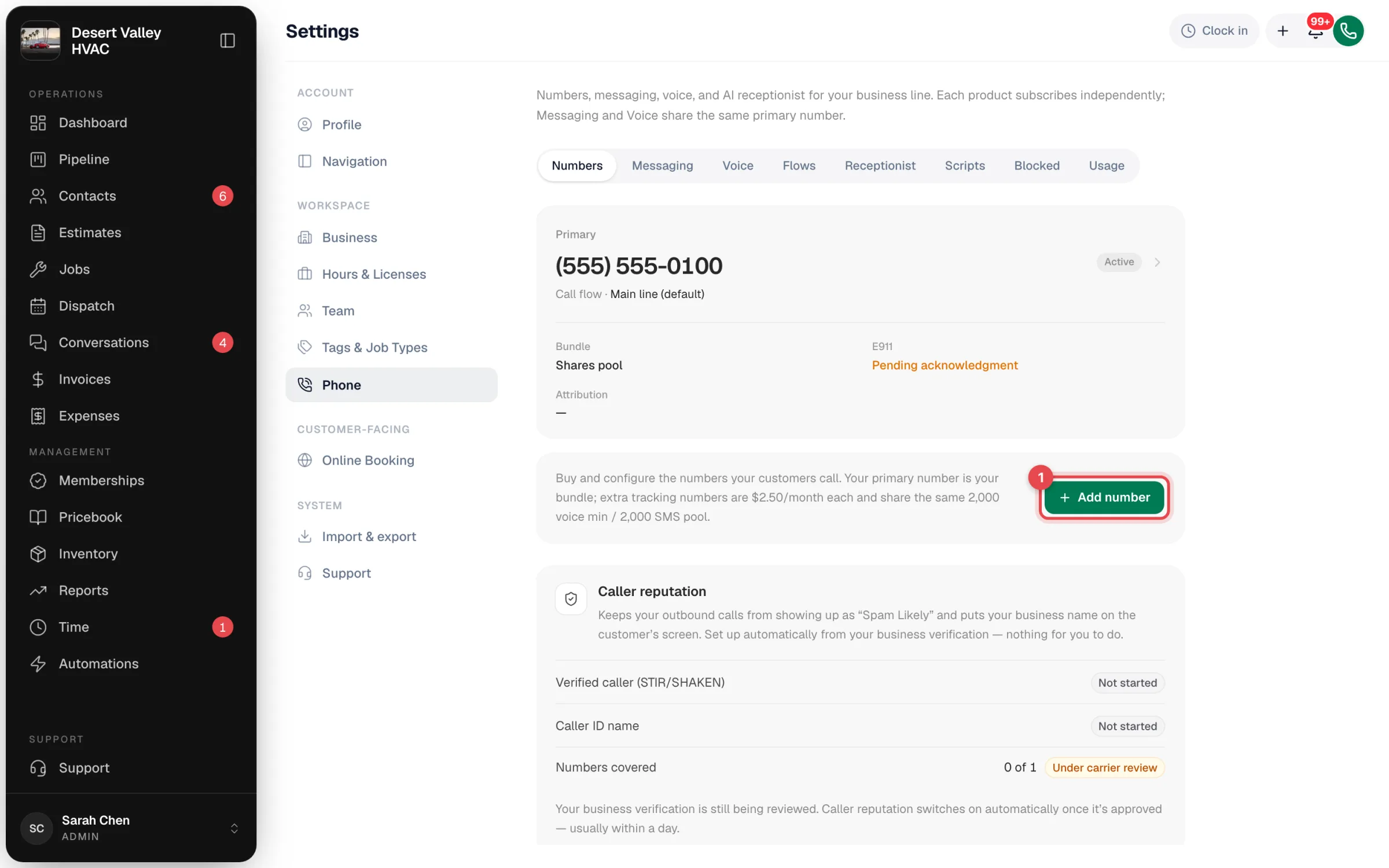
Go to Settings → Phone → Numbers and click Add number.
Search and pick a number
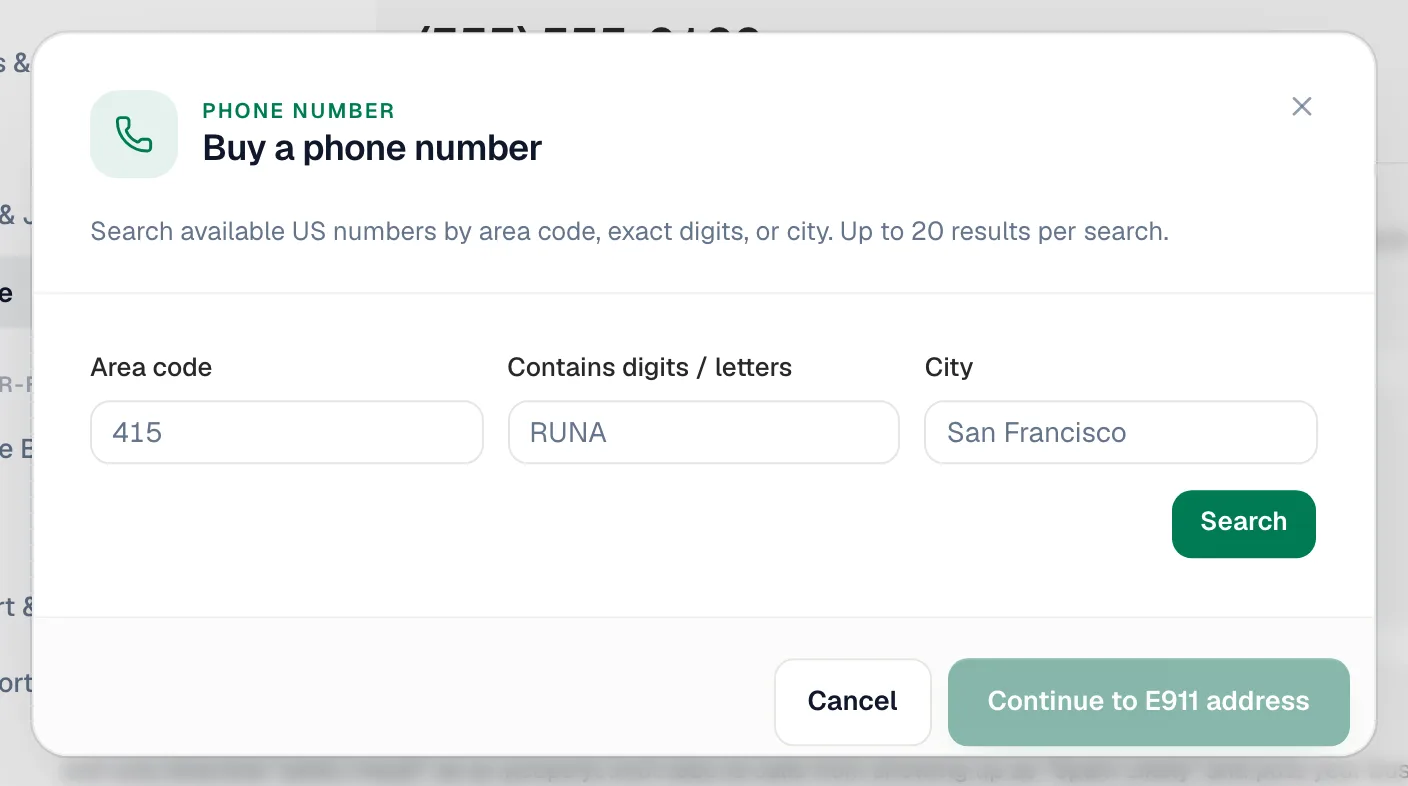
In Buy a phone number, search by any combination of:
| Field | Example |
|---|---|
| Area code | 602 |
| Contains digits / letters | 4328 or HVAC |
| City | Phoenix |
Up to 20 numbers come back per search. Click the one you want. You can give it an optional Label (for example "Google Ads line") so it's easy to spot in call logs and reports. If you already have a primary number, you can tick Replace current primary number to make the new one your main line.
No results? Try a neighbouring area code or remove the city filter.
Click Continue to E911 address.
Enter the emergency address
Enter the business name and the street address where this number is used. We verify the address before registering the number. Click Validate + continue.
Use the address where people actually sit when they call from this number, usually the shop. See Setting up your E911 address.
Acknowledge the 911 limits
Read the notice about 911 calls from an internet phone, tick the box, and click Acknowledge + purchase. The number is ready a few seconds later and appears on the Numbers tab.
After you buy it
- Calls: new numbers follow your default call flow, so they ring the same way as your main line. To send a number somewhere else, pick a different flow for it on Settings → Phone → Flows. See Call flows.
- Attribution: open the number from the Numbers tab and click Edit next to Attribution tags to record the source, medium, campaign, landing page and placement. Calls to that number are tagged with its source in Conversations and in call tracking reports.
- Recording: each number records calls by default. See Recording calls.
Releasing a number you no longer need
Open the number and click Release number at the bottom. Calls and texts to it stop right away and it enters a 30-day grace period. If you change your mind before the 30 days are up, contact us from Settings → Support; after that it's returned to the carrier and can't be reclaimed.