
A $12,000 system is easier to say yes to at "$189 a month". Add the financing plans your lender gives you, and your estimates show customers a monthly payment next to the price, with a button to apply.
Run a Call shows your lender's terms on the estimate; it doesn't lend money or submit applications. Plans you add by hand don't connect to the lender. Customers apply on the lender's own page, and the lender approves them.
Who can do this
Owners and admins can manage financing plans (under Estimate settings). Anyone who builds estimates can pick a plan or adjust the rate on a single estimate.
Add your plans
- Go to Estimates, click the gear (Estimate settings) and open Financing.
- Click Add a plan.
- Fill in the plan:
| Field | What to enter |
|---|---|
| Name | What the customer sees, for example 18 months, no interest. Keep it plain. |
| Lender (optional) | Named in the fine print, for example your finance company. |
| APR | The interest rate. Use 0 for a no-interest promotion. |
| Term | Length of the loan, in months. |
| Minimum job total | Estimates below this amount don't show the plan. |
| Maximum (optional) | Estimates above this amount don't show the plan. |
| Apply link (optional) | Your lender's application page. Without one, the estimate shows the payment and tells the customer to ask you. |
| Dealer fee (optional) | What the lender charges you for this plan, as % of price or a Fixed $ amount. It's added to each option's price on estimates that use the plan, and the monthly payment is worked out on the new total. |
- Click Add plan.
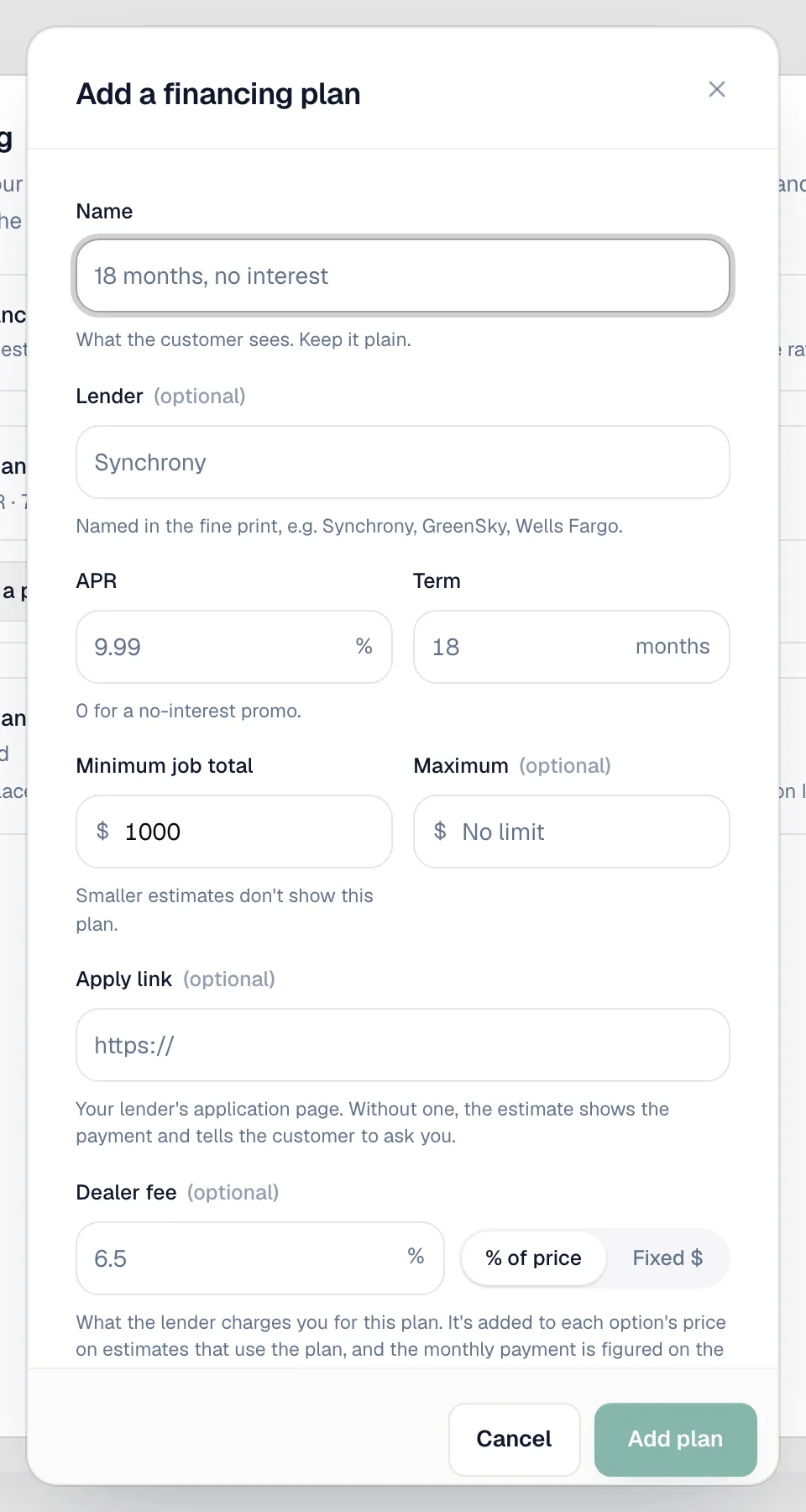
Repeat for each plan. Use Make default on the plan you offer most, and the switch next to a plan to hide it without deleting it. Removing a plan doesn't change estimates you've already sent with it.
Choose whether new estimates offer financing
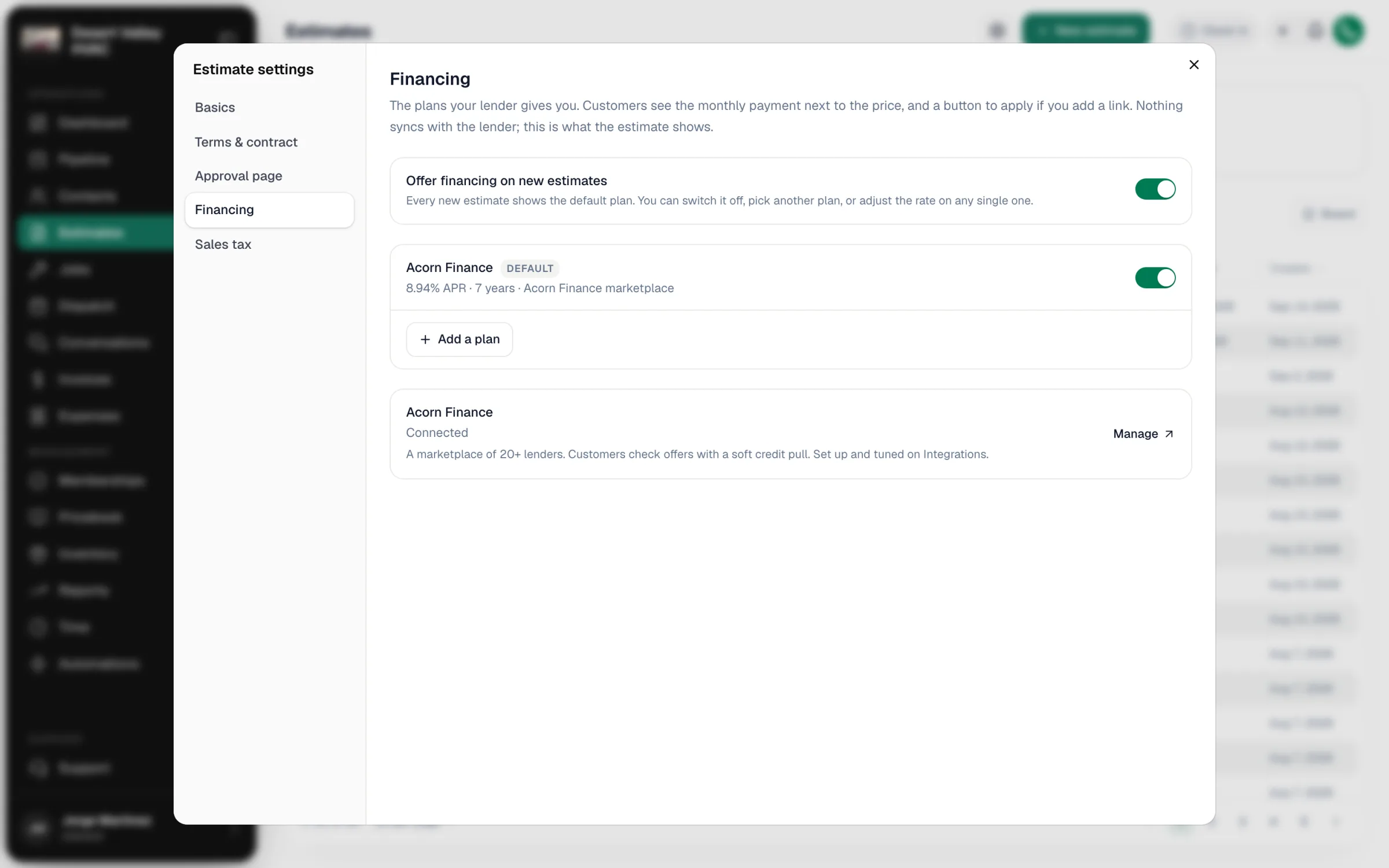
In the same Financing section, turn on Offer financing on new estimates to show the default plan on every new estimate. With it off, estimates only show financing when you turn it on for that estimate.
Adjust financing on one estimate
While building or editing an estimate, click Financing in the right-hand panel. In the Financing window you can:
- turn Offer financing on this estimate on or off,
- pick a different Plan (or keep Company default),
- change the APR or Term for this customer.
When a plan with a dealer fee is used, the estimate shows the fee as its own line, marked Added by the financing plan.
What the customer sees
On the approval page, under the options, a financing block shows the lowest payment, for example Get this work for as low as $X/mo, with the plan details and fine print. If the plan has an apply link, there's a button to apply and a QR code to scan. The PDF includes a Flexible financing section.
Acorn Finance
If you use Acorn Finance, the owner can connect it under Settings → Payments. Acorn plans then show in your plan list as Acorn Finance marketplace, and applications that haven't been matched to an estimate yet appear at the top of the Estimates page under Financing applications to review.
Recording a financed payment
When the lender pays you, record the payment on the invoice with Record Payment → Financing. If you've added the lender as a custom payment method, pick it under Financing. See Custom payment methods.