
When a lead goes cold — they hired someone else, the price was too high, they never called back — mark them Inactive. There's no separate "Lost" status: Inactive covers both dead leads and former customers, and it keeps every call, text, note and estimate on the record in case they come back.
Who can do this
Owners, admins and dispatchers (anyone who can edit customers).
Open the Contacts board
Click Pipeline in the sidebar, then Contacts at the top.
Move the card to Inactive
Drag the lead's card to the Inactive column, or click the status pill on the card and choose Inactive. Leads, prospects, quoted contacts and customers can all be moved to Inactive.
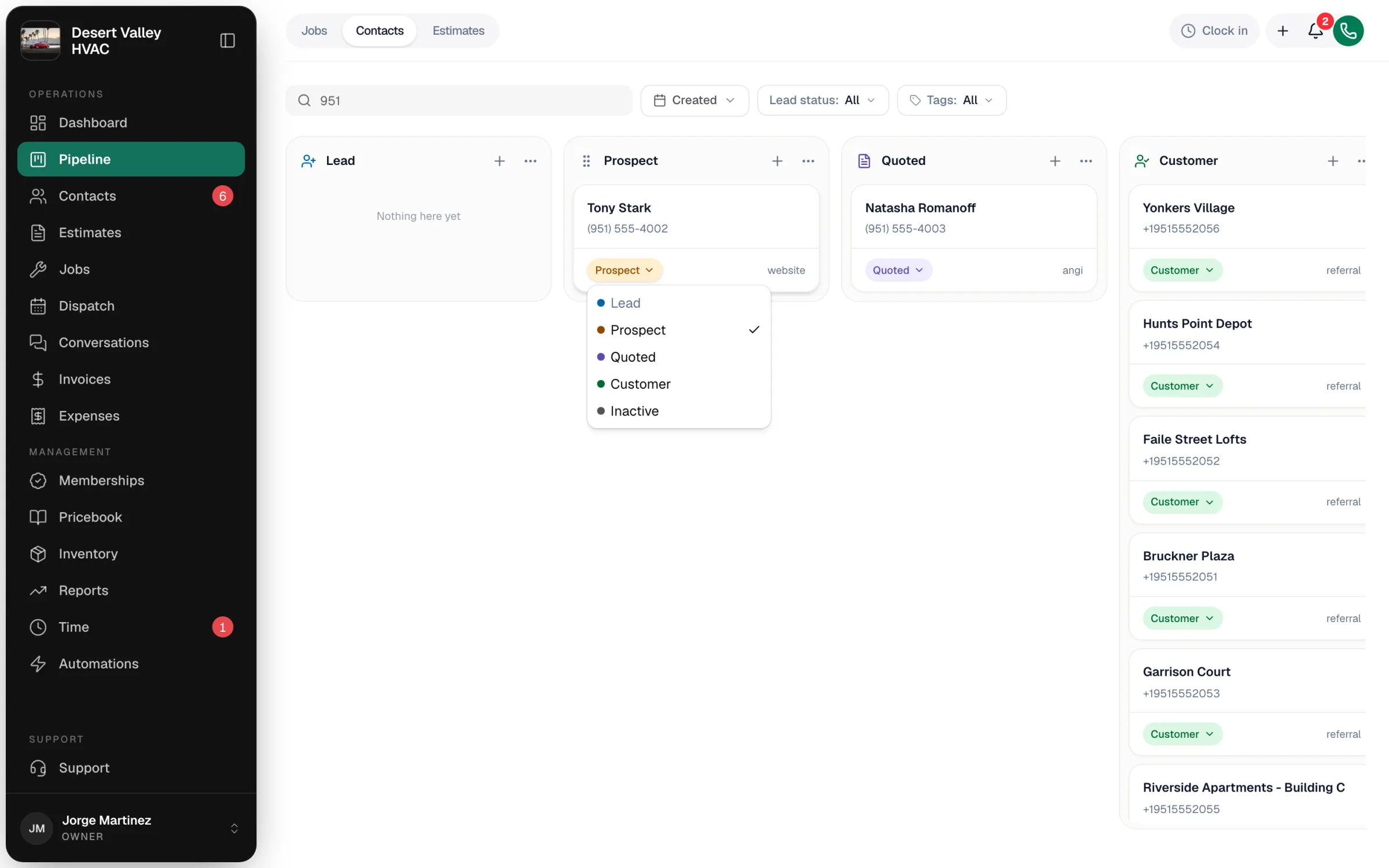
Your owner may have renamed the column — for example to Lost. Any column that marks contacts as Inactive works the same way. See Customizing the Contacts board columns.
Write down why
Run a Call doesn't ask for a reason when you move a contact, so add one yourself — future you will want to know.
- Click the card to open the customer's profile.
- Open the Notes tab.
- Type the reason — Went with another company, price — and click Add note.
For reasons you want to count, add a tag as well, such as Lost – price or Lost – no response, and filter the Contacts list or board by it later. See Tagging customers.
What changes
| Status | Inactive everywhere — on the board, the Contacts list and the Lead status filter. |
| History | Nothing is removed. Calls, texts, notes, estimates, jobs and invoices stay attached. |
| Open estimates | Stay as they are. Decline or delete them separately if they're no longer valid. |
Bringing a lead back
If they call again, move the card from Inactive to Lead or Prospect. Booking them a job or creating a new estimate doesn't move an Inactive contact forward on its own, so move the card first.