
The Contacts board on the Pipeline page shows every contact as a card in a column for where they are in your sales process — Lead, Prospect, Quoted, Customer, Inactive. It's the fastest way to see who needs a call back and to move people along.
Who can do this
Anyone who can see customers can open the board. Moving cards needs permission to edit customers (by default owners, admins and dispatchers). Only owners and admins can add, rename, reorder or delete columns — see Customizing the Contacts board columns.
Open the Contacts board
Click Pipeline in the sidebar, then Contacts in the switcher at the top. (From the Contacts list you can also click Board.)
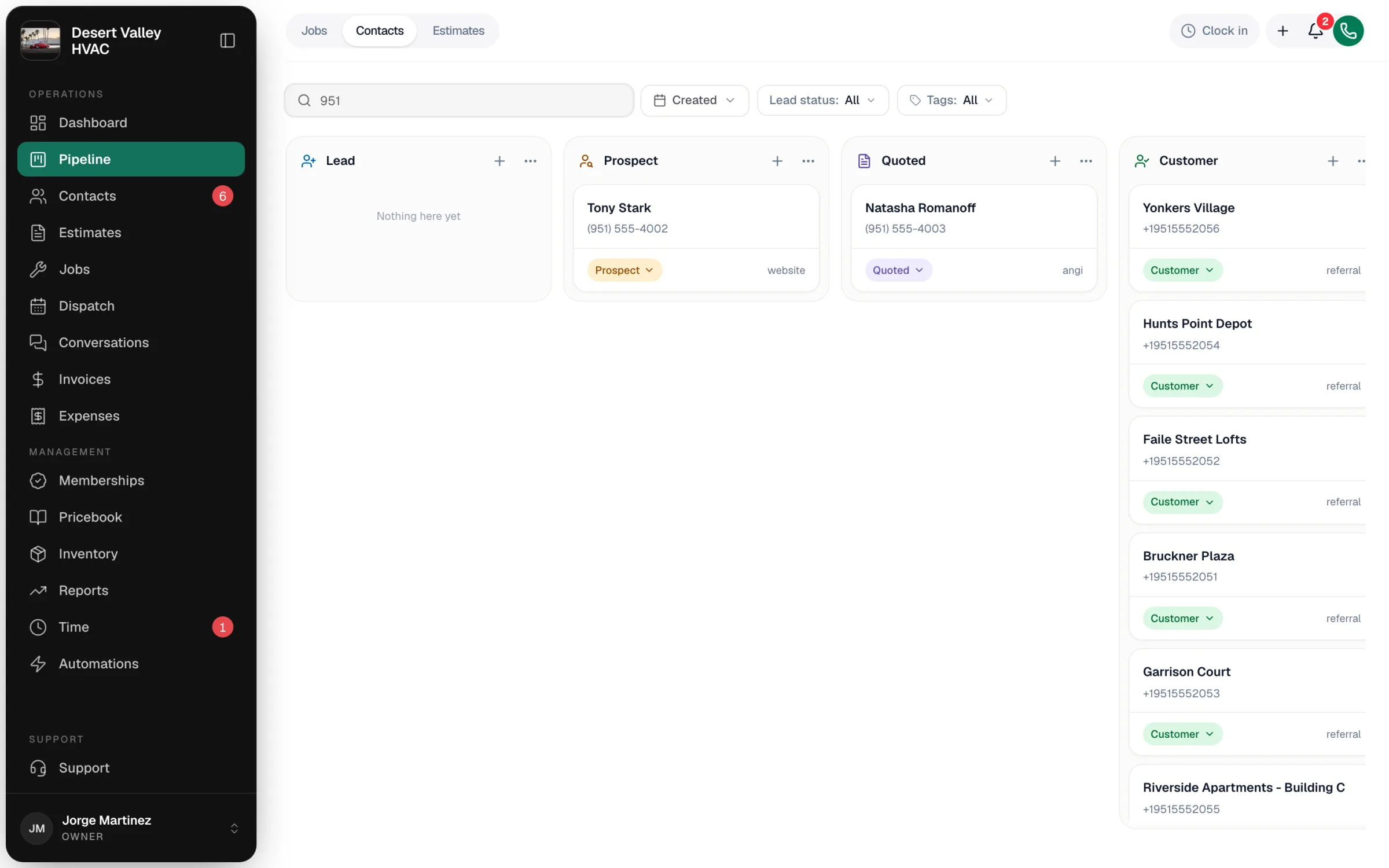
Each card shows the contact's name, phone number (or email), a status pill, and where they came from (for example website or referral). Click a card to open the customer's profile.
The columns
A new account starts with these five columns:
| Column | What it means | How contacts usually get here |
|---|---|---|
| Lead | New and not worked yet. | Online booking requests, new callers, unknown numbers that text you, or anyone you add with Status: Lead. |
| Prospect | You've talked to them and they're worth pursuing. | You move them. |
| Quoted | They have an estimate. | Automatically when you create an estimate for a lead or prospect. |
| Customer | They've bought. | Automatically when you book them a job, or when they approve an estimate. |
| Inactive | Dead lead or former customer. | You move them. |
Move a card
Two ways, both do the same thing:
- Drag the card to another column.
- Click the status pill at the bottom of the card and pick a column.
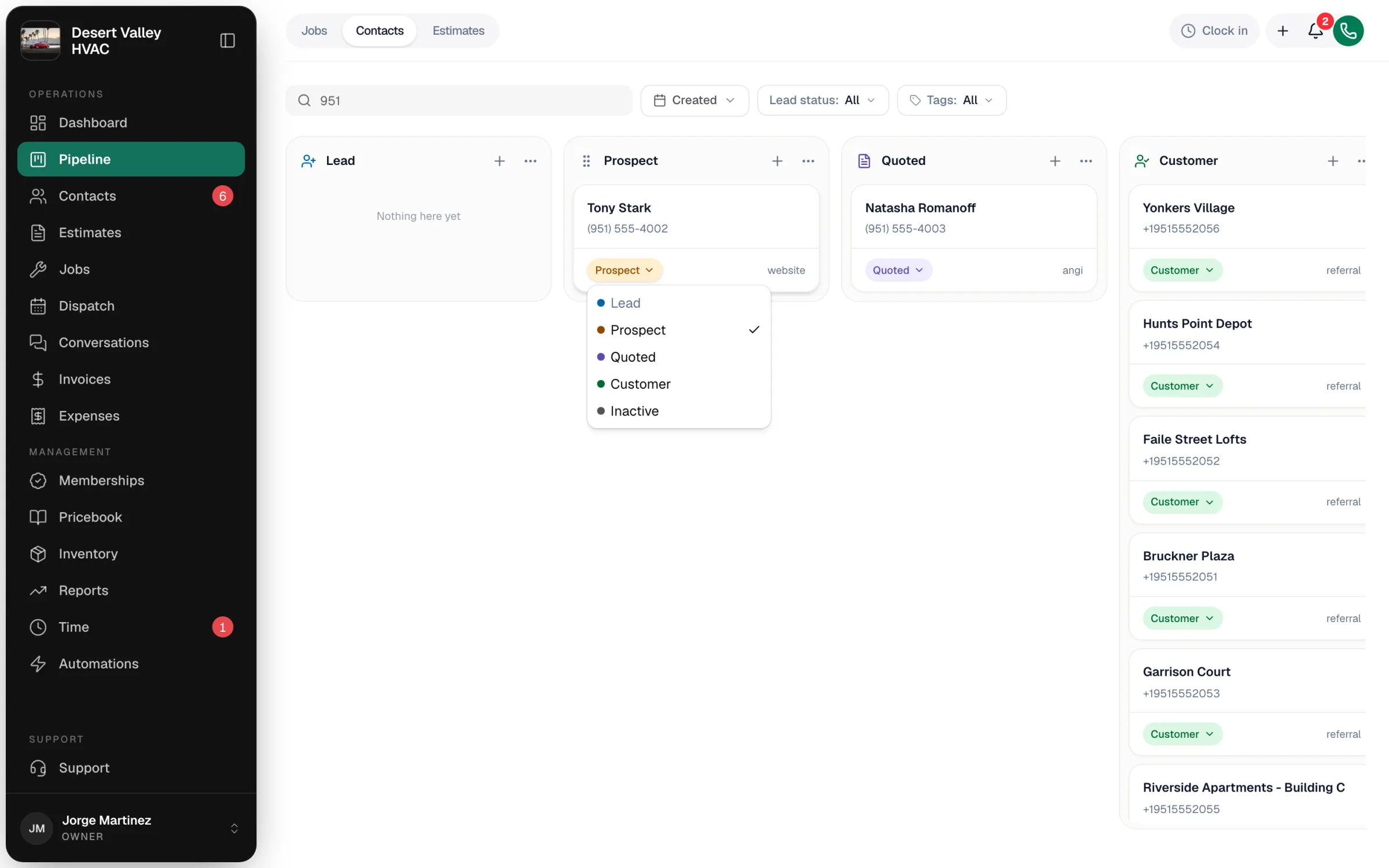
Contacts move forward through the process:
| From | Can move to |
|---|---|
| Lead | Prospect, Quoted, Customer, Inactive |
| Prospect | Quoted, Customer, Inactive |
| Quoted | Customer, Inactive |
| Customer | Inactive |
| Inactive | Lead, Prospect |
Columns you can't move to are greyed out. Owners and admins can still pick a greyed-out column from the status pill — Run a Call asks Move back to …? and you click Move anyway. Dispatchers can't move a contact backward.
A contact's status on the board is the same status shown on the Contacts list and used by the Lead status filter. There's nothing to keep in sync.
Filter the board
Above the columns:
| Filter | What it does |
|---|---|
| Search contacts… | Narrow by name, phone number, email or source. |
| Created | Only contacts created in a date range — for example this week's new leads. |
| Lead status | Show one status. |
| Tags | Show contacts with the tags you pick. |
The board shows up to 500 of your most recent contacts at a time, so use Created on a busy account.
Add a contact from the board
Click + at the top of any column to open the New customer form. Set the Status on the form to match the column you want. See How to add a new customer.
A daily routine that works
- Filter Created to the last few days and work the Lead column first — call new leads the same day.
- After the first real conversation, move them to Prospect.
- Create the estimate — they move to Quoted on their own.
- Book the job — they move to Customer on their own.
- If they go quiet for good, move them to Inactive and add a note saying why.
Watch for amber-edged cards: if your owner set a stuck limit on a column, cards that sit there too long are flagged with the number of days.