
A purchase order's status tells you where the order stands and decides what it affects: job costs, inventory and your books. You change the status yourself on the purchase order; nothing moves it automatically except approving or declining a tech's parts request.
The statuses
| Status | Meaning | Counts toward job cost? | Adds to inventory? |
|---|---|---|---|
| Requested | A tech asked for parts from the mobile app. Waiting for the office. | No | No |
| Draft | Being put together; not ordered yet. Approved parts requests land here. | No | No |
| Ordered | Placed with the supplier. New purchase orders start here. Shown as Open in the summary tiles. | Yes | No |
| Received | The parts arrived. | Yes | Yes, once, when the status first becomes Received |
| Billed | The supplier's bill has come in. | Yes | No (receive first) |
| Cancelled | Not going ahead. Kept for your records. | No | No |
Change a status
- Go to Expenses → Purchase Orders and click the purchase order.
- Choose the new Status and, if you like, fill in the matching Ordered, Received or Billed date.
- Click Save changes.
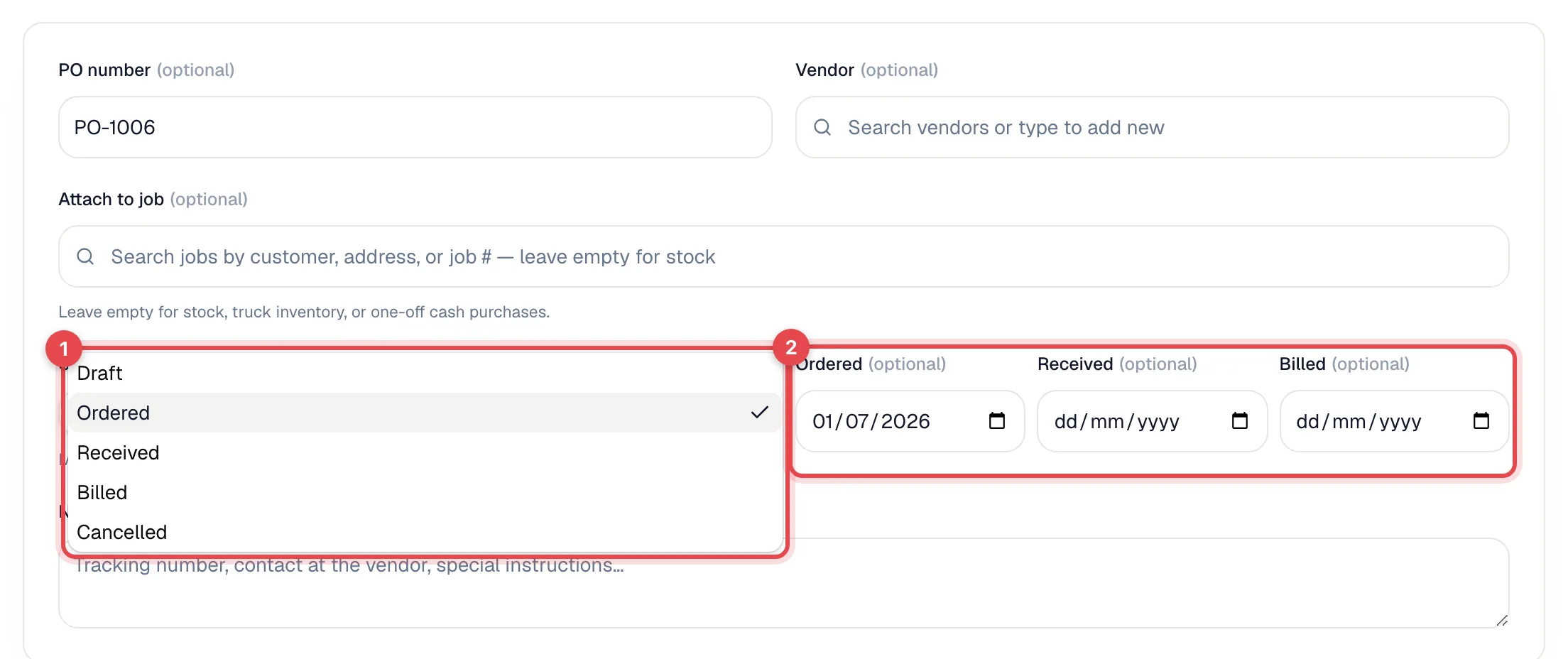
To add parts to inventory, set the status to Received before Billed. Going straight from Ordered to Billed doesn't add stock.
A purchase order can't be moved back to Requested. Once it's Billed or Cancelled, its line items are locked.
If the purchase order was already sent to QuickBooks and you cancel it, Run a Call tries to remove the matching bill from QuickBooks. If QuickBooks won't allow it (for example, a payment is applied), you'll see a warning and should fix the bill in QuickBooks.
Approve or decline a parts request
When a tech asks for parts from the field, a Requested purchase order appears.
- On Expenses → Purchase Orders, click the Requested tile, then open the request.
- The Parts request from the field banner shows who asked and when.
- Choose:
- Approve: the purchase order moves to Draft so you can add the vendor and real costs, then set it to Ordered.
- Decline: optionally type a reason in Reason (only used if you decline) first (for example we have two on the shelf). It moves to Cancelled, the tech gets a notification, and your reason shows on their request in the job.
The Status field stays locked until you approve or decline.
Find purchase orders by status
The tiles at the top of Purchase Orders show how many are Requested, Draft, Open, Received (with the amount awaiting a bill) and Billed (this month). Click a tile to filter the list. You can also filter by Status, Vendor, Type (Job-bound or Stock) and created date, or search by PO number or notes.
