
Your vendor directory lists the suppliers you buy from. Add a vendor once and pick it on every purchase order.
Who can do this: owners, admins and dispatchers can add and edit vendors. Only owners and admins can delete one.
Where vendors live
Go to Expenses in the sidebar and click the Vendors tab. The list shows each vendor's contact details, account number and how many purchase orders use it. Search by name, email or account number.
Add a vendor
- On the Vendors tab, click New vendor.
- Fill in the form and click Add vendor. You'll see Vendor added.
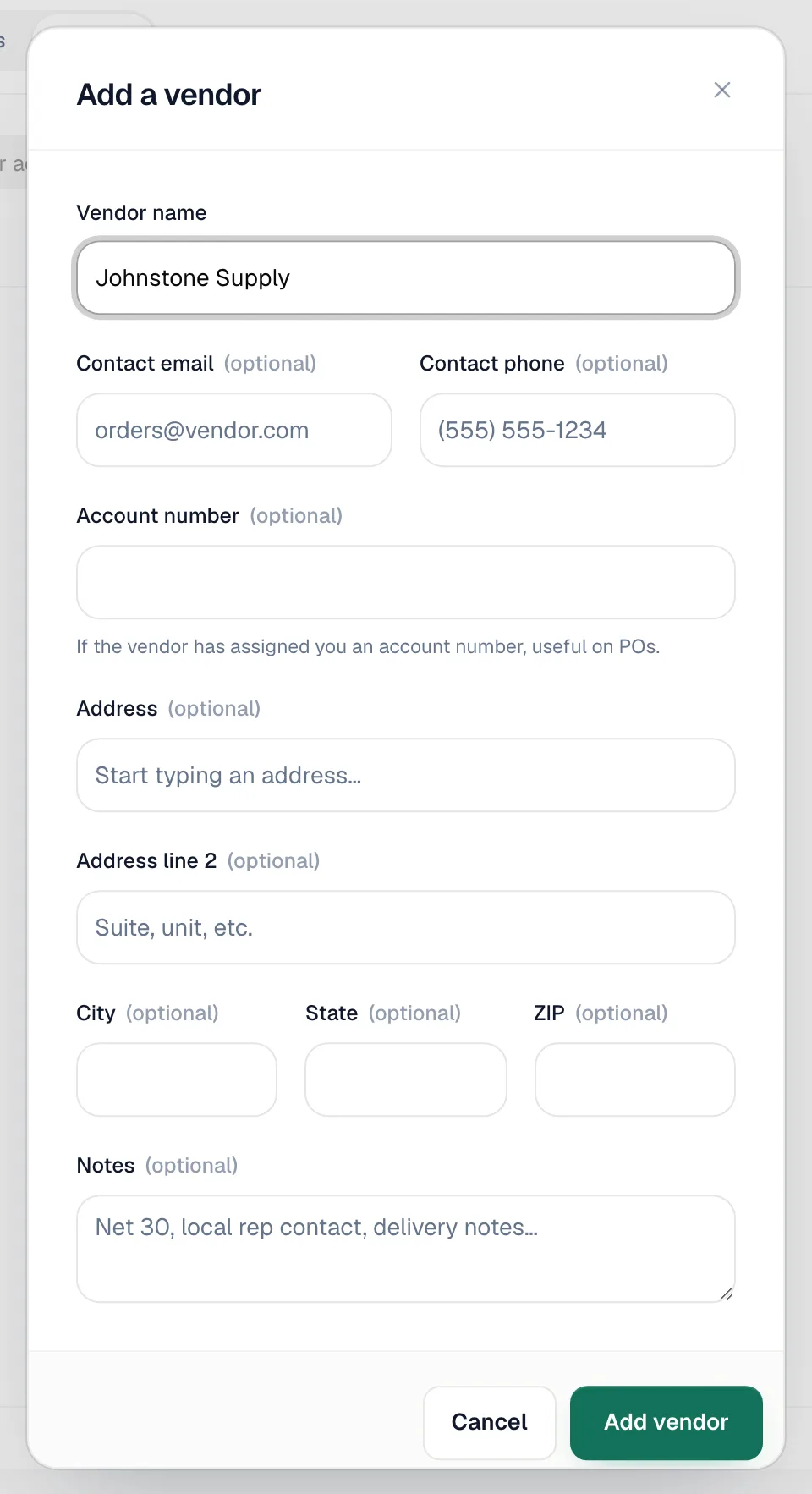
| Field | What it's for |
|---|---|
| Vendor name | Required. |
| Contact email / Contact phone | Who you order from. |
| Account number | Your account with this supplier, if they gave you one. |
| Address, Address line 2, City, State, ZIP | Start typing and pick the suggested address to fill the rest. |
| Notes | Terms, your rep's name, delivery notes. |
Add a vendor while creating a purchase order
In the Vendor field of a purchase order, type a name that isn't in your list and choose to add it. The same form opens with the name filled in. When a vendor is read from a scanned quote or invoice, it's suggested as a New vendor and only created when you save the purchase order.
Edit a vendor
Click the pencil next to the vendor, change the details and click Save changes.
Delete a vendor
Click the trash icon and confirm. You can only delete a vendor that isn't on any purchase order. A vendor with purchase orders stays in the list so your history remains intact.