
Tap to Pay lets your technicians take card payments in person, right at the door. The customer taps their card or phone on a pocket-sized Stripe Reader M2 connected to the tech's phone, and the invoice marks itself paid. There are no card numbers to type and no payment links to chase later.
How it works
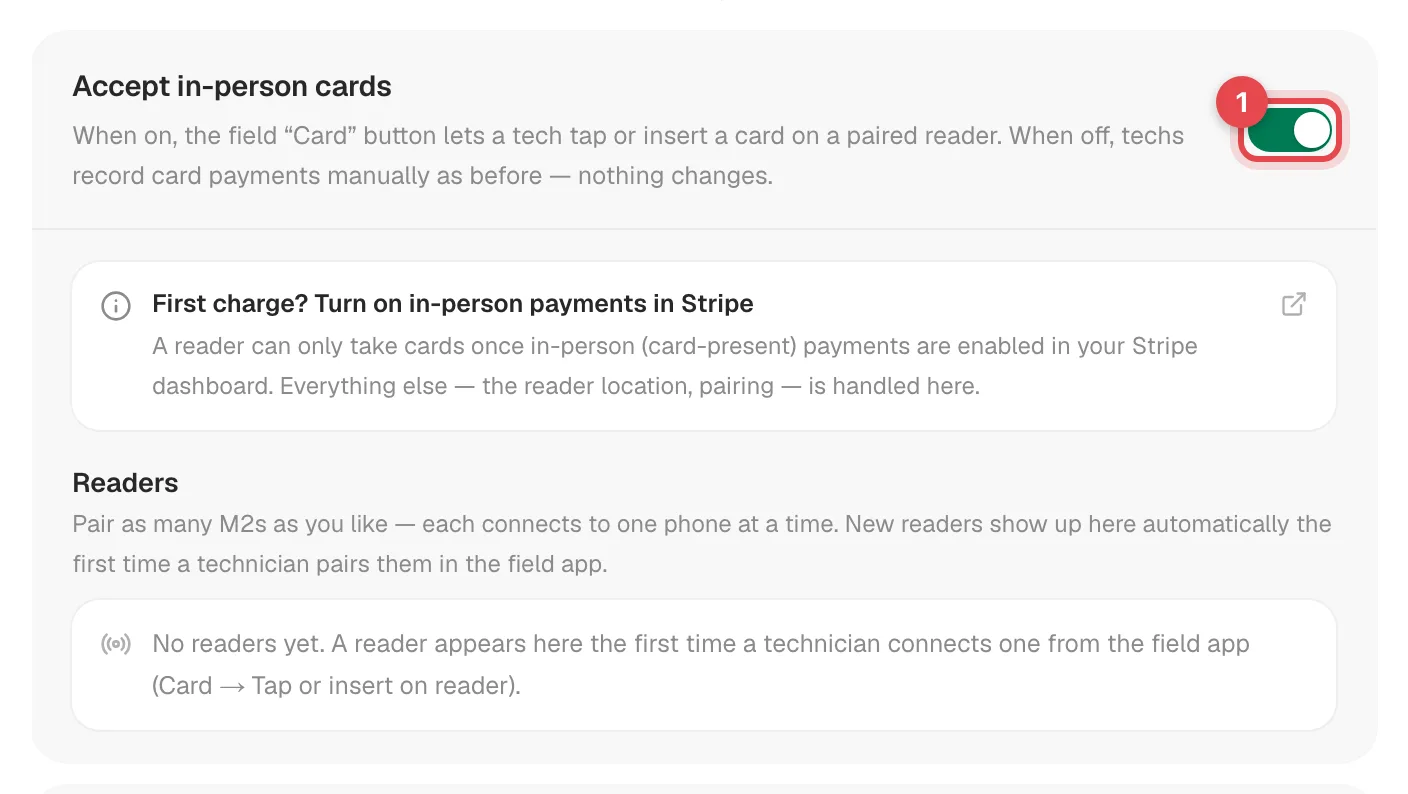
- Turn it on. The owner turns on Accept in-person cards in Settings → Payments.
- Order a reader. A Stripe Reader M2 costs about $59 and is ordered from your Stripe account. There's an Order a reader button right in Settings.
- Connect it. In the mobile app, a tech opens an invoice and taps Card. The app finds the reader over Bluetooth and connects to it.
- Take the card. The customer taps, inserts or swipes on the reader.
- Paid. The money goes to your Stripe account and the invoice changes to Paid automatically.
What you need
| Requirement | Details |
|---|---|
| Stripe connected | Tap to Pay uses the same Stripe account as your online payments, and the account must be able to take charges. See Enabling online payments with Stripe. |
| A Stripe Reader M2 | About $59 each. Each reader connects to one phone at a time, so buy one per technician who collects payment (usually one per truck). The phone itself can't act as the reader, so each tech needs an M2. |
| The Run a Call mobile app | The installed app for iPhone or Android. The reader doesn't work from a web browser. |
| Bluetooth permission | The app asks for it the first time. Older Android phones ask for Location instead, because Android needs it to find Bluetooth devices. |
What it costs
Stripe charges its in-person card rate on each payment, the same way it bills your online payments. Run a Call doesn't add its own fee, and the money settles straight to your bank through your Stripe account.
If you've set a Card fee under Settings → Payments → Stripe → Online payment fees, it's added to reader payments too. The tech's Card button and the reader screen both show the total with the fee.
What happens after the tap
| Where | Result |
|---|---|
| Invoice status | Paid, or Partial if the tech took part of the balance. Nobody needs to record anything. |
| Payment history | The card payment is listed on the invoice, with any card fee shown separately. |
| Customer | Gets an emailed receipt, if they have an email address. |
| QuickBooks | The payment syncs like any other, if you've connected QuickBooks. |
Without a reader
Techs can always collect by Cash, Check, Zelle or your own payment methods, or leave the balance on the invoice. While Tap to Pay is on, the field Card button always goes to the reader. If a customer paid on another card machine, the office records it with Record Payment → Card.