
Every person or business you work for lives under Contacts in the left sidebar — leads you haven't sold yet and paying customers alike. This article shows how to add one by hand and the other ways contacts get created for you.
Who can do this
Owners, admins and dispatchers can add customers from the office app. Field techs can add a customer from the mobile app only if their role allows editing customers (see Booking a job for yourself from the app).
Open Contacts and click New customer
In the sidebar, click Contacts, then New customer in the top-right corner.
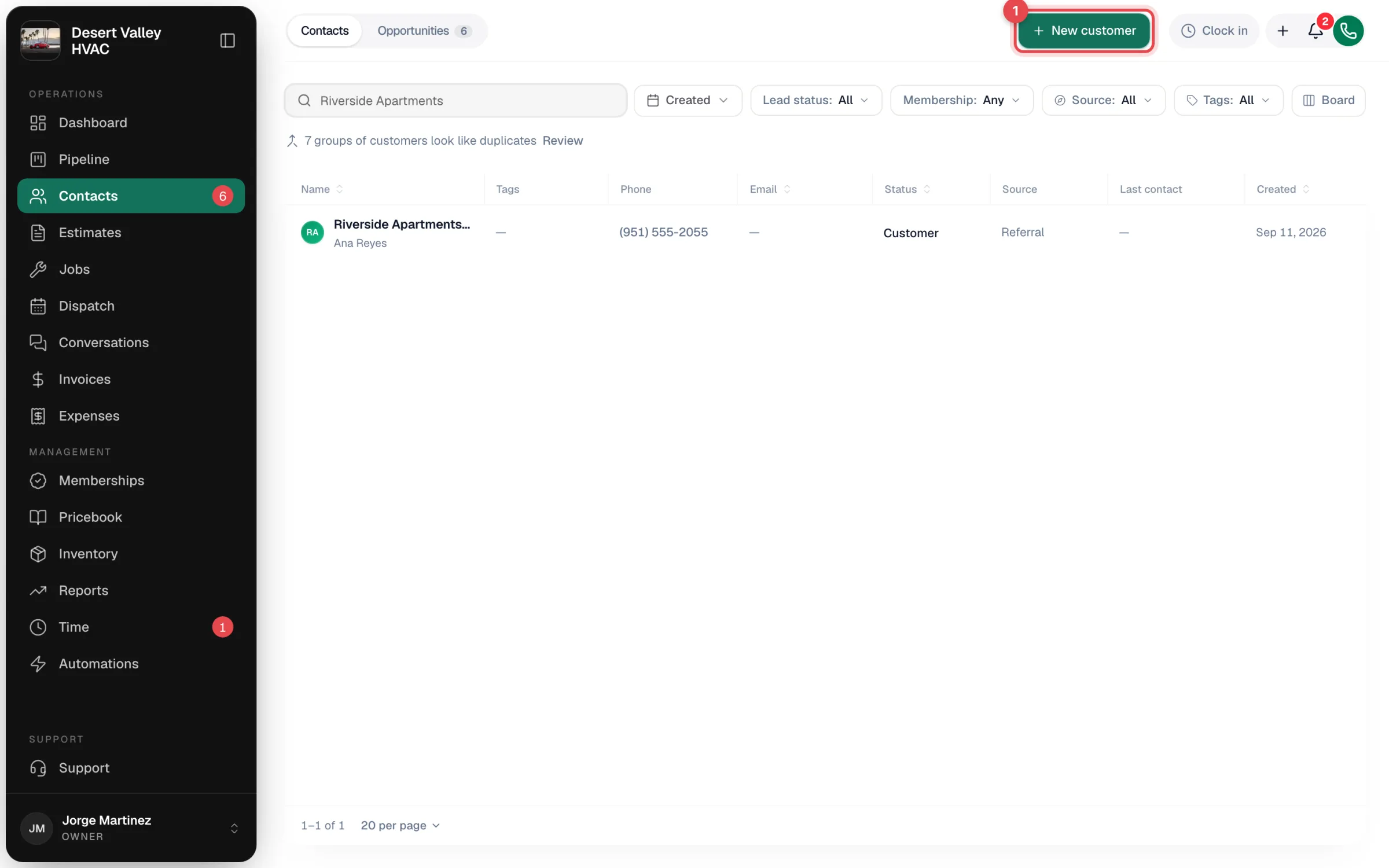
Searched for someone and got no results? The search box offers Add customer right under it and pre-fills the first and last name you typed.
Choose the customer type
At the top of the form, pick Residential or Commercial.
- Residential — the person is the customer.
- Commercial — a Business section appears. Company / business name becomes required, and the name you enter below becomes the Primary contact. You can also link the business under a Parent account (for example, a store under its head office — see Commercial accounts with several sites).
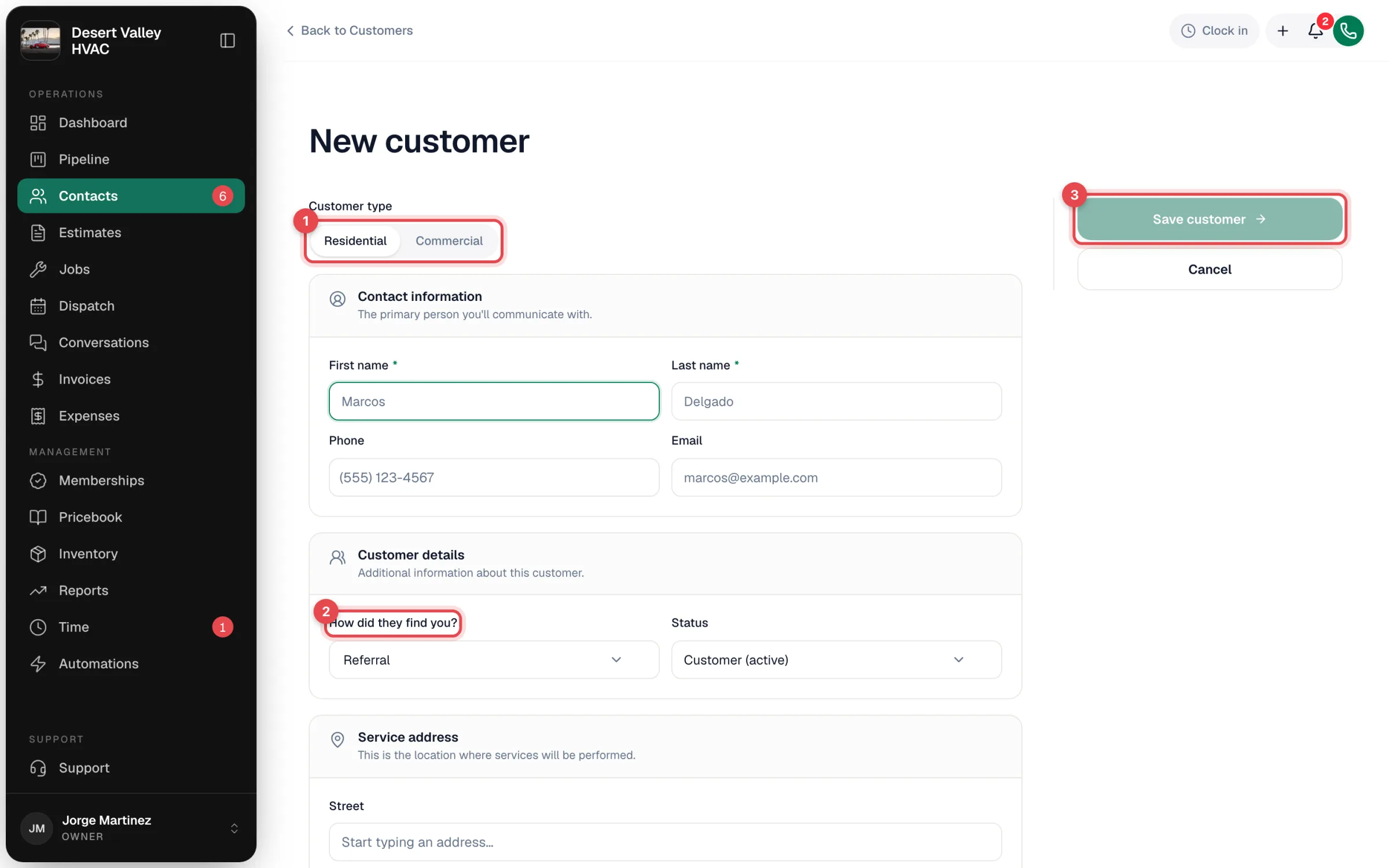
Fill in the details
| Section | Field | Notes |
|---|---|---|
| Contact information | First name, Last name | Both required. |
| Phone, Email | Optional, but you need a phone number to call or text them and an email to email estimates and invoices. | |
| Customer details | How did they find you? | Defaults to Referral. Pick Google, Angi, Website, Phone, Other, or + Add custom source. See Tracking lead sources. |
| Status | Defaults to Customer (active). Pick Lead, Prospect or Quoted if they haven't bought yet. | |
| Service address | Street, Apt / Suite / Unit, City, State, ZIP | Start typing and pick the address from the suggestions to fill the rest. Optional — you can add addresses later. |
| Billing address same as service address | Checked by default. Uncheck it to enter a separate billing address. | |
| Property | Property subtype | What kind of building it is (single-family home, office, restaurant…). You can add your own. |
| More details (click to expand) | Alternate phone, Notes (internal only), Tax exempt | Tax exempt skips sales tax on this customer's invoices and estimates. Commercial customers don't see Company here because it's at the top. |
Check for duplicates
As you type a name, phone or email, Run a Call checks your existing contacts. If it finds a match, a card shows the matching record with its phone, email and job count.
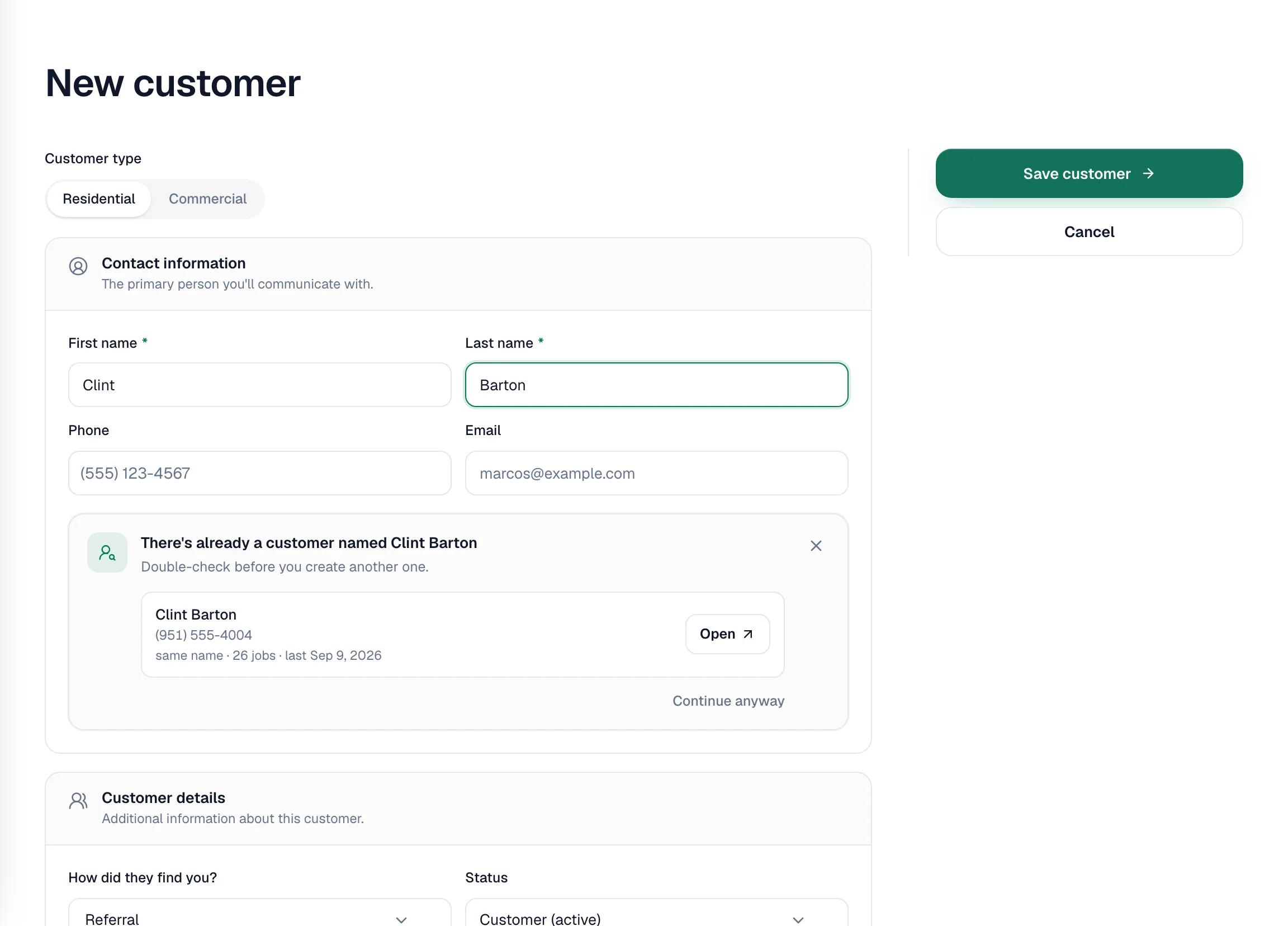
- Click Open to go to the existing record instead.
- Click Continue anyway if it really is a different person.
The warning never blocks you. If a duplicate slips through, you can merge the two records later — see Finding and merging duplicate customers.
Save
Click Save customer. You land on the new customer's profile, ready to book a job.
Other ways contacts are created
You don't have to type in every contact. Run a Call also creates them for you:
| Where it comes from | What you get |
|---|---|
| Your online booking page | A Lead with source Website. If the phone number already belongs to a contact, the request goes to that contact instead. See Handling online booking requests. |
| A call you answer in the app | For an unknown caller, the call panel shows Create customer. It opens this same form with the phone number filled in, then takes you straight to booking a job. |
| A text from an unknown number, or a missed call your call flow texts back | A Lead named with the phone number, so the conversation has a home. Rename it when you learn who it is. |
| The AI Receptionist | When a new caller gives their name, a Lead with source Phone. |
| Texting a new number from Conversations | A Lead named with the phone number. |
| A tech in the field | Techs whose role allows it can tap New customer while booking a job in the mobile app. |
Bringing a whole customer list over
Moving from other software? Owners and admins can go to Settings → Import & export and click Import CSV under Import your customers. If your data is messy or spread across files, email admin@runacall.com and the team will help you move it.