
Runny is the AI dispatcher built into the dispatch board. Ask it about the day in plain English — who's free this afternoon? — or ask it to balance today's board, and it proposes moves right on the timeline. Nothing changes until you click Apply.
Who can use it
Owners, admins and dispatchers (anyone who can edit the dispatch board). Runny is on the full dispatch board on a computer, in the Timeline views and on the Map. It isn't available in the Calendar views or on the simplified board used on phones and touch tablets.
Open Runny
Open the panel
On Dispatch, click Activity at the top right.
Switch to the Runny tab
The first time, a short tour shows what Runny can do — click Continue or Skip. You can watch it again later from What can Runny do? Watch the 10-second tour.
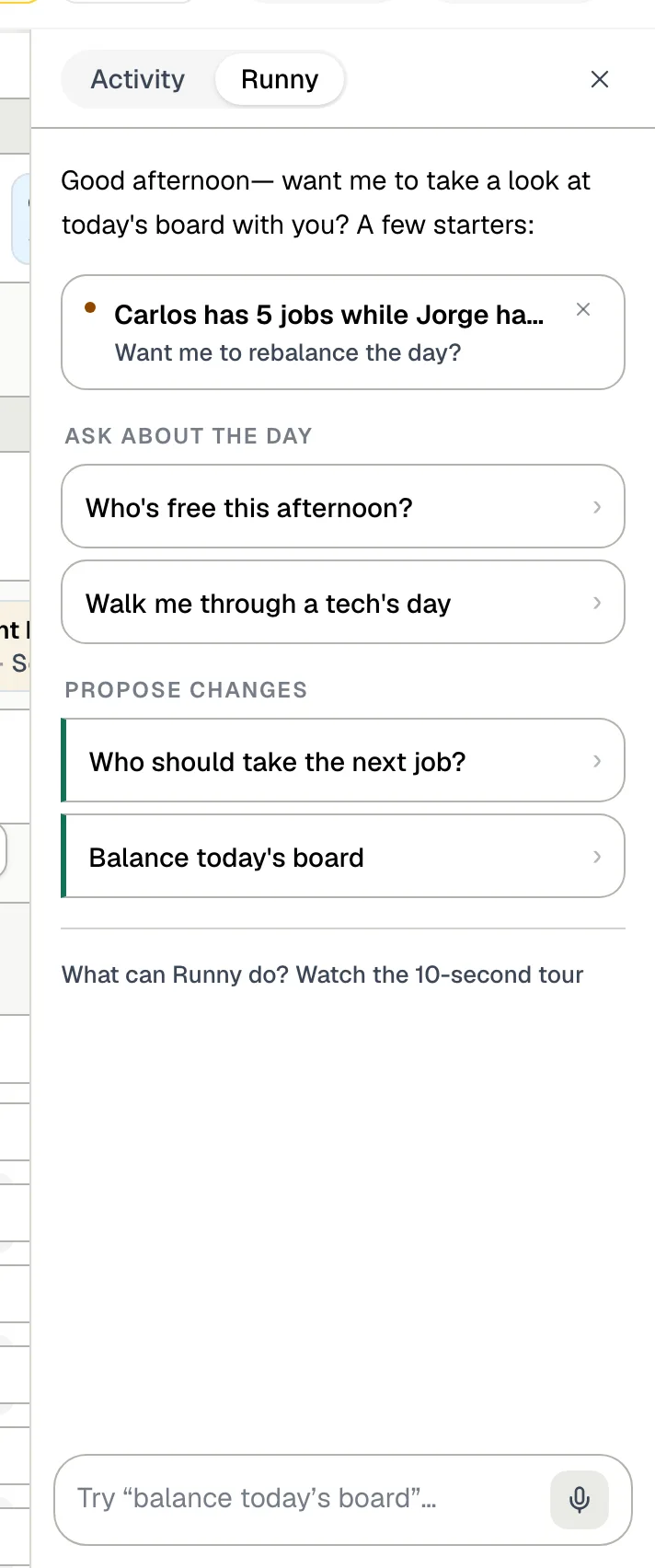
Pick a starter or type a request
| Starter | What you get |
|---|---|
| Suggestions at the top | Things Runny spotted on the board, for example one tech with five jobs while another has none. Click one to ask about it, or click its X to dismiss it. |
| Who's free this afternoon? | Who has open time. |
| Walk me through a tech's day | A tech's stops in order. |
| Who should take the next job? | A ranked suggestion for the next waiting job. |
| Balance today's board | A set of proposed moves to even out the day across the team. |
Or type your own request in the box (Try "balance today's board"…) and press Enter. Click the microphone to Dictate instead. Once you've started chatting, New chat at the top of the panel clears the conversation.
Review and apply Runny's proposals
When Runny proposes a change, it appears on the timeline as a see-through card where the job would go (Proposed: Robert Anderson — drag to move).
Each proposal shows:
- how good a match it is — Strong fit, Decent fit or Stretch fit,
- warnings worth checking, such as a long drive, Off favorite (not the customer's regular tech), Partial skills or Heavy day,
- Why this fit, which explains the choice.
Then:
- Apply makes that one change. Dismiss throws it away.
- Drag the proposed card to a different time first if you want to adjust it, then Apply.
- When Runny proposes several moves, the chat shows N moves on the board with Apply N and Dismiss, and the board shows an N proposed chip so you can find them.
Applying a proposal is the same as moving the job yourself: the customer can get a booking confirmation or reschedule text, and a newly assigned tech gets a notification. See What customers receive when you schedule a job.
What Runny takes into account
- Each tech's working hours and time off — it won't suggest someone who is off.
- Your business hours — when it balances the board, it doesn't start a job at or after closing time.
- The current time — on today's board it only proposes start times at least 45 minutes from now.
- How loaded each tech already is, how close they are to the job, membership customers and job priority.
- The customer's regular tech and the skills a job needs, which show up as warnings when a proposal doesn't match.
What Runny won't do
- Change past days. You can ask about a past day, but it only proposes moves for today or later.
- Place multi-day installs. Drag those onto their start date yourself — see Planning multi-day jobs.
- Anything outside the dispatch board. Runny handles jobs, techs and the schedule; invoices, estimates and customers live in their own pages.
When a suggestion looks wrong
Runny can only work with what the board knows. If it keeps suggesting the wrong person, check:
- the tech's weekly hours and time off — see Setting team working hours, time off and company holidays,
- the tech's skills under Settings → Team → Skills — see Assigning skills to a tech,
- the customer's Regular tech on their contact page,
- whether owners and admins should be left out — turn on Only dispatch to field techs in Board settings.