
Unpaid Invoices (also called AR aging) shows the money customers still owe you, grouped by how long it has been due. The older a balance gets, the harder it is to collect — so this is the list to work from when you pick up the phone.
Open it from Reports → Money → Unpaid Invoices. Owners and admins can see it. There's no date range: it always shows what's owed today.
What's included
Every invoice that is sent, viewed, partially paid or overdue and still has money owing. Drafts and voided invoices are left out, and so is anything fully paid.
Each invoice counts only its remaining balance — the invoice total minus the payments already recorded against it. A $2,000 invoice with a $500 deposit shows as $1,500 owed.
How "days late" is worked out
Days late = today's date minus the invoice's due date (in your company's time zone). An invoice that isn't due yet counts as 0 days. If an invoice has no due date, its creation date is used instead.
| Band | Holds |
|---|---|
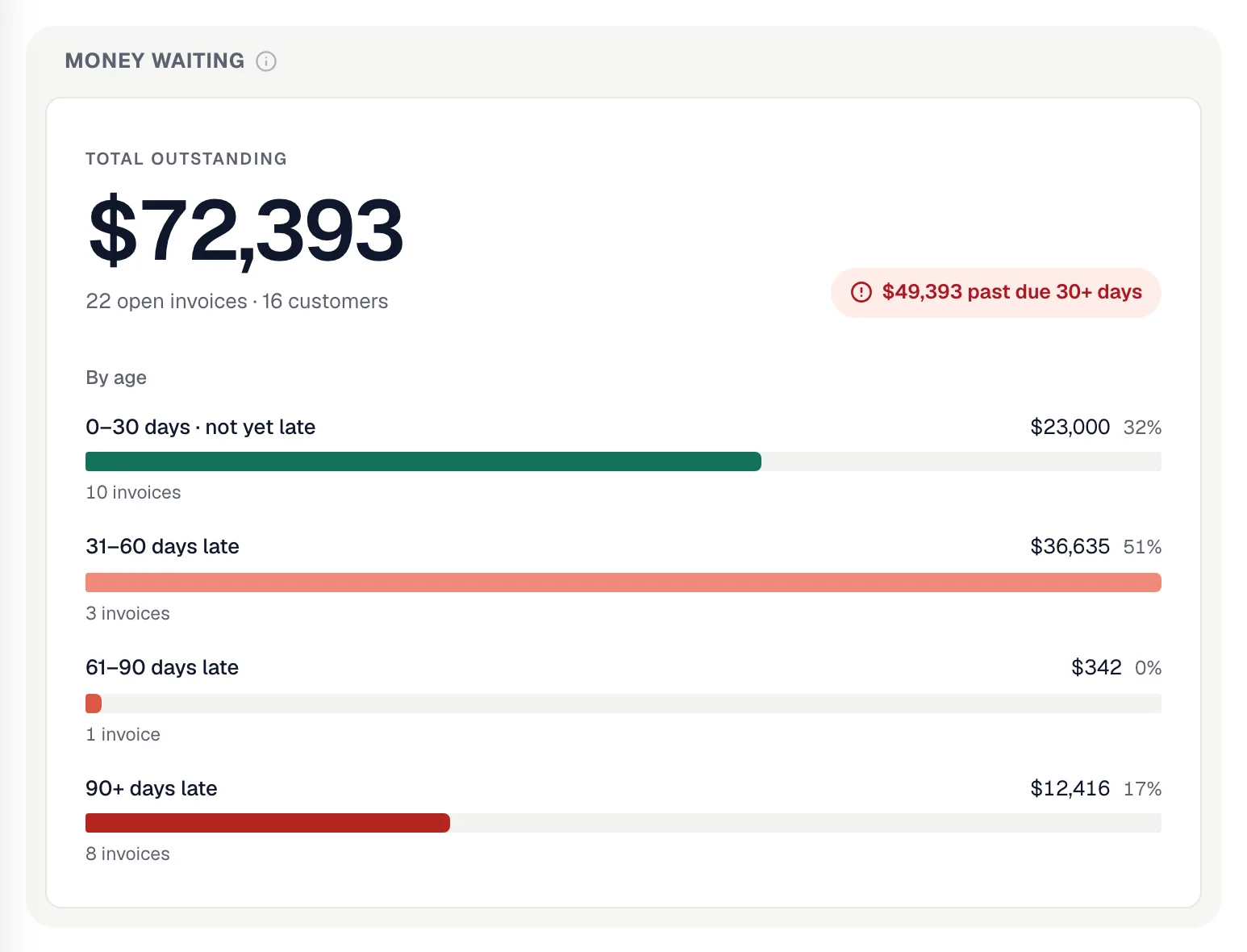
| 0–30 days | Invoices not yet due, plus those up to 30 days past their due date. |
| 31–60 days late | 31 to 60 days past due. |
| 61–90 days late | 61 to 90 days past due. |
| 90+ days late | More than 90 days past due. |
The tiles
| Tile | What it shows |
|---|---|
| Money waiting | Total outstanding, how many open invoices and customers, and the split by band. |
| Past due 30+ days | Everything in the 31–60, 61–90 and 90+ bands, and its share of the total. Start your calls here. |
| Oldest invoice | How many days your oldest unpaid invoice has been due. |
| Average days late | How late the money is on average, weighted by amount — a big old invoice moves it more than a small one. |
| Who owes the most | The five customers with the largest balances, each bar split into the same age bands so you can see whether their money is fresh or old. Click a name to open the customer. |
| All open invoices | Every unpaid invoice, oldest first, with amount owed and days late. Click an invoice to open it, or the customer to see their account. |
Acting on it
The report is read-only. From an invoice you can resend it or send a payment link; from the customer you can call or text them. To stop chasing a balance you'll never collect, void the invoice — it drops off this report.
Automatic overdue reminders can do the first nudges for you. See Invoice reminder cadence.
Export
Export CSV downloads the totals, the bands, and every open invoice with customer, amount owed, due date, days overdue and band.