ReportsReports overview
Every report on the Reports page, who can see them, and how date ranges and exports work.
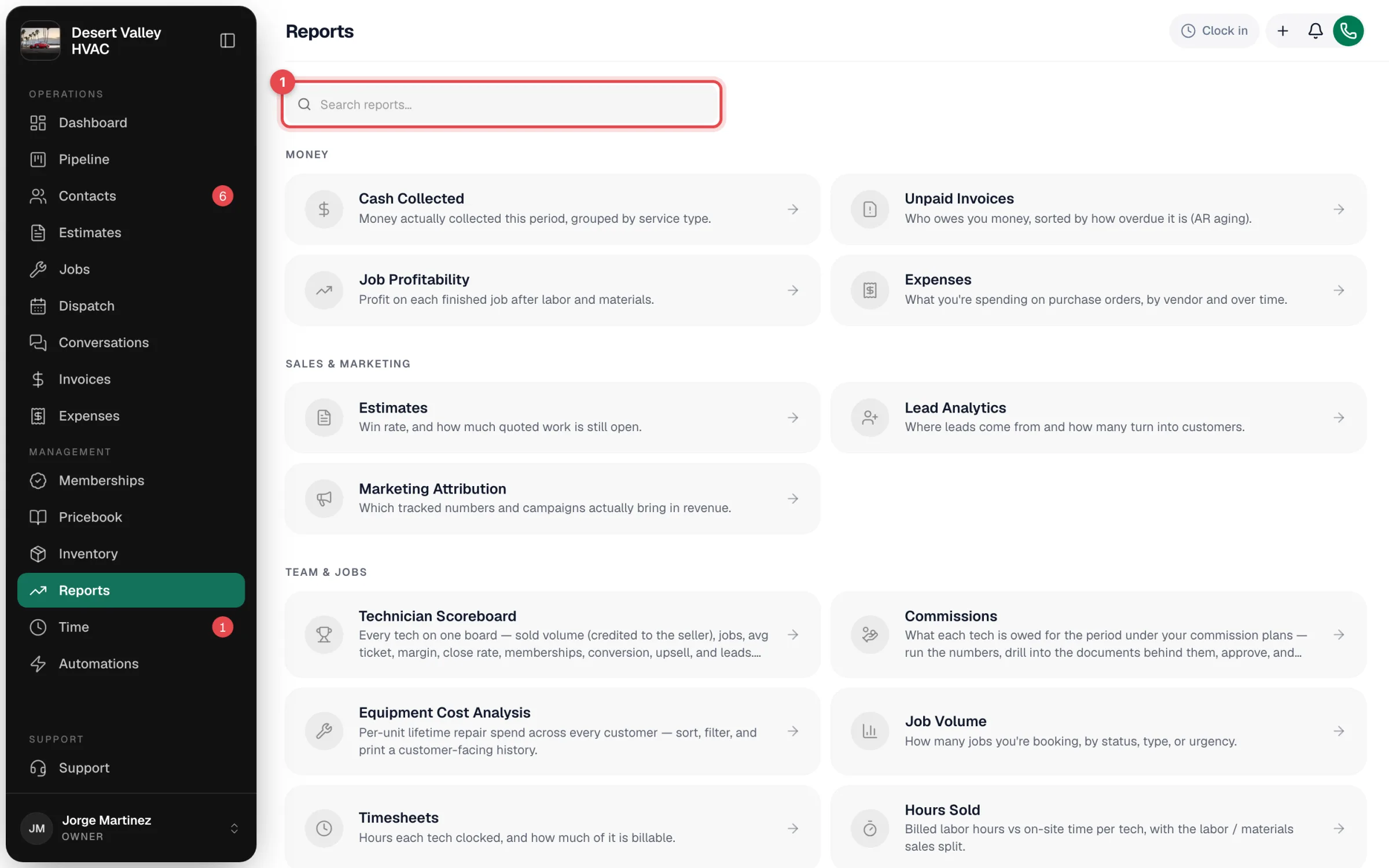
Reports shows how the business is doing — money coming in and going out, sales, your team, memberships, and EPA compliance — built from the jobs, invoices, payments and calls you already record in Run a Call. Click Reports in the sidebar.
Who can see Reports
| Role | Access |
|---|
| Owner | Every report. |
| Admin | Every report. |
| Dispatcher (staff) and Field tech | No access by default. |
| Custom roles | Can be given Reports access, limited to specific reports. Cards for reports a role can't open are hidden. |
Some actions inside reports need more than viewing — for example approving commissions. Those are called out in each report's article.
Every report, by group
Type in Search reports… to jump to one by name or topic.
Money
Sales & marketing
Team & jobs
| Report | Answers | Article |
|---|
| Technician Scoreboard | How is every tech doing — sold volume, jobs, ticket, margin, close rate, memberships, upsell, leads? | Technician Scoreboard |
| Commissions | What does each person earn this period under their commission plan? | Commissions report |
| Equipment Cost Analysis | Which units cost the most to keep running? | Equipment Cost Analysis |
| Job Volume | How many jobs are we taking on, by status, type or priority? | Job Volume report |
| Timesheets | Where did the team's clocked hours go? | Timesheets report |
| Hours Sold | How many labor hours did we bill against hours worked? | Hours Sold report |
| Call Tracking | How many calls did we answer, miss, and book? | Call Tracking report |
Memberships
Compliance
| Report | Answers | Article |
|---|
| Refrigerant | EPA Section 608 log: refrigerant added, recovered, and leaks. | Refrigerant report |
How reports work
- Date range. Most reports have range buttons across the top — Today, This Week, This Month, This Quarter, This Year, Last Year and Custom (pick a start and end date). On a phone the same choices sit in a Range dropdown. Lead Analytics uses 7 Days / 30 Days / 90 Days / Year / All Time, and Marketing Attribution has From and To dates. Unpaid Invoices, Memberships and Equipment Replacement always show the current picture, so they have no range.
- Info icons. Hover or tap the i next to any tile to see exactly what it counts.
- Export CSV. Every report has an Export CSV button that downloads the numbers you're looking at, ready for a spreadsheet or your accountant.
- Live numbers. Reports read your data when you open them — there's nothing to refresh or wait for.
- Dates. Days and months follow your company's time zone.
Good to know
- Money has two views. Cash Collected counts payments on the day they came in. Job Profitability counts finished jobs. They won't match for the same period, and they aren't meant to.
- The dashboard uses the same math. For example, the dashboard's unpaid-invoice figures come from the same calculation as the Unpaid Invoices report.
- There's no custom-report builder, and filters aren't saved between visits.
