
Every invoice has its own pay link: a secure page where the customer can see the invoice, pay it online and download the PDF. They don't need an account or a password. Here's how the link reaches customers, and how to send it again.
How customers get the link
When you send an invoice, the link goes out automatically:
- Email: the invoice email has a Pay Now button, or Pay $X now if you've asked for part of the balance. The invoice PDF is attached.
- Text message: the first time an invoice is sent, the customer also gets a text: "Hi Maria, invoice INV-0042 for $450.00 is ready. Pay online: [link]". This only goes out if your business texting is set up, the customer has a mobile number, and the Invoice sent SMS automation is on.
The pay button and link in the text only work when Stripe is connected. Without Stripe, the email and text ask the customer to contact you to arrange payment, and the page shows your payment instructions. See Enabling online payments with Stripe.
Send the invoice
Open the invoice and click Send invoice in the right-hand panel. Check the To addresses (you can add up to five), the subject and the message, then click Send invoice. See How to create and send an invoice.
Resend the link
If the customer says they never got it:
- Open the invoice.
- Click Resend invoice.
- Check the email address. You can fix a typo, or add another address such as their bookkeeper's.
- Click Resend invoice.
The customer gets the same link again by email. Resending doesn't change the invoice status, and each send is logged in the invoice's Activity.
The text message only goes out on the first send. Resends are email only.
Open the pay page yourself
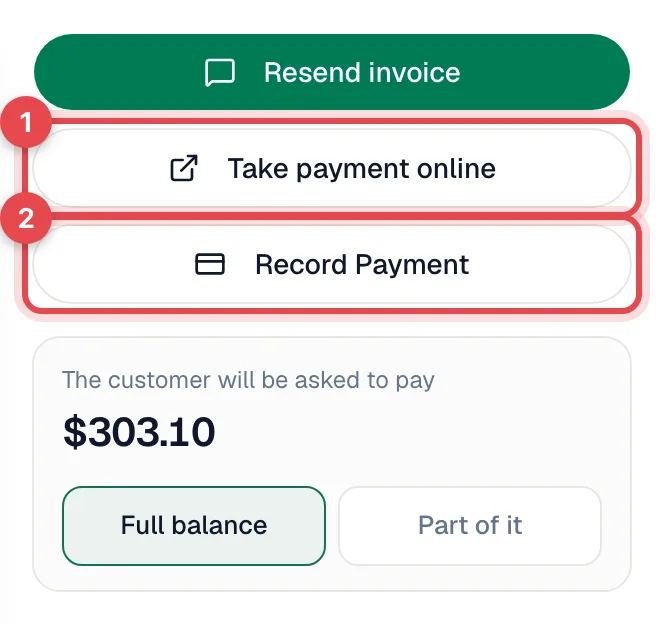
Click Take payment online on the invoice. The customer's pay page opens in a new tab. Use it to take a card over the phone, or copy the address from your browser to paste into a message.
From the field app
On the job's invoice, a tech taps Send to Customer (or Resend to Customer). If the customer has no email on file, the app asks What's their email? and saves the address to the customer.
Asking for less than the full balance
To have the link ask for a deposit or an installment, click Part of it on the invoice and enter the amount. The pay page, the email button and the PDF all ask for that amount, and the customer can still choose to pay the full balance. See Charging credit cards.
Payment schedule invoices
When an estimate has a payment schedule, each milestone gets its own invoice and pay link. The customer can also pay every milestone from their project page. See Invoicing milestone payments.
When does the link stop working?
| Invoice | What the link shows |
|---|---|
| Open (sent, viewed, partial, overdue) | The invoice and a Pay button. |
| Bank payment clearing | Bank payment on its way. The customer can't pay again until the transfer clears or fails. |
| Paid | A Paid in full receipt with payment history and Download invoice PDF. The link keeps working as their receipt. |
| Voided | Invoice Voided — This invoice has been voided. Please contact [your company] for questions. |
To cancel a link you sent by mistake, void the invoice. See Voiding and deleting invoices.
Good to know
- Opening the link counts as a view. A Sent invoice changes to Viewed when the link is opened, including when you open it yourself.
- Links don't expire while the invoice is open.
- Edited after sending? The link always shows the current version of the invoice. The page shows Updated [date] so the customer knows it changed.