
Every part and service you bill can be assigned to the unit it was for. Those assignments build each unit's cost history, so you can tell a customer exactly what a unit has cost them. Most of the time the assignment happens on its own.
Jobs with one unit: automatic
If a job has just one unit attached, every line item you add after that is assigned to that unit automatically. For most residential calls, you never have to think about it.
Jobs with several units: pick per line
On a job at an address with more than one unit, assign each line yourself. Lines you don't assign still bill normally.
Office: job or invoice page
-
On the line item, click the ⋯ (options) button.
-
Choose Assign to a unit. If the line is already assigned, this says Change unit.
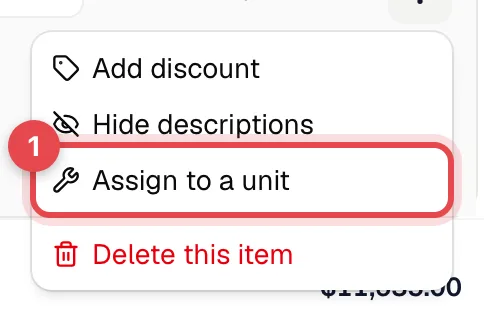
-
In the Applies to box, open the picker and choose a unit or a system.
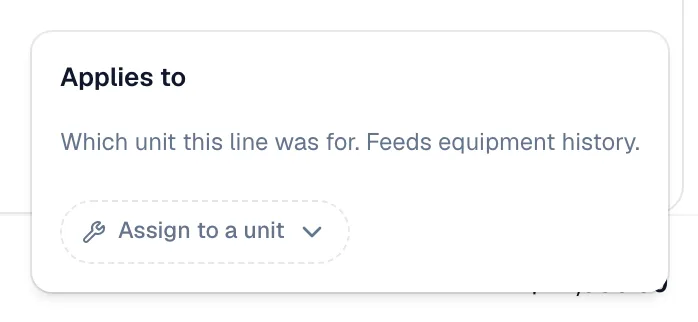
Once a line is assigned, a small chip under it shows the unit (or System name · system-wide). Click the chip to change the assignment.
Field app
Once a unit is attached to the job, each line item shows an Applies to picker right under it, so techs can assign lines on site. The picker lists the units on this job.
What the picker offers
| Option | When to use it |
|---|---|
| Not assigned | The line belongs to the whole job. It still bills, but it doesn't count toward any single unit. |
| System-level: Cooler A · system-wide | Costs shared by a whole system, like compressor oil or a refrigerant charge for the loop. Only shown when the address has systems. |
| Units, grouped by system | Each active unit, shown by its asset ID, or by make and model if it has no asset ID, plus its location. On the office job page this is every unit at the address; choosing one that isn't on the job yet adds it to the job. Retired units aren't listed. |
From job to invoice
When you create an invoice from a job, each invoice line keeps the unit or system its job line was assigned to. You can also assign lines added directly on the invoice, from the same ⋯ menu.
What counts toward a unit's spend
Only billed invoices count: sent, viewed, partially paid, paid or overdue. Drafts, estimates and voided invoices never count. You can assign lines freely during the job, and nothing appears in a unit's history until you bill it.
Unassigned lines from jobs a unit was on show in a separate Job-wide (unassigned) section on that unit's Cost History tab. They aren't added to the unit's lifetime total. Lines assigned to the unit's system show in a System-level section, also not added to the total. See Reading a unit's cost history.