
Open any unit and click the Cost History tab to see what that unit has cost the customer. It's built automatically from the billed invoice lines assigned to the unit.
Open it
- Go to Contacts, open the customer, and click the Properties tab.
- Click the unit's name, or History next to it.
- Click Cost History.
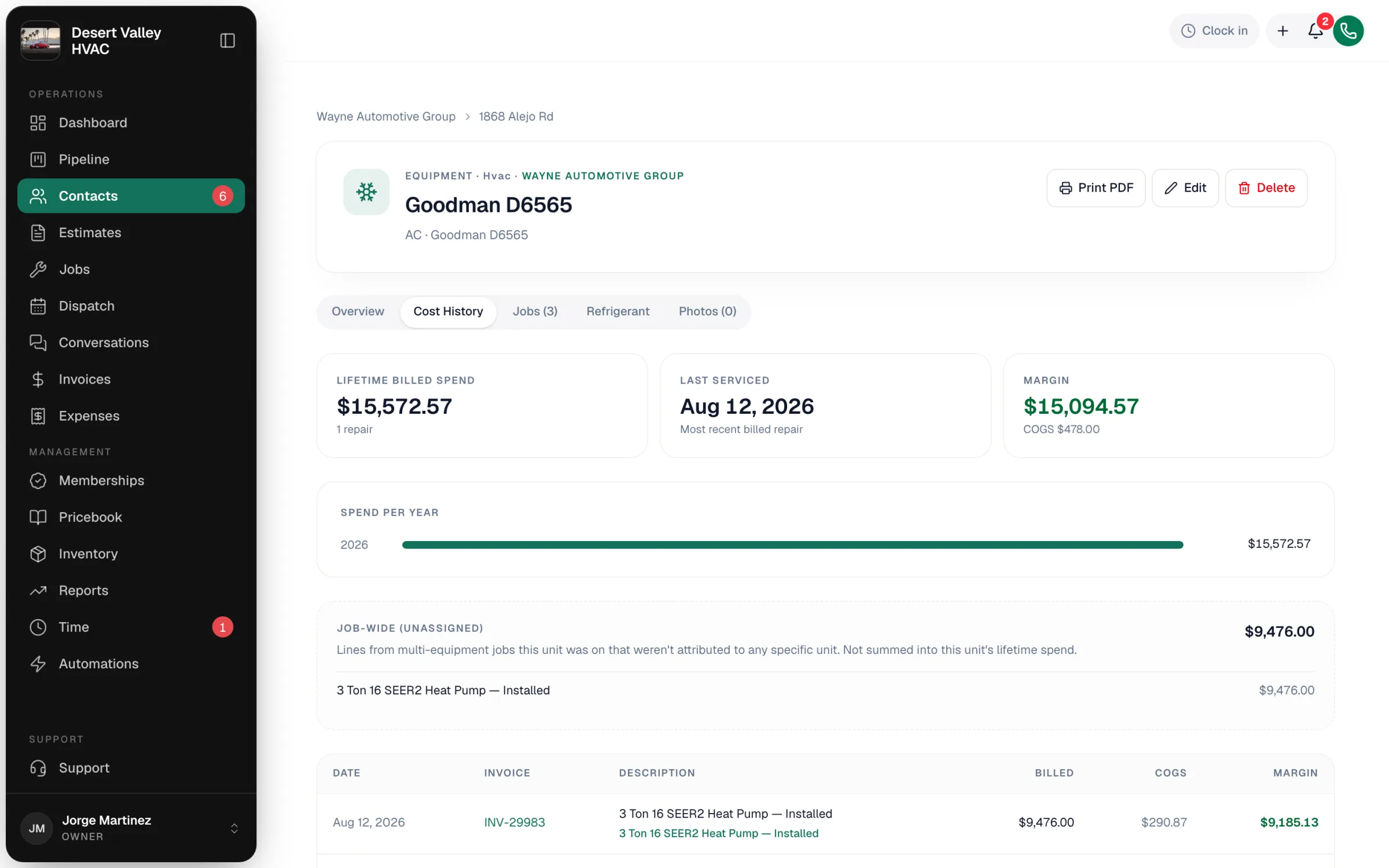
The summary tiles
| Tile | What it means |
|---|---|
| Lifetime billed spend | Every billed invoice line assigned to this unit, added up, with the number of repairs (distinct invoices) underneath. |
| Last serviced | Date of the most recent billed repair, or Never. |
| Margin | Only shown when inventory tracking is on: billed spend minus the cost of parts used (COGS). For your team only; it's never printed. |
Billed means the invoice was sent, viewed, partially paid, paid or overdue. Drafts and voided invoices never count.
Spend per year
A bar for each year shows how much was billed on the unit. It's the quickest way to decide between repair and replace: a unit going from $200 to $600 to $1,400 is telling you something.
Repair history table
Every billed line assigned to this unit, newest first: Date, Invoice (click to open it), Description and Billed. When inventory tracking is on, COGS and Margin columns appear too, and part lines link to their pricebook item.
If nothing has been billed yet, you'll see No billed spend on this unit yet.
Two extra sections you might see
| Section | What it holds | Counted in the lifetime total? |
|---|---|---|
| Job-wide (unassigned) | Lines from jobs this unit was on that weren't assigned to any unit. | No |
| System-level (system name) | Shared costs billed to the whole system this unit belongs to. | No, because they cover every unit in the system |
If the job-wide section keeps growing, techs are probably skipping the unit picker. See Assigning job and invoice items to equipment.
A whole system's spend
Open a system from the property page to see Lifetime spend, Repairs and Last serviced for all of its units together, plus each unit's lifetime spend and the system-level charges. System totals include the system-level charges. Spend per year for a system is on its printed history. See Grouping equipment into systems.
Showing a customer? Use Print PDF instead of sharing your screen. The printed version never shows costs or margin. See Printing an equipment history for a customer.