
Skills record what each technician is certified or especially good at — EPA 608, gas lines, mini-splits, commercial refrigeration. You build one list of skills for your company, then tag each tech with the ones they have. Runny, the AI dispatcher on the dispatch board, can see each tech's skills when it helps you decide who takes a job.
Who can do this: owners and admins, from Settings → Team → Skills.
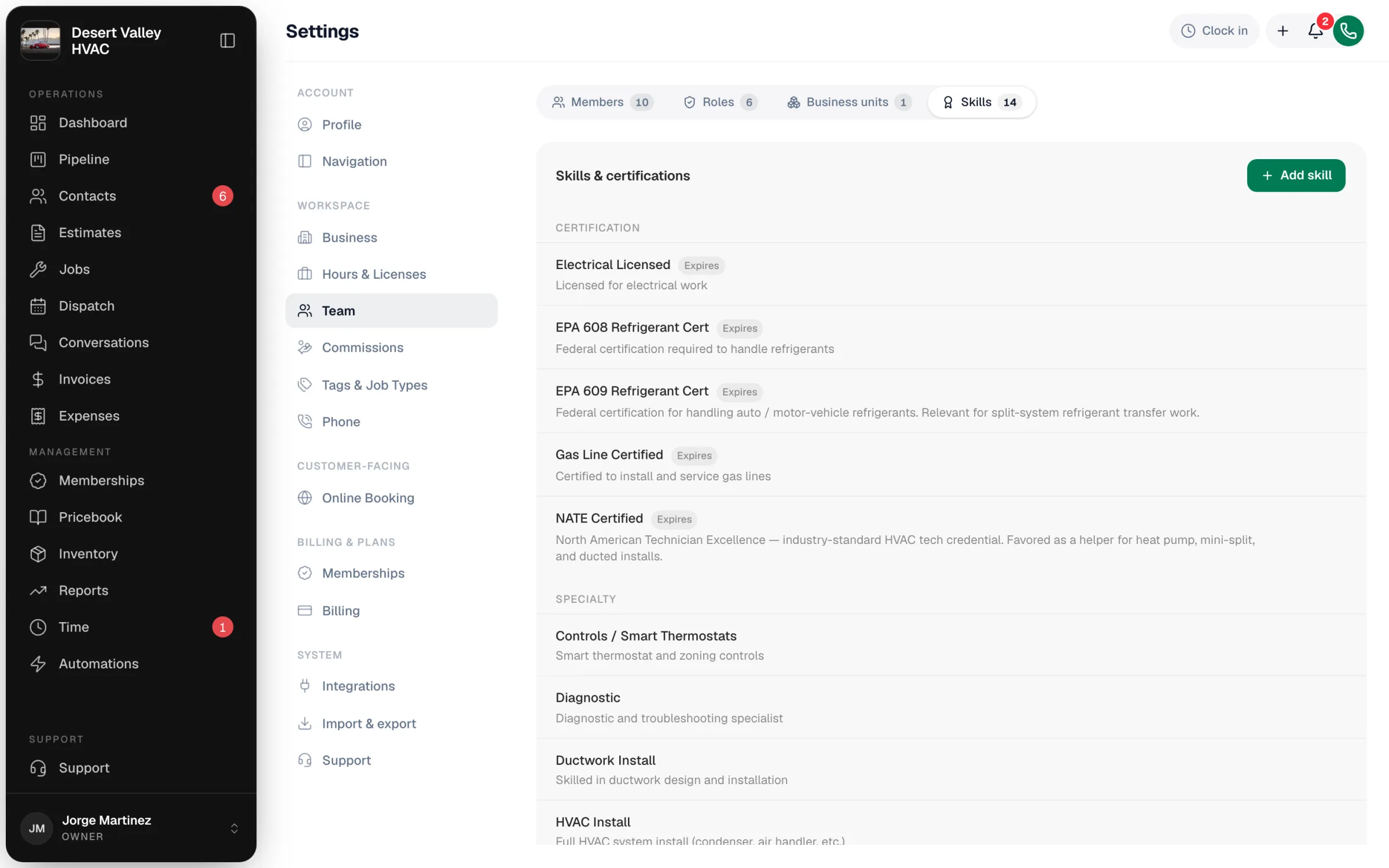
Add skills to your catalog
On the Skills tab, click Add skill in the Skills & certifications card and fill in:
| Field | What to enter |
|---|---|
| Name | The skill or certificate, e.g. EPA 608 Refrigerant Cert or Mini-Split Specialist |
| Category | Certification (a formal credential), Specialty (proven experience), or Equipment type (a brand or kind of equipment) |
| Description | Optional — what kind of work it covers |
| Tracks expiration | Turn on for certificates that expire. The skill shows an Expires tag in the catalog. |
Click Add skill to save. Skills are listed by category; use the edit and remove buttons on a skill's row to change or delete it.
Removing a skill from the catalog also takes it off every tech who has it.
Tag each tech with their skills
Scroll to Who has what. Everyone who can be scheduled on the dispatch board is listed with how many skills they have.
- Click a person to open their skills.
- Click Add skill, search the catalog, and click the skill.
- Optionally pick a level: Apprentice, Journeyman, or Master (or leave No level).
- Click Done.
To take a skill off someone, click the × next to it.
How skills are used
- Dispatch help: Runny looks at techs' skills when you ask it who should take a job or to plan the day. See Using Runny, the AI dispatcher.
- At a glance: the skill list per tech gives the office one place to check who's certified for what.
Good to know
- Only schedulable people appear under Who has what. If someone is missing, check that they're active, have accepted their invite, and have a role that shows up on the dispatch board.
- Certificate dates aren't tracked per tech — keep the certificate number or renewal date in your own records.
- Levels are labels. They don't change pay rates or restrict which jobs a tech can be given.