
When customers request service on your booking page, they tell you how urgent it is. The three levels are fixed — you don't set them up — but knowing where urgency shows up helps your office answer emergencies first.
The three levels
On step 1 of the booking page, below the service list, customers pick one:
| Level | What it tells you |
|---|---|
| Routine | Selected by default. Tune-ups, estimates, anything that can wait for a normal slot. |
| Urgent | Something isn't working and the customer wants someone soon. |
| Emergency | The customer considers it an emergency. |
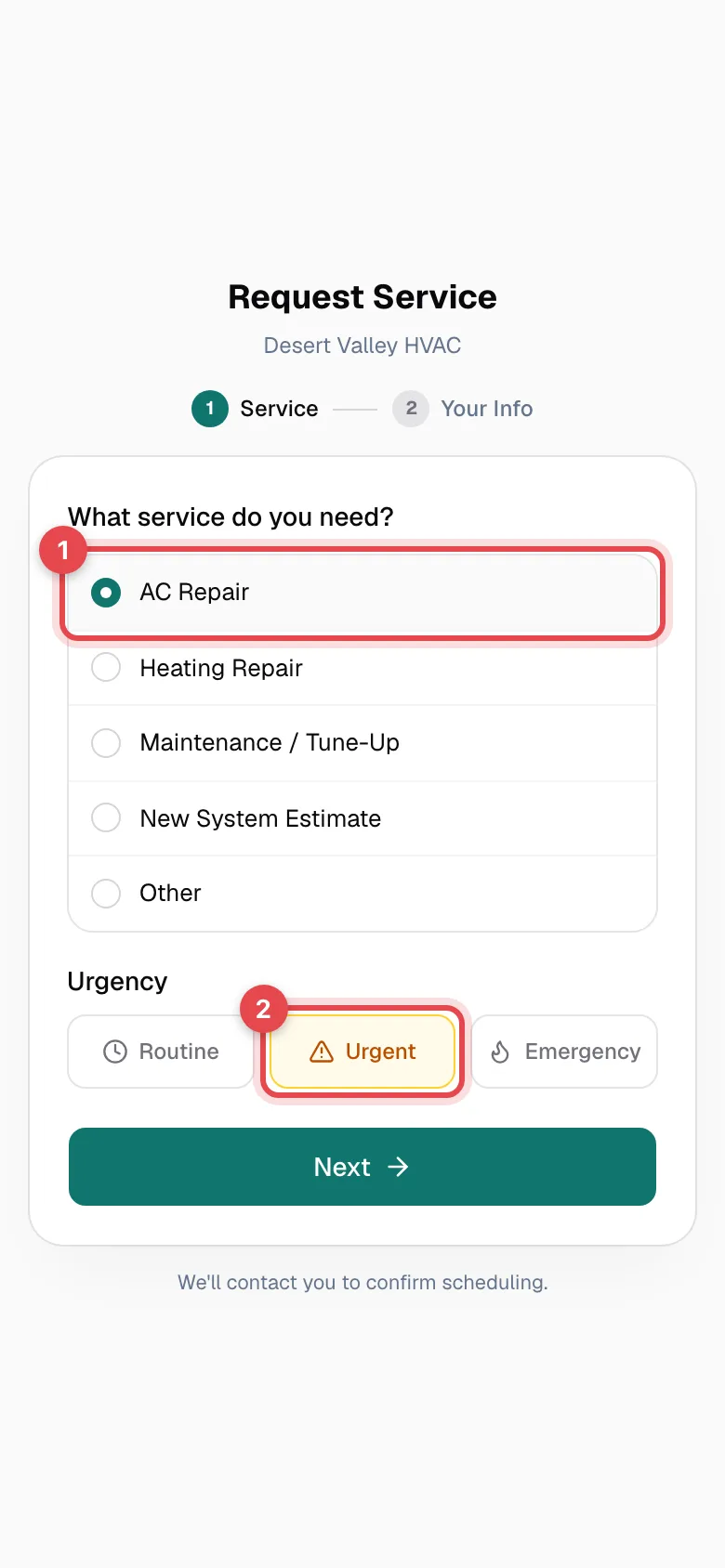
Customers only see the three labels — there's no description under each one, so they decide for themselves what counts.
Where urgency shows up in the office
| Where | What you see |
|---|---|
| Notifications bell | The title reads New Routine booking request, New URGENT booking request, or New EMERGENCY booking request, followed by the customer's name, the service, and their phone number. |
| The customer's Notes tab | A pinned note that starts with Online booking request (EMERGENCY) — or URGENT or Routine — followed by the service, details, and address. |
Urgent and emergency requests are written in capitals so they stand out when you scan the bell.
What urgency doesn't do
- It doesn't schedule or assign the job. Someone in the office still calls the customer back and books it.
- It doesn't change pricing or add an after-hours fee.
- It doesn't text or page a technician.
Agree as a team on how quickly you call back each level — for example, emergencies within 15 minutes during business hours. Customers sometimes pick Emergency for things that can wait, so confirm the situation on the callback before you pull a tech off another job.