
When your supplier raises prices or you set new rates for the season, you don't have to edit items one at a time. Adjust prices moves many prices by a percentage at once, shows you exactly what will change first, and can be undone.
Who can do this: owners and admins.
Open Adjust prices
Go to Pricebook, stay on the Items tab, open More actions (the ... button next to New item) and choose Adjust prices. The Change your prices window opens.
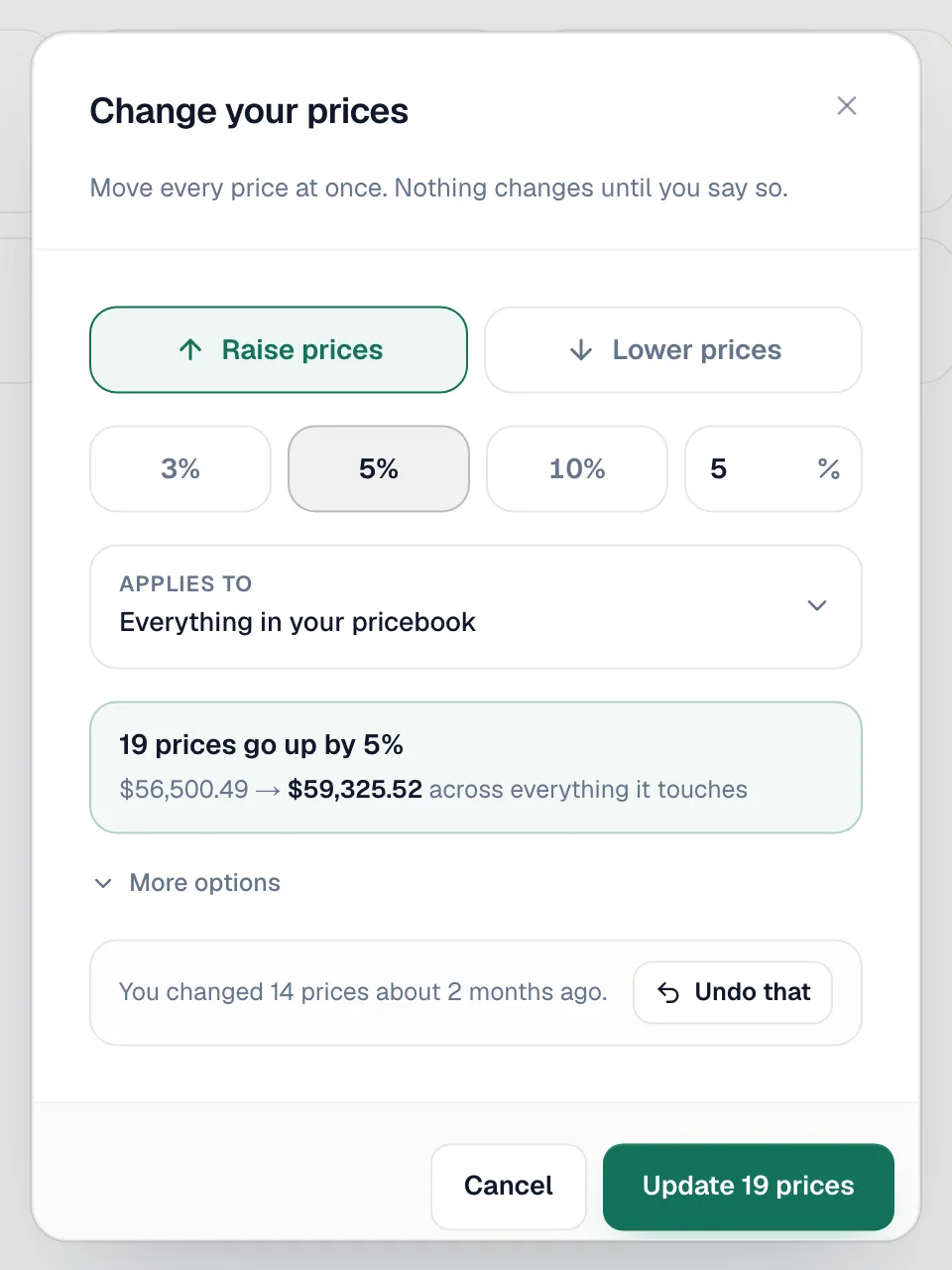
Choose up or down, and by how much
Click Raise prices or Lower prices, then pick 3%, 5% or 10%, or type your own percentage in Other. You can raise prices by up to 100% or lower them by up to 90% in one go.
Choose what it applies to
Applies to starts as Everything in your pricebook. Click it to narrow the change:
| Option | Use it for |
|---|---|
| Only items with this word in them | One brand or product line, for example Mitsubishi. Leave empty for all items. |
| Only these categories | Tick one or more categories. A category you tick brings its subfolders with it. Tick none to change everything. |
Check the preview
The box under Applies to tells you what will happen before anything changes, for example 19 prices go up by 5% and the total before and after across those items. If nothing matches, it says so.
Set extra options (optional)
Open More options:
| Option | What it does |
|---|---|
| Tidy up the new prices | Leave prices exact, Round to the nearest dollar, or Round to the nearest .99. |
| Change what you paid too | Also moves each item's Cost by the same percentage. Tick this when your supplier's prices went up. |
| Include items you've turned off | Off by default, so hidden items keep their old prices. |
Apply
Click Update N prices. You'll see N prices updated.
Undo a change
Open Adjust prices again. Your most recent change is listed at the bottom (You changed 14 prices 5 minutes ago). Click Undo that to put those prices back.
Undo restores the exact prices (and costs) those items had before the change. If you edited one of those items by hand afterwards, undo overwrites that edit too.
Good to know
- Only pricebook prices change. Estimates, jobs and invoices you already built keep their prices.
- Old bundle-type items are never changed by Adjust prices.
- Bundle templates that use a Package price keep that price; update it in the bundle builder if needed.