
The pricebook is your catalog of services, parts, equipment and labor, with the price the customer pays and what each one costs you. Everything your team puts on a job, estimate or invoice is picked from it, so prices stay the same no matter who builds the ticket.
Open it from Pricebook in the left sidebar.
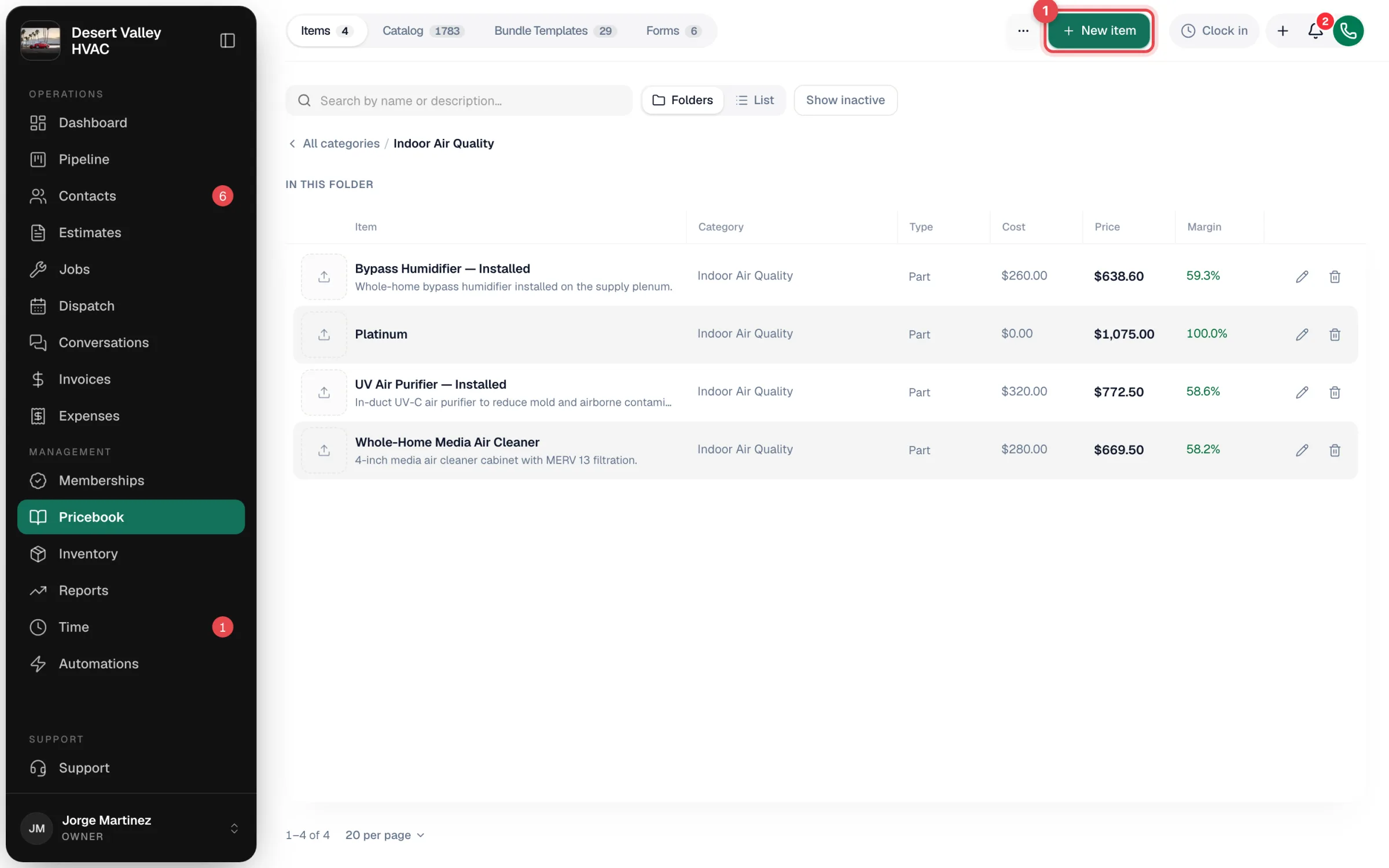
The four tabs
| Tab | What's in it |
|---|---|
| Items | Your own services, parts, equipment and labor, organized in category folders. |
| Catalog | A ready-made library of HVAC services and repairs with illustrations and suggested prices. Pick what fits and it's copied into your Items. Owners and admins only. See The Catalog and starter items. |
| Bundle Templates | Tiered packages (for example Good / Better / Best) you apply to an estimate, job or invoice in one step. See Creating bundle templates. |
| Forms | Checklists your techs fill out on a job. See Job checklists and forms. |
On a phone the tabs become a dropdown at the top of the page.
Browsing your items
The Items tab opens as Folders: one card per category, with an item count. Click a folder to see what's inside; the breadcrumb (All categories / Maintenance) takes you back out. Folders can hold subfolders.
Switch to List to see every item in one table. List view adds:
- An All categories filter.
- A Columns menu to choose which columns show (Photo, Description, Category, Type, Cost, Price, Margin, Taxable, Created). Your choice is remembered; Reset to default puts it back.
Type in Search by name or description… to find an item from either view. Show inactive also lists items you've hidden with Show in pricebook turned off.
What each item holds
| Field | What it's for |
|---|---|
| Name | What the customer sees on the line. |
| Category | The folder it lives in. Required. |
| Type | Service, Part, Equipment or Labor. |
| Price ($) | What the customer pays per unit. |
| Cost ($) | What it costs you. Drives the margin shown in the pricebook and profit figures on estimates and jobs. |
| Taxable | Whether sales tax is added on invoices. |
| Description | Optional customer-facing text shown under the line on estimates, jobs and invoices. |
| Photos | Up to 6 photos; the first is the cover. |
| Show in pricebook | Turn off to hide the item without deleting it. |
| This is your service call fee | Marks your booking fee for reporting. |
| Pays commission | Whether the item counts toward tech commission. |
See Creating items and services for the full walkthrough.
Other tools on the page
The More actions menu (the ... button next to New item) holds:
- Adjust prices: raise or lower many prices by a percentage at once. See Adjusting prices in bulk.
- New category: add a folder. See Creating and managing item categories.
- Clear starter items (N): removes the starter items your account came with. Shows only while some are left, and only to owners and admins.
To bring in a spreadsheet, go to Settings → Import & export → Import CSV. See Importing the pricebook.
Who can do what
| Role (default) | Pricebook access |
|---|---|
| Owner and Admin | Everything, including Adjust prices, the Catalog tab, Clear starter items, deleting categories and building forms. |
| Dispatcher | Create, edit and delete items and bundle templates; create and rename categories. No bulk price changes, no Catalog tab, can't delete categories or build forms. |
| Field tech | No access to the Pricebook page. Techs pick items from the pricebook inside a job or estimate on the mobile app, and can add a one-off custom line. See What techs can do with the pricebook. |
If your company uses custom roles, what someone can do follows the role you gave them.
Where the pricebook shows up
| Place | How |
|---|---|
| Jobs, estimates, invoices, purchase orders | Add item (on a purchase order, Add items from your price book) opens the pricebook picker. See Adding items to jobs, estimates, and invoices. |
| Mobile app | Add part or labor on a job's Parts and labor panel. |
| Inventory | When inventory tracking is on, every Part is stock-tracked. See Inventory overview. |
| QuickBooks Online | If item sync is on, new and edited items are sent to QuickBooks. See Syncing the pricebook with QuickBooks Online. |