
Every pricebook item has a Price (what the customer pays) and a Cost (what it costs you). Enter both and Run a Call shows your margin while you set prices, on the pricebook list, and under the total when you build an estimate.
Run a Call doesn't have a separate markup field: you set the price directly. Use the formulas below to turn the markup you're used to into a price.
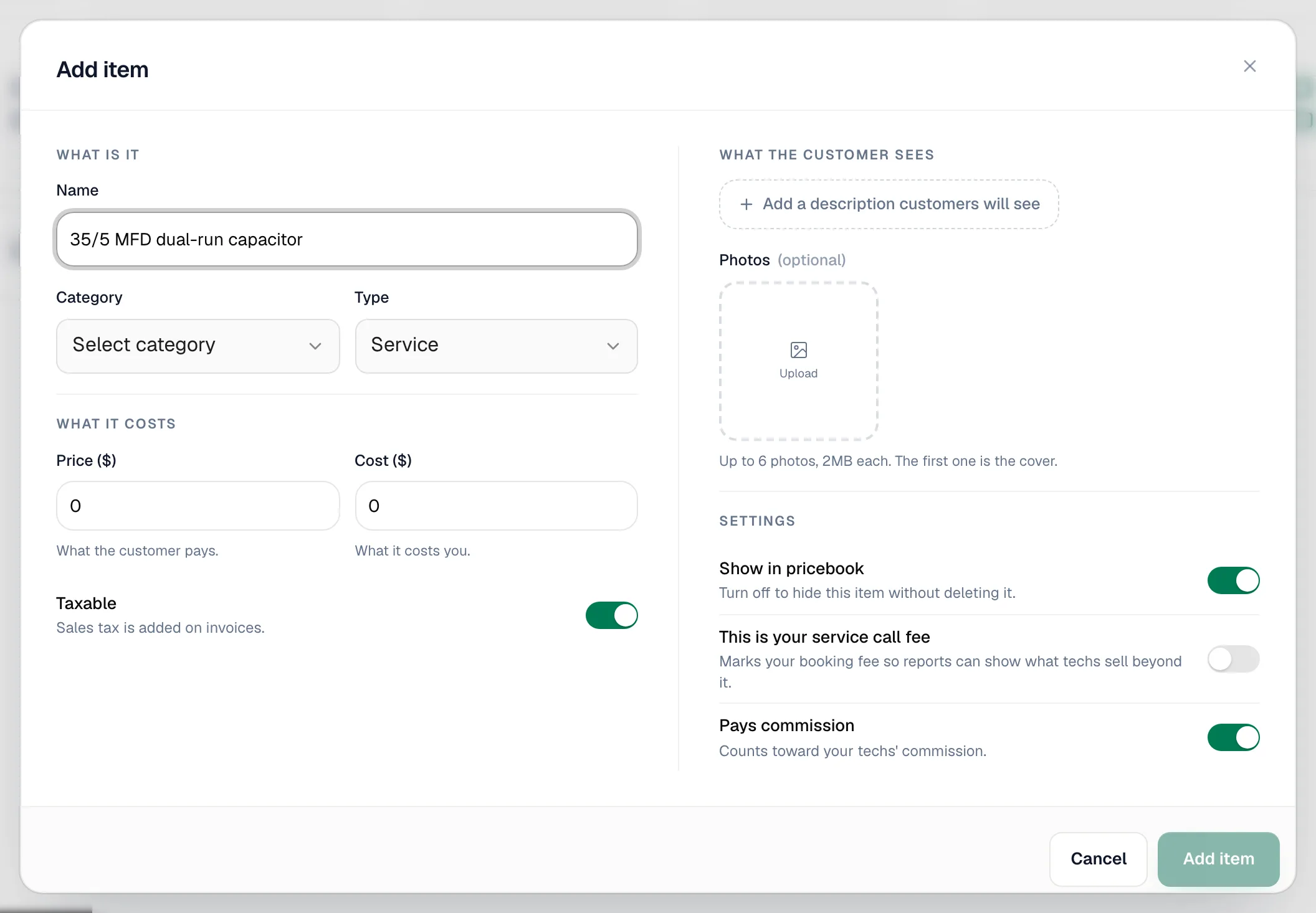
Set cost and price on an item
- Go to Pricebook, open the item's folder and click the pencil next to it (or click New item).
- Enter Price ($) and Cost ($).
- Read the line under the fields: You keep $X of every $Y you charge (N% margin). It turns amber when margin is under 30% and warns you if cost is higher than price.
- Click Save changes (or Add item).
Markup vs margin
They use the same two numbers but divide by different things.
| Term | Formula | Example (cost $50, price $100) |
|---|---|---|
| Markup | (price − cost) ÷ cost | 100% |
| Margin | (price − cost) ÷ price | 50% |
To price from a markup: price = cost × (1 + markup). A $40 part at 150% markup is $40 × 2.5 = $100, a 60% margin.
| Markup | Margin |
|---|---|
| 25% | 20% |
| 50% | 33% |
| 100% | 50% |
| 150% | 60% |
| 200% | 67% |
Run a Call shows margin.
Where your cost and margin show up
| Place | What you see |
|---|---|
| Add item / Edit item form | The You keep… margin line. |
| Pricebook list | Cost, Price and Margin columns (choose columns with Columns in List view). |
| Estimate builder | Under the total, a Cost and Profit line with margin, marked Only you see this. Lines can also show a Your cost column. |
| Job page | Job costing shows the job's material, labor and expense costs. |
| Reports | The job profitability report. See Job profitability report. |
Cost and margin never appear on what the customer sees: estimates, invoices, PDFs, pay pages or the mobile app's item search.
When a supplier raises prices
Use More actions → Adjust prices to raise prices by a percentage across the pricebook, some categories, or items matching a brand name. Tick Change what you paid too under More options to raise costs by the same percentage. See Adjusting prices in bulk.
Good to know
- Changing an item's price or cost affects lines you add from now on. Lines already on estimates, jobs and invoices keep their price.
- If you leave Cost at 0, the margin shows as 100%. Fill in costs to get meaningful profit numbers.
- With inventory tracking on, parts also carry an Avg cost based on what you actually paid on received purchase orders. See How purchase orders receive stock.