
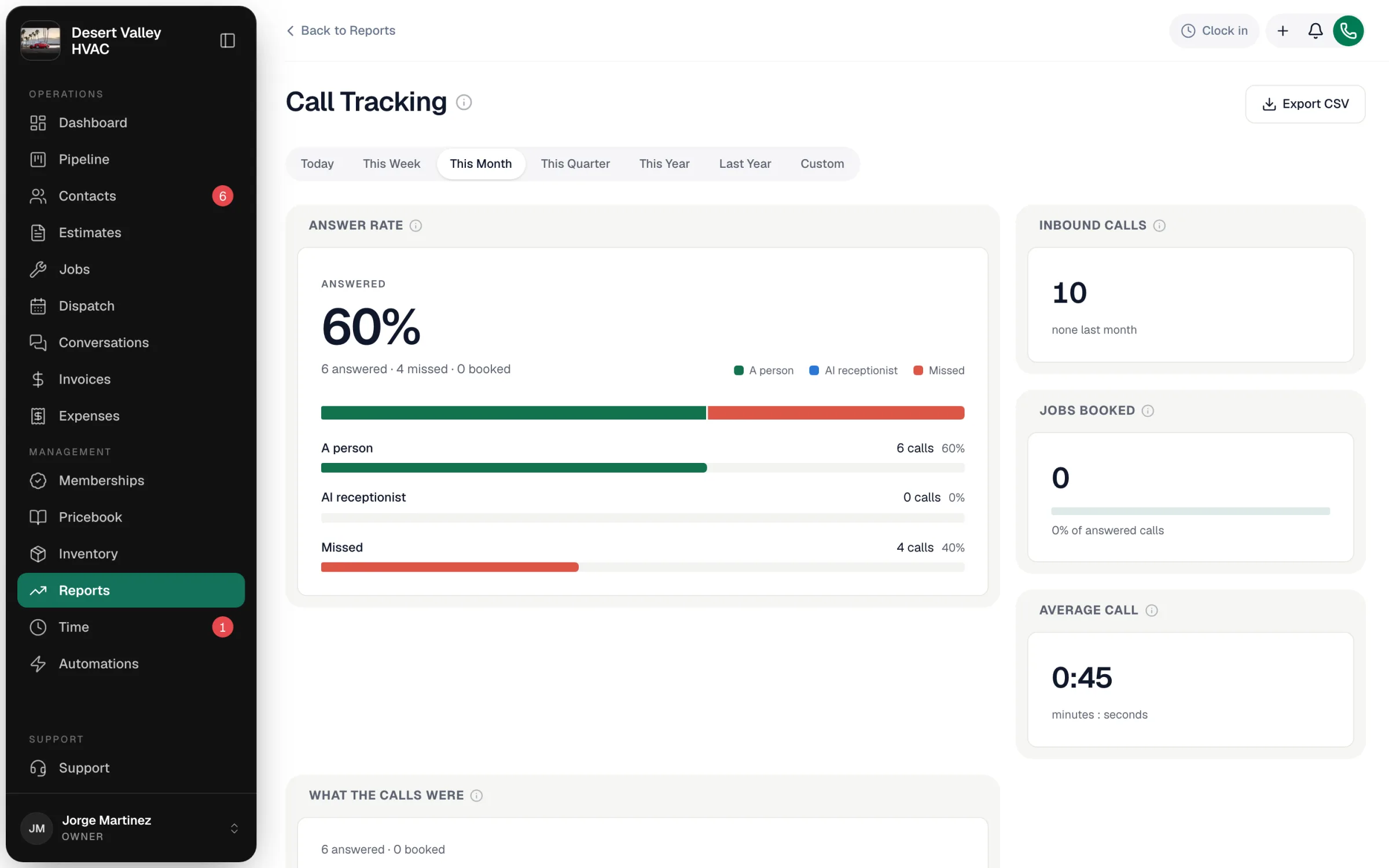
The Call Tracking report shows every inbound call to your Run a Call phone numbers: how many you answered, how many were missed, how many the AI receptionist picked up, and how many turned into booked work. Missed calls are money walking out the door — this is where you see how many.
Open it from Reports → Team & jobs → Call Tracking. Owners and admins can see it. It needs Run a Call Phone — calls to numbers outside Run a Call can't be counted.
Which calls are counted
Every inbound call to your Run a Call numbers during the range you pick (Today through Last Year, or Custom). Outbound calls aren't included.
The tiles
| Tile | What it shows |
|---|---|
| Answer rate | The share of inbound calls that were answered — by A person on your team or the AI receptionist. Missed is everything else: calls that rang out, went to voicemail or failed. |
| Inbound calls | Total inbound calls, against the same length of time just before. |
| Jobs booked | Calls whose outcome was set to Appointment scheduled in the call wrap-up, and that number as a share of answered calls — your phone-to-job conversion. |
| Average call | Average length of a call, in minutes and seconds. |
| Calls per week | Inbound calls each week over the last 8 weeks, whatever range you picked. |
| What the calls were | Calls by the outcome picked in the call wrap-up (booked job, estimate requested, callback scheduled, existing customer, spam, wrong number and so on), with Not dispositioned at the bottom for calls nobody tagged. |
| What callers pressed | Shown when you use a call flow with a menu: which option callers chose. No key pressed means the menu timed out into its fallback — a sign the prompt is too long or the options don't match why people call. |
Getting accurate "Jobs booked"
A call only counts as booked when someone answers What happened? in the call wrap-up with Appointment scheduled. If your team skips the wrap-up, Jobs booked reads low and Not dispositioned grows. See Booking new jobs from a call.
What it tells you
| Pattern | What to look at |
|---|---|
| Answer rate dropping | Staffing at busy times, or turning on the AI receptionist to catch overflow. |
| Lots of Spam or Wrong number | See Spam filtering. |
| Many No key pressed | Shorten or reword your call-flow menu. |
Export
Export CSV downloads the totals, answer and book rates, the answered-by split, and the outcome breakdown.