
Marketing Attribution traces revenue back to what brought the customer in — so you can see whether the Google Ads number, the truck wrap, the door hangers or the mailer actually pay for themselves.
Open it from Reports → Sales & marketing → Marketing Attribution. Owners and admins can see it.
Two ways to look at it
The switch at the top picks how revenue is attributed:
| View | Counts | Revenue |
|---|---|---|
| By tracking number | Calls to Run a Call Phone numbers you've tagged, and the customers, jobs and revenue that came from them. | Paid revenue, by payment date. |
| By lead source (typed in) | Leads, booked jobs and revenue for each Source your team picked on the customer (Google, Referral, Door hanger…). No tracking numbers needed. | Invoiced revenue, by the date each invoice was sent. |
The rest of this page covers By tracking number first; see By lead source (typed in) below.
Before you start: tag your tracking numbers
Give each marketing channel its own Run a Call phone number, then tag it:
- Go to Settings → Phone → Numbers and open the number.
- In Attribution tags, click Edit and fill in Source (for example Google Ads, Yelp, referral), and optionally Medium, Campaign, Landing page and Placement.
From then on, calls to that number carry its tags. A customer created from a tagged call carries them too, and so do that customer's jobs and invoices. Until a number is tagged, the report shows "No attributed activity yet".
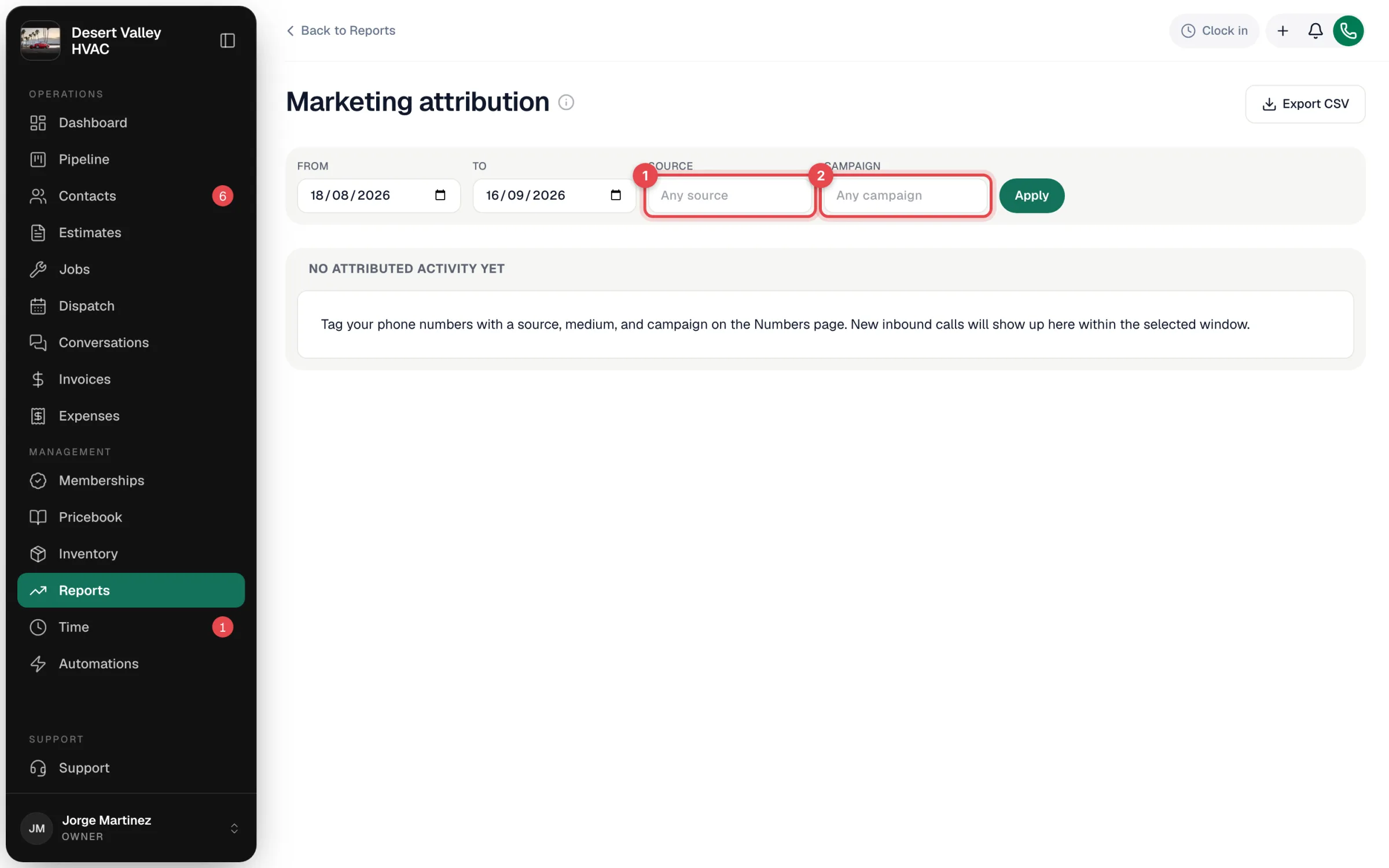
Set the filters
| Filter | What it does |
|---|---|
| From / To | The date window. |
| Source | Only one source, e.g. Google Ads (leave as Any source for all). |
| Campaign | Only one campaign (leave as Any campaign for all). |
Click Apply.
Follow the chain from call to cash
| Tile | What it counts |
|---|---|
| Calls received | Inbound calls to a tagged number in the window. |
| New customers | Customers created from a tagged call in the window. |
| Jobs booked | Jobs booked for those customers, and how many were invoiced and paid. |
| Revenue traced to a source | Collected — invoice totals marked paid in the window whose customer came in through a tagged number — with the paid invoices, jobs and new customers behind it. |
| Per number | Each tagged number with its tag: calls, new customers, jobs and revenue. |
| Revenue by source / Revenue by campaign | The same numbers rolled up by source and by campaign. |
Only tagged activity counts. Calls to untagged numbers and customers who found you another way aren't included, so Collected is a floor, not your total revenue.
Export
Export CSV downloads the totals and the per-number, per-source and per-campaign tables for the filters you applied.
By lead source (typed in)
Switch to By lead source (typed in) to see every customer's typed-in Source, whether or not they ever called a tracking number. Pick From and To and click Apply.
<!-- TODO(shot: /screenshots/reports/marketing-attribution-report-lead-source.webp — Marketing Attribution with "By lead source (typed in)" selected: the chart, Weekly/Monthly and the Source table with the Total row) --> <!-- labels: components/reports/lead-source-revenue*.tsx (PR #2142) -->| Column | What it counts |
|---|---|
| Source | The Source on the customer. |
| Leads | Customers created in the range with that source. |
| Booked jobs | Jobs created in the range for customers with that source. |
| Invoiced revenue | Invoices sent in the range to customers with that source, at their current total (sent, viewed, partly paid, paid and overdue). Drafts and voided invoices are left out. |
| Share | That source's part of the invoiced revenue. |
A Total row sits at the bottom. The chart above shows invoiced revenue over time for your five biggest sources, with the rest grouped as Other sources. Use Weekly or Monthly to change the grouping; weeks run Monday to Sunday.
Export CSV downloads the table, one row per source plus the total.
How sources are grouped:
- Capital letters, spaces, dashes and underscores don't split a source. door_hanger, Door hanger and DOOR HANGER are one row, shown with the spelling your team used most.
- Blank or Other shows as Unknown. Customers with no source, or with Other, are counted under Unknown.
- The report follows the customer's current source. If you change a customer's Source, their past leads, jobs and revenue move to the new source too.
The two views measure revenue differently (paid by payment date vs. invoiced by send date), so their totals won't match for the same range.
Customers who came from your website can also carry where they came from (Google, an ad and its keyword) automatically. See Tracking where your website leads come from.