
The columns on the Contacts board are yours to shape. Rename them to the words your office uses, split a stage into sub-steps like Quoted — sent and Quoted — following up, recolor them, reorder them, and flag leads that sit too long.
Who can do this
Owners and admins. Everyone else can move cards but can't change the columns.
How columns work
Behind the board, every contact has one of five statuses: Lead, Prospect, Quoted, Customer or Inactive. Each column is tied to one of them — "when a card lands here, mark the contact as …". You can name columns anything and have as many as you like, but the five statuses stay the same. That keeps the Lead status filter, the automatic moves (estimate created → Quoted, job booked → Customer) and your reports working.
Two columns can point at the same status. That's how you make a sub-step: Quoted — sent and Quoted — financing both mark the contact as Quoted, so you track your own process without changing anything else.
Open the Contacts board
Click Pipeline in the sidebar, then Contacts at the top.
Add a column
Scroll to the right end of the board and click Add column.
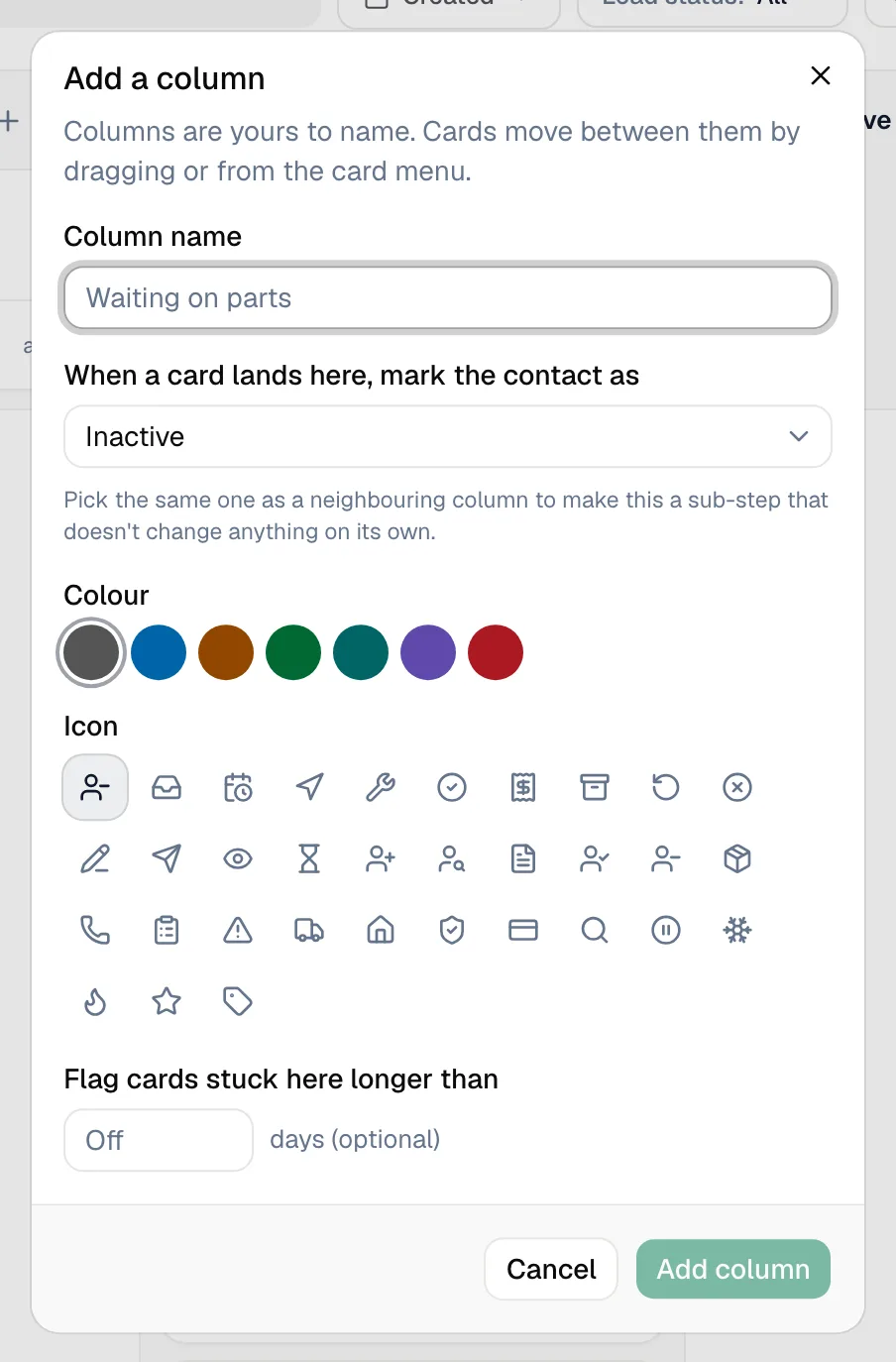
| Field | What it does |
|---|---|
| Column name | What your team sees — Needs a callback, Site visit booked, Financing. |
| When a card lands here, mark the contact as | The status written to the contact when a card is dropped here. Required. |
| Colour | The column's accent color. |
| Icon | Optional. Leave it on Auto to match the status you picked. |
| Flag cards stuck here longer than | Optional. Enter a number of days; cards that sit in the column longer get an amber edge and a day count. Leave it empty to turn it off. |
Click Add column to save.
Edit, move or delete a column
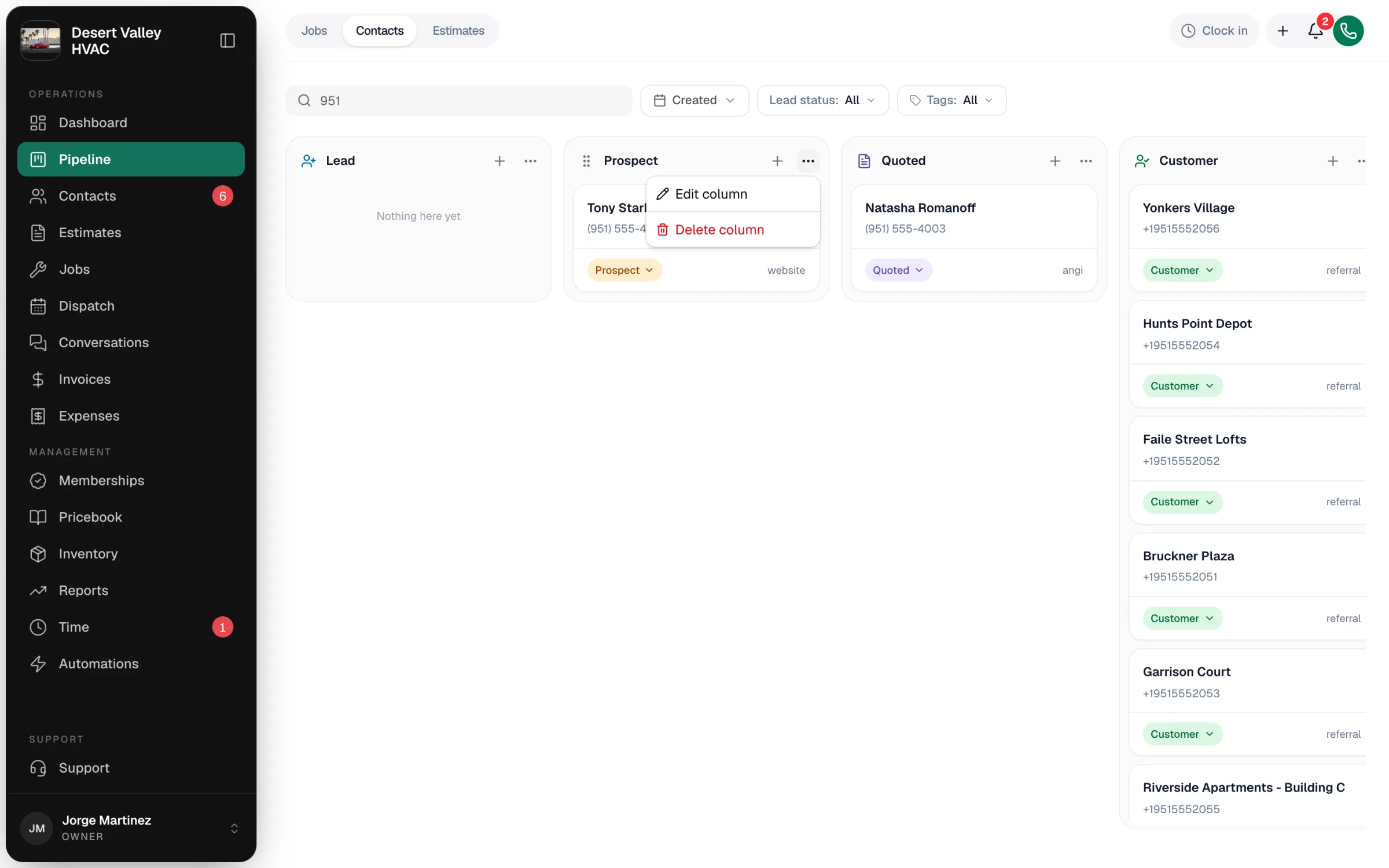
Click ⋯ on the column header:
| Menu item | What it does |
|---|---|
| Edit column | Reopens the same settings. Click Save. |
| Move left / Move right | Changes the column order on a phone or tablet. On a computer these don't appear — hover the column header and drag it by the handle instead. |
| Delete column | Asks where the contacts in it should go (Move to), then removes the column. A board always keeps at least one column. |
A worked example
A shop that wants New → Called → Site visit → Estimate sent → Financing → Won → Lost can rename the five starting columns and add two:
| Column name | Marks the contact as | How it was made |
|---|---|---|
| New | Lead | Renamed Lead |
| Called | Prospect | Renamed Prospect |
| Site visit | Prospect | Added |
| Estimate sent | Quoted | Renamed Quoted |
| Financing | Quoted | Added |
| Won | Customer | Renamed Customer |
| Lost | Inactive | Renamed Inactive |
Contacts that change status on their own — a new booking request, an estimate being created, a job being booked — land in the column that started with that status (here New, Estimate sent and Won). Columns you add only hold cards you move there yourself.
Rename the starting columns rather than deleting them. If you do delete one, the column you pick under Move to takes over its status, so automatic moves keep landing somewhere sensible.
Good to know
- Tags are for the kind of contact, columns are for the stage. Use tags like Commercial or Warranty and filter the board by Tags — see Tagging customers.
- The Contacts list under Contacts still shows the five statuses, not your column names.