
Tags are short labels you put on a customer — Commercial, Warranty, Landlord, Do not text, Spring promo. Use them to find a group of customers fast, to filter the Contacts board, and to start automations. The same tag list is shared with jobs and estimates.
Who can do this
Anyone who can edit customers can add and remove tags on a customer — by default owners, admins and dispatchers. They can also create new tags on the spot.
Open the customer
Click Contacts in the sidebar and open the customer.
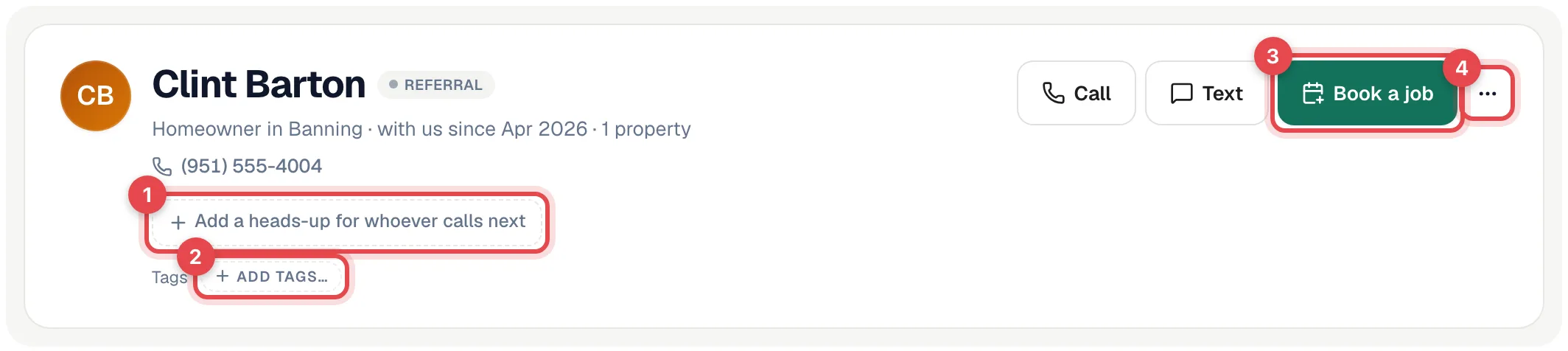
Click Add tags…
In the header, next to Tags, click Add tags….
Pick or create a tag
Start typing in Search tags… and click a tag to add it. If it doesn't exist yet, click Create "…" to make it.
Tags save as soon as you pick them. To remove one, open the picker again and click the tag to unselect it.
Find customers by tag
| Where | How |
|---|---|
| Contacts list | Open Tags above the list and pick one or more — you see customers with any of them. Only tags that are on at least one customer appear here. The filter is kept in the page address, so you can bookmark it. |
| Pipeline → Contacts board | Use Tags above the columns. |
Export a tagged group
To get a tagged group into a spreadsheet (for a mailer, or a list for your marketing person):
- On the Contacts list, pick the tags under Tags, and any other filters you need (source, membership, search, created dates).
- Click Export {n} customers. The number is how many customers match your filters.
- The CSV downloads right away (customers-2026-10-20.csv) and you see {n} customers exported.
The file has one row per customer: First name, Last name, Company, Email, Phone, Alt phone, Address, City, State, ZIP, Source, Tags, Member, Lead status and Created. See Exporting your data for the limits.
Start an automation from a tag
In Automations, the trigger When a tag is assigned to a customer runs a workflow the moment you tag someone — for example, tag Spring promo and send the promo text. Automations can also Add tag to customer or Remove tag from customer as a step. See Automation triggers catalog.
Managing the tag list
Owners, admins and dispatchers can rename tags in Settings → Tags & Job Types. Deleting a tag is limited to owners and admins by default.
Tags, sources and statuses
| Use it for | Example | |
|---|---|---|
| Status | Where they are in your sales process | Lead, Quoted, Customer |
| Source | How they found you — one per customer | Google, Referral |
| Tags | What kind of customer they are — as many as you like | Commercial, Warranty, Landlord |
For something everyone must see before they call — Do not service, VIP, Gate code 4412 — use a heads-up flag instead of a tag. See Heads-up flags, notes and files.