
Every invoice and estimate email goes out with a subject line. You can write your own default once, with details like the invoice number or the service address filled in for you, and still change it on any single send.
Who can do this
Owners and admins set the default. Anyone who sends invoices or estimates can change the subject on the email they're sending.
Set the default subject for invoices
- Go to Invoices and click the gear at the top of the page (Invoice settings).
- Open the Email section.
- Type your subject in Default email subject, for example
Invoice {number} for {address} — {business}. - Read the Example line under the box. It shows how the subject will read with sample details.
Changes save on their own. Leave the box empty to keep the built-in subject, Invoice INV-0042 — $450.00 from [your company].
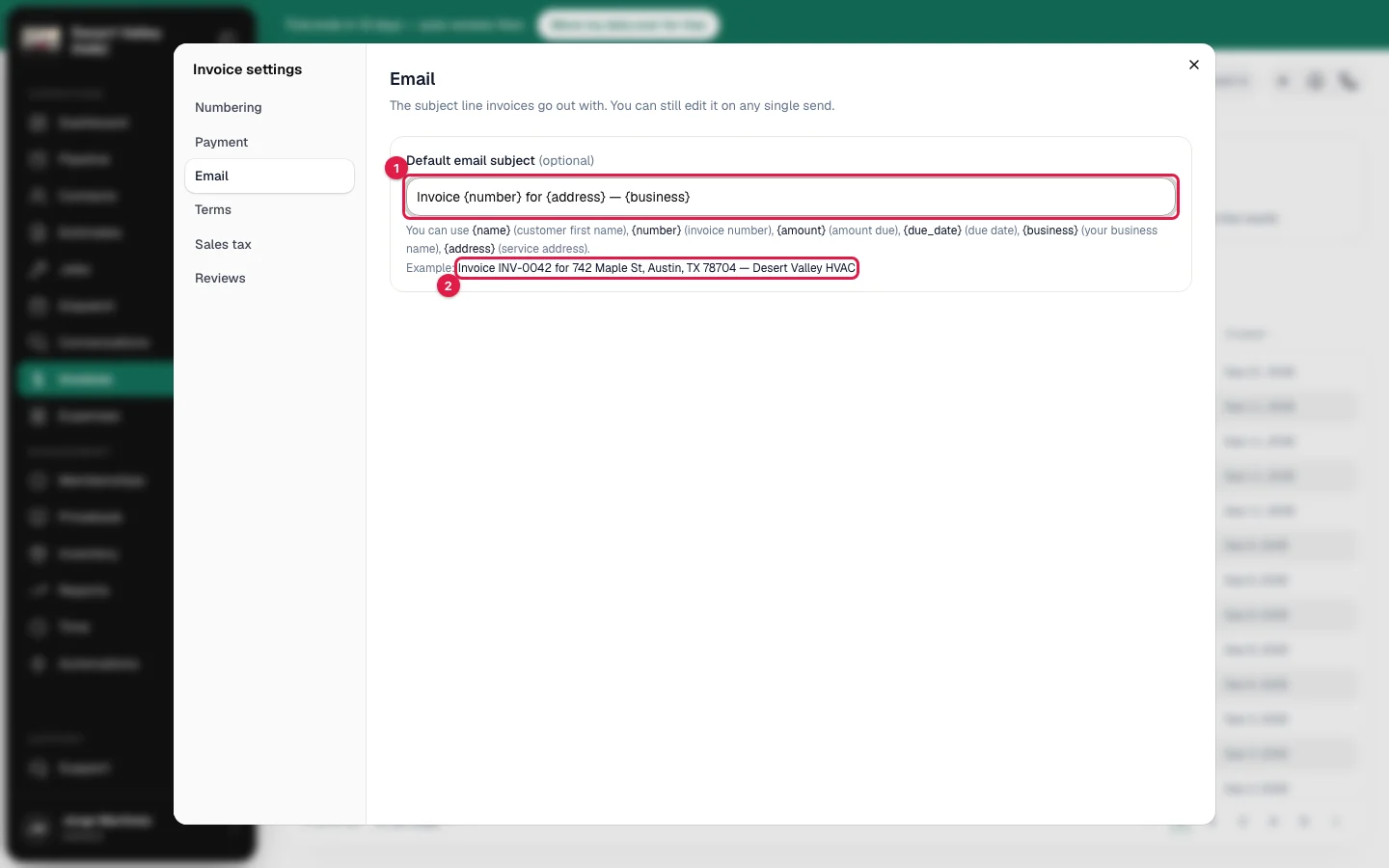
You can use these placeholders. Type them exactly as shown, with the curly brackets.
| Placeholder | What it becomes |
|---|---|
{name} | Customer first name |
{number} | Invoice number |
{amount} | Amount due. Once a payment has been recorded, this is the remaining balance. |
{due_date} | Due date |
{business} | Your business name |
{address} | Service address, on one line |
Set the default subject for estimates
- Go to Estimates and click the gear (Estimate settings).
- Open the Email section.
- Type your subject in Default email subject.
The built-in subject is Estimate from [your company]. If your company calls estimates proposals or quotes, it uses that word.
| Placeholder | What it becomes |
|---|---|
{name} | Customer first name |
{business} | Your business name |
{valid_until} | Valid until |
{address} | Service address, on one line |
Change the subject on one email
When you click Send invoice or Send estimate, the Subject box opens with your default already filled in for this customer. Edit it if you like. The preview on the right shows the subject the customer will see, and the email goes out with exactly that subject.
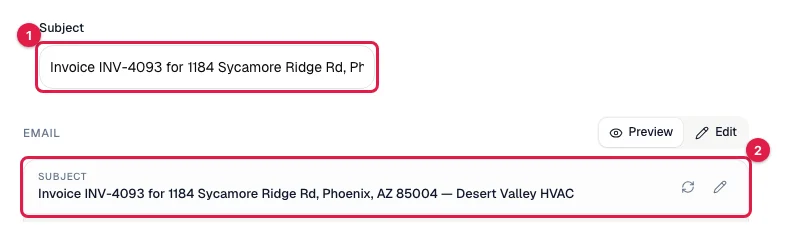
The subject is the same whichever document design your company uses.
Where the service address comes from
| Document | Address used for {address} |
|---|---|
| Invoice | The property of the job the invoice came from. If the invoice has no job, such as a membership renewal, the customer's billing address. |
| Estimate | The property on the estimate. |
If no address is on file, the placeholder is left out and the rest of the subject stays as you typed it. This is handy for landlords and property managers, who can see which property an invoice is for without opening it.
Good to know
- A mistyped placeholder stays as typed. If the subject shows
{adress}in the example line, check the spelling. - A subject is one line. Line breaks and extra spaces are removed.
- An invoice you edited and resent opens with Updated invoice INV-0042 from [your company] in the Subject box, so the customer can tell it's the new version.
- Up to 200 characters.