
Every invoice in Run a Call is created from a job. It pulls in the job's line items, so you review, send, and the customer pays from a link. Here's the whole flow, from the office and from the field.
Who can do this
Owners, admins and dispatchers can create and send invoices in the office. Field techs can create and send invoices for the jobs they're assigned to. Only owners and admins can change amounts on an invoice that's already been sent.
Create the invoice
There are three places to start. Each one makes a draft you can check before anything goes to the customer.
From the job (office). Open the job and click Create invoice. In Create invoice from this job, pick the Payment terms (the due date shows below), then click Generate invoice.
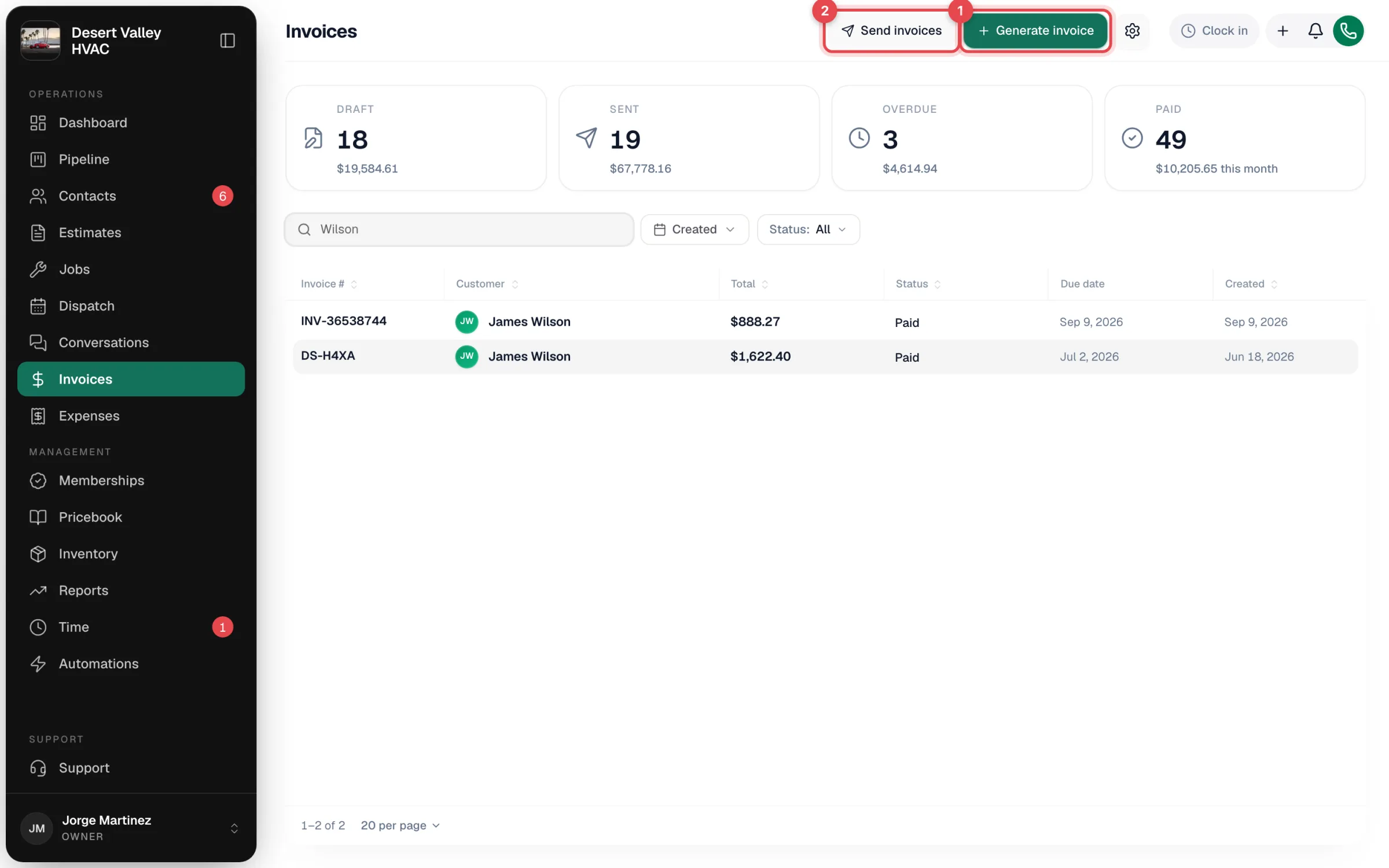
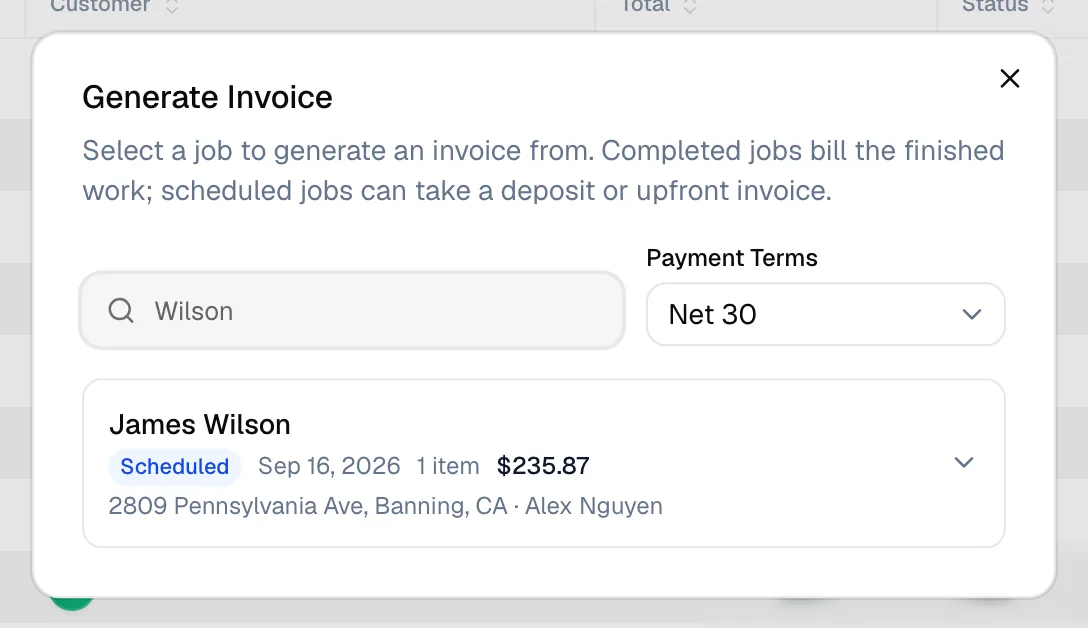
From the Invoices page. Click Generate invoice. The Generate Invoice window lists every job that's ready to bill: completed jobs, plus scheduled jobs if you want to take a deposit or bill up front. Search by customer name, choose Payment Terms, and click Generate invoice on the job.
From the field app. On the job, the tech taps Generate Invoice at the bottom of the screen.
A job can't be invoiced while the tech is still working on it. Mark it complete first; otherwise you see "Mark the job complete before invoicing — the tech is still on-site." Each job has one active invoice. Jobs sold with a payment schedule are billed milestone by milestone instead. See Invoicing milestone payments.
Invoices for membership renewals are created by the membership billing, and don't come from a job. See Renewals and autopay.
Review the draft
Opening the draft shows the invoice the way the customer sees it, with a panel of actions on the right.
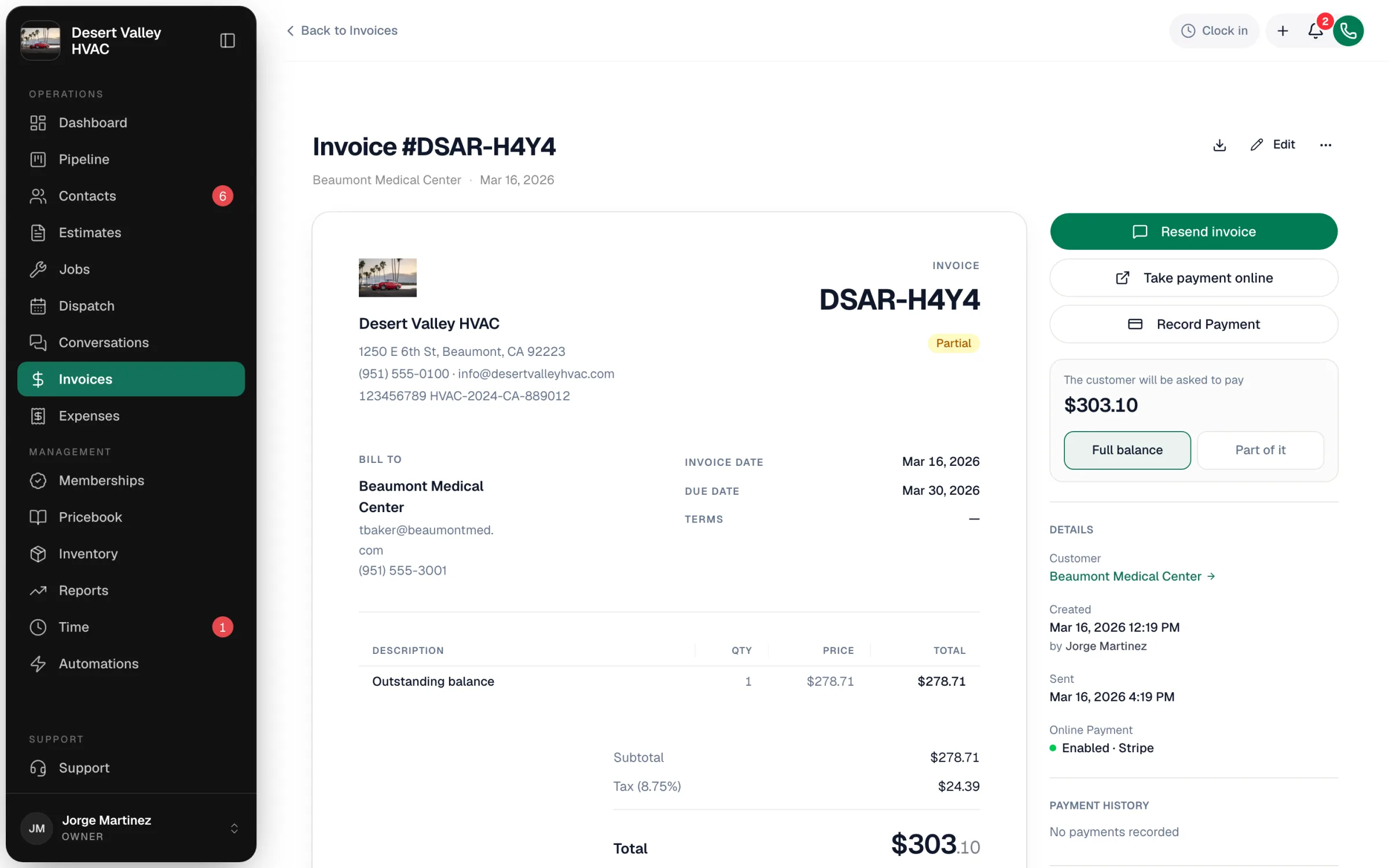
While it's a draft you can:
- Add or change line items. Use Add item to pick from your pricebook or add a custom item. Each line's ⋯ menu has Add discount, Mark not taxable (or Mark taxable) and Delete this item.
- Discount the whole invoice with Add discount under the subtotal.
- Edit the notes the customer will see, and the terms and conditions.
- Change the invoice number. Click it at the top. You can only renumber drafts.
- Change the contact the invoice goes to with Contact, if the customer has more than one.
Send it
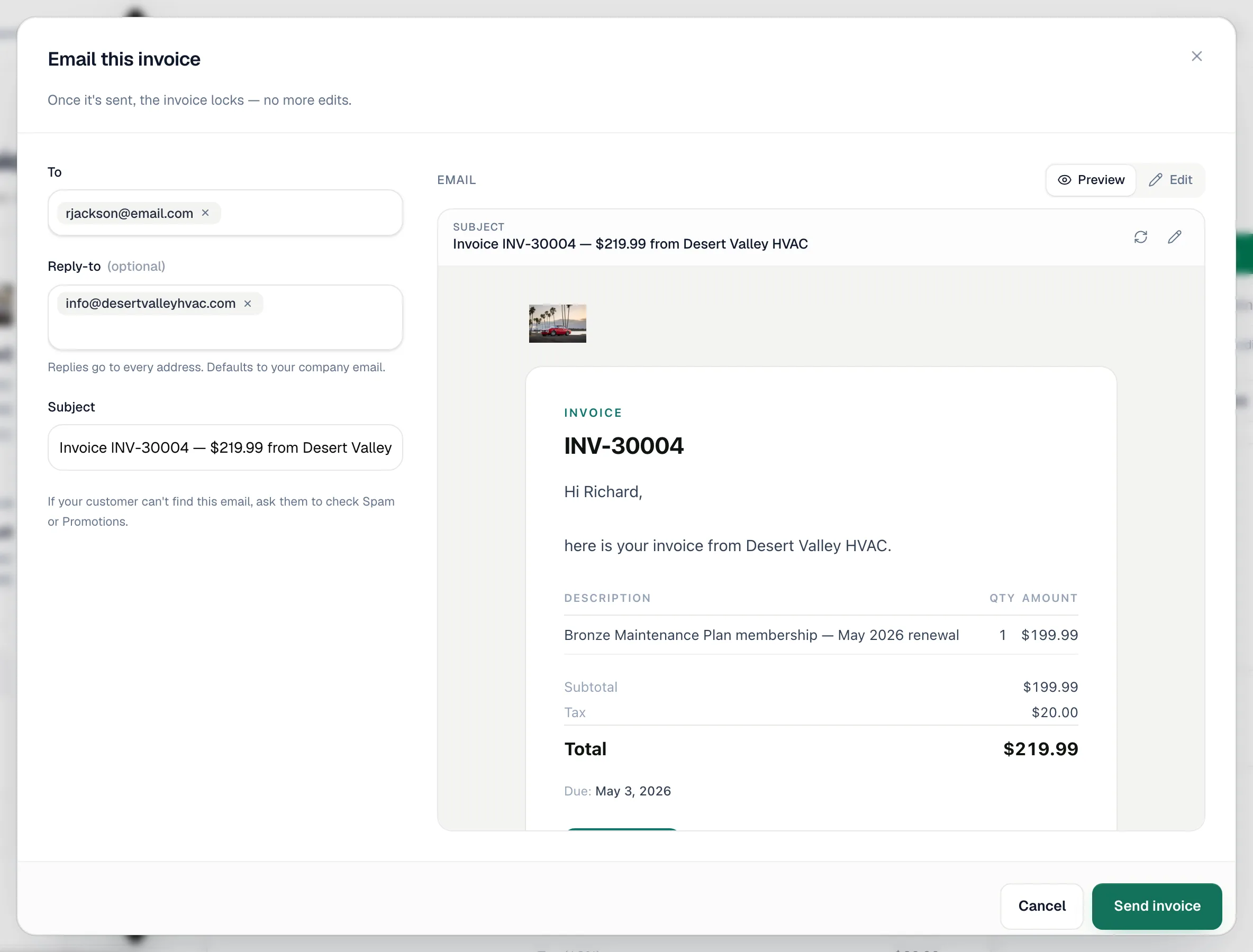
Click Send invoice. The Email this invoice window opens.
- To — the customer's email is filled in. You can add up to five addresses, such as a property manager or bookkeeper. If you type a new address for a customer with no email on file, tick Save as the customer's email on file to keep it.
- Reply-to — defaults to your company email.
- Subject and message — edit them if you like. The preview on the right shows exactly what the customer will receive.
- Click Send invoice.
The invoice changes to Sent. The customer receives:
- An email with the invoice details, a Pay Now button when Stripe is connected, and the invoice PDF attached.
- A text message with the pay link, on the first send only. This needs business texting set up, a mobile number for the customer, and the Invoice sent SMS automation turned on.
If QuickBooks is connected, the invoice syncs when you send it.
Send many invoices at once
- On the Invoices page, click Send invoices.
- Tick the invoices to send, up to 20 per batch. Draft, sent, viewed, partial and overdue invoices can be selected.
- Click Review & send. The Send invoices window lists them with the total, flags any that will be skipped (for example, No email address on file), and reminds you that drafts become Sent.
- Click Send N invoices.
After sending
- The customer opens the link. The invoice changes to Viewed.
- They pay. The invoice changes to Paid, or Partial if part of the balance is paid. See Understanding invoice statuses.
- They need another copy. Click Resend invoice. Resending doesn't change the status.
- You need to change something. Click Edit and confirm Yes, make changes. Changes show on the customer's pay link right away. When you click Done editing, you're asked whether to Resend invoice so the customer has the new version. Owners and admins can change items, prices and tax. Other roles can change notes and terms. Paid, voided and imported invoices can't be edited.
- The due date passes. If the Overdue invoice SMS automation is on, the customer gets a reminder text at 7, 14 and 30 days past due, and the invoice changes to Overdue. See Overdue invoice reminders.
Check the Unpaid Invoices report (AR aging) weekly to catch invoices that are slipping.
Good to know
- Refunds aren't issued from Run a Call. Refund the payment in your Stripe Dashboard.
- Sample invoices from demo data can't be sent.
- Wrong amount on a sent invoice? Owners and admins can edit it. Wrong customer? Void it and create a new invoice from the right job. See Voiding and deleting invoices.