
The Estimates report shows how your quotes are doing: how many went out, how many you won, and how much money is still sitting in estimates customers haven't decided on.
Open it from Reports → Sales & marketing → Estimates. Owners and admins can see it.
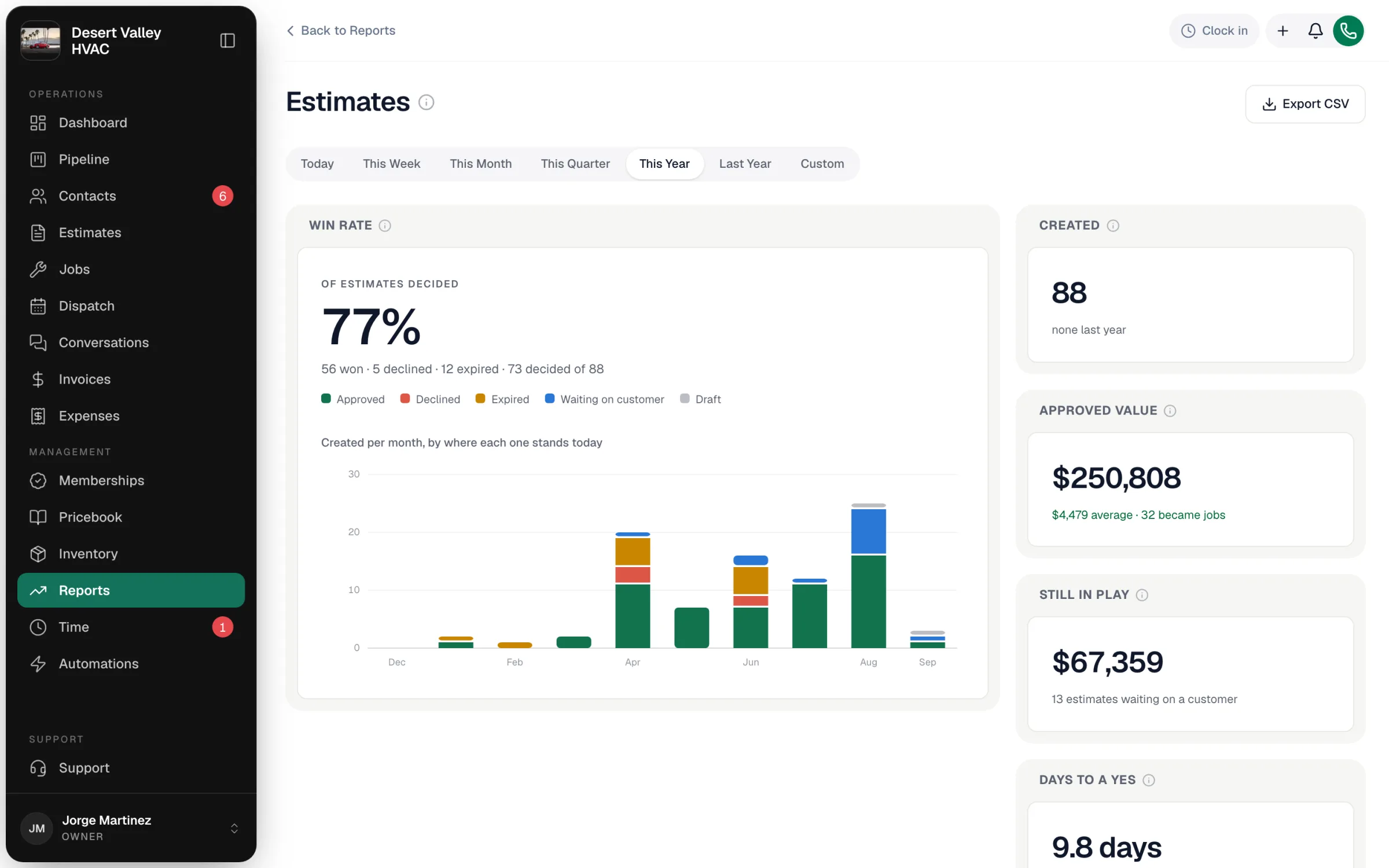
Which estimates are counted
Every estimate created in the range you pick (Today through Last Year, or Custom), grouped by the status it has today. An estimate created in March and approved in May counts as an approved March estimate.
How an estimate's value is worked out
An estimate with options counts the option the customer chose. If no option was chosen, it counts the highest-priced option — the best guess at what was quoted.
The tiles
| Tile | What it shows |
|---|---|
| Win rate | Approved estimates as a share of the ones a customer has decided on — approved, declined or expired. Estimates still sent or viewed aren't counted yet, so a fresh batch doesn't drag the rate down. The chart shows estimates created per period, split by where each one stands today (Approved, Declined, Expired, Waiting on customer, Draft). |
| Created | Estimates created in the range, against the same length of time just before it. |
| Approved value | Total value of approved estimates, the average approved estimate, and how many became jobs. |
| Still in play | Value of estimates that were sent or viewed but not yet approved, declined or expired, and how many are waiting on a customer. |
| Days to a yes | Average days from creating an estimate to the customer approving it (approved estimates only). |
| Created per week | Estimates created each week over the last 8 weeks, whatever range you picked. |
| By status | Count and quoted value for Draft, Sent, Viewed, Approved, Declined and Expired. |
Export
Export CSV downloads the headline numbers, the per-period series by outcome, and the status breakdown.
Good to know
- An estimate that stays in Sent or Viewed is never counted as decided, so it doesn't lower your win rate — but it does stay in Still in play.
- Sold estimates also credit the tech who sold them on the Technician Scoreboard.