
The Hours Sold report puts the labor hours you billed next to the hours your techs actually worked on site, per technician, along with how each tech's sales split between labor and materials. It's the efficiency check for shops that price labor by the hour or by flat rate.
Open it from Reports → Team & jobs → Hours Sold. Owners and admins can see it.
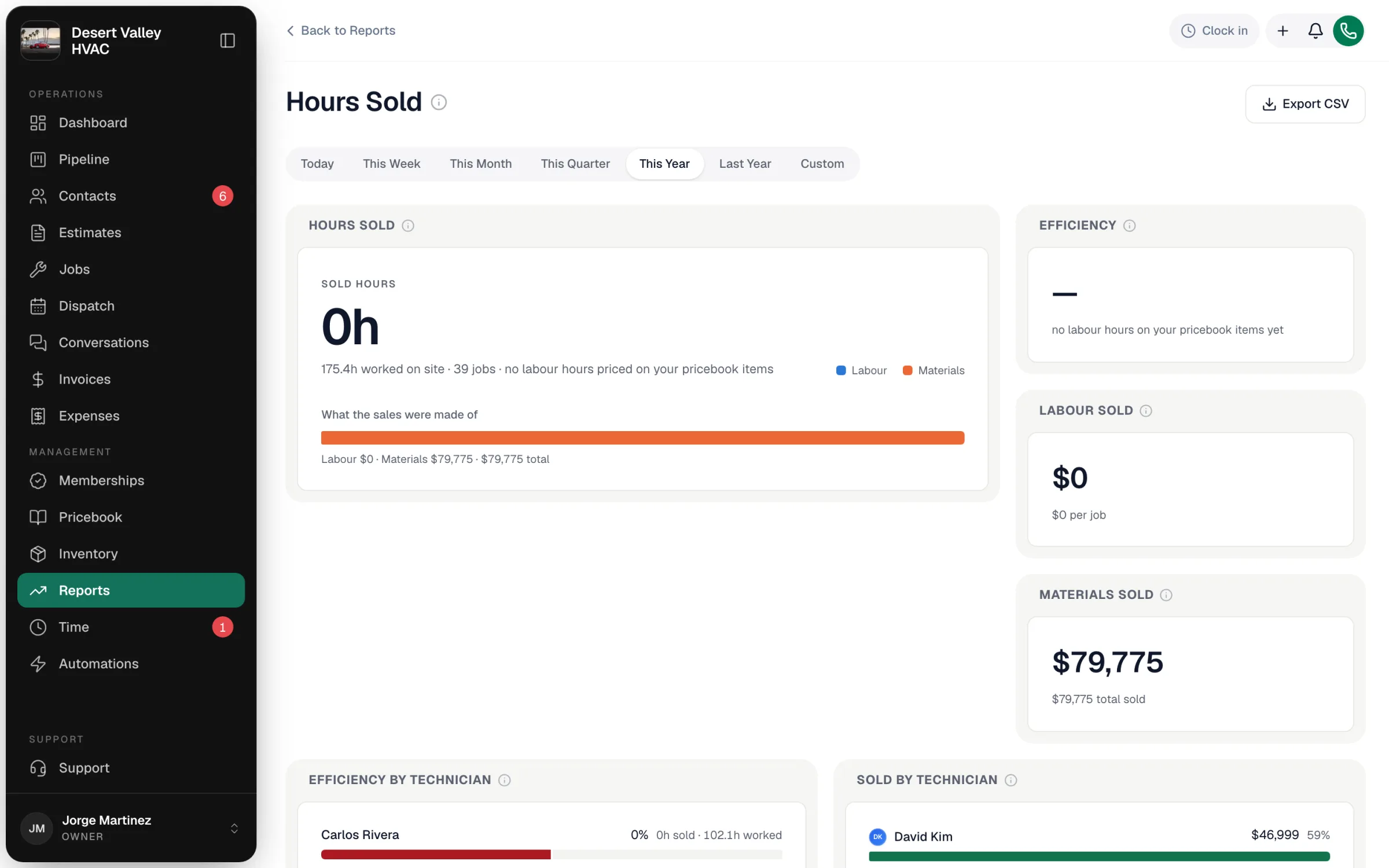
Before you start: price labor as Labor items
Sold hours come from line items that use a pricebook item of type Labor — the quantity on that line is the hours sold. Labor inside a package counts too. If your pricebook has no Labor items on jobs, the report shows "no labour hours priced on your pricebook items" and Sold hours stays at 0. See Creating items and services.
Which jobs are counted
Jobs scheduled in the range you pick (Today through Last Year, or Custom) that were Completed, Invoiced or Closed. Cancelled jobs don't count.
Who gets the credit
- Sold hours and labor dollars go to the job's seller — the Sold by person on the estimate it came from — or the assigned tech when there's no seller.
- On-site hours go to whoever clocked them.
The tiles
| Tile | What it shows |
|---|---|
| Hours sold | Sold hours against the on-site hours your team worked, the number of jobs, and What the sales were made of (labor vs materials). |
| Efficiency | Sold hours ÷ on-site hours. Over 100% means you bill more hours than you clock — how flat-rate pricing is meant to work. |
| Labour sold | Dollars from Labor line items, including the labor inside packages, and the average per job. |
| Materials sold | Everything else the customer paid for — parts, materials and the spread above labor. Labor plus materials always adds up to the job total. |
| Efficiency by technician | Each tech's sold hours as a share of their on-site hours, around the 100% line. |
| Sold by technician | Total sold per tech, biggest first, with the labor and materials behind it. |
| Every technician | The table behind the charts: jobs, sold hours, on-site hours, efficiency, labor sold, materials sold and total. |
Export
Export CSV downloads the totals and the per-technician table.