
The Timesheets report shows where your technicians' time went — on site at customers, driving, idle, or on break — per tech and for the whole team. Use it to spot how much of the day is billable and who is losing time between jobs.
Open it from Reports → Team & jobs → Timesheets. Owners and admins can see it.
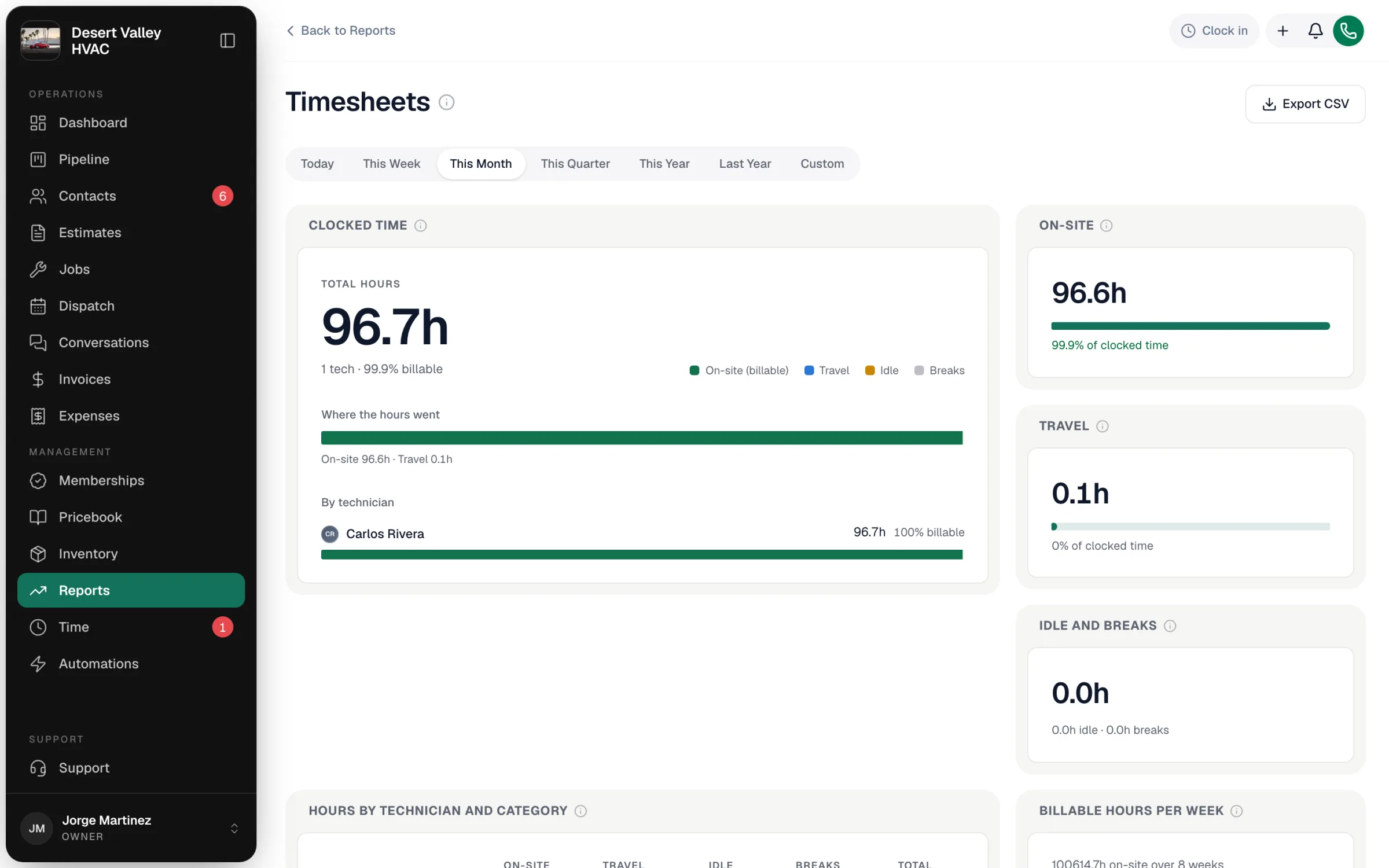
Where the hours come from
The time techs record in the field app as they work — heading to a job, working on site, taking a break, or clocked in but between jobs. Pick the range with the buttons at the top (Today through Last Year, or Custom); time is counted by the day it started.
Timers that are still running aren't counted until they're stopped, so today's numbers fill in as techs finish.
The categories
| Category | Meaning |
|---|---|
| On-site (billable) | Time at the customer's property. This is your billable labor and what job costing uses. |
| Travel | Drive time to and between jobs. |
| Idle | Clocked in but not on a job or driving. |
| Breaks | Time on break. |
Billable % = on-site hours ÷ total hours.
The tiles
| Tile | What it shows |
|---|---|
| Clocked time | Total hours, how many techs, billable %, Where the hours went, and each technician's hours and billable %. |
| On-site | On-site hours and their share of all clocked time. |
| Travel | Drive hours and their share. |
| Idle and breaks | Idle and break hours together, with each shown separately. |
| Hours by technician and category | A table of every tech's on-site, travel, idle, break and total hours. |
| Billable hours per week | On-site hours per week over the last 8 weeks, whatever range you picked. |
What it tells you
| Pattern | What to look at |
|---|---|
| Low billable % across the team | Not enough booked work, or too much drive time between jobs — check routing and scheduling. |
| One tech with much more travel | Their jobs may be spread across the map. |
| High idle time | Techs waiting on parts or assignments between jobs. |
Export
Export CSV downloads the totals and each technician's hours by category, plus a count of timers that were still running (and left out).
Good to know
- This report is for productivity. To review, approve and lock hours for payroll, use the Time page in the sidebar; approved hours can then sync to QuickBooks Payroll.
- To compare hours worked with labor hours billed, see the Hours Sold report.