
The Run a Call app for Android works the same as the iPhone app: jobs, the time clock, photos, invoices, payments, and messages. Install it from Google Play, sign in, and allow a few permissions.
Before you start
- Someone at your company needs to invite you. The owner or an admin adds you under Settings → Team in the office app, and you get an email invitation.
- Open the invitation email and set your password. You sign in with the email address the invitation was sent to.
Install the app
Open the Play Store, search for Run a Call, and tap Install.
Sign in
Open the app and enter your Email and Password, then tap Sign in. Forgot the password? Tap Forgot your password? and follow the email.
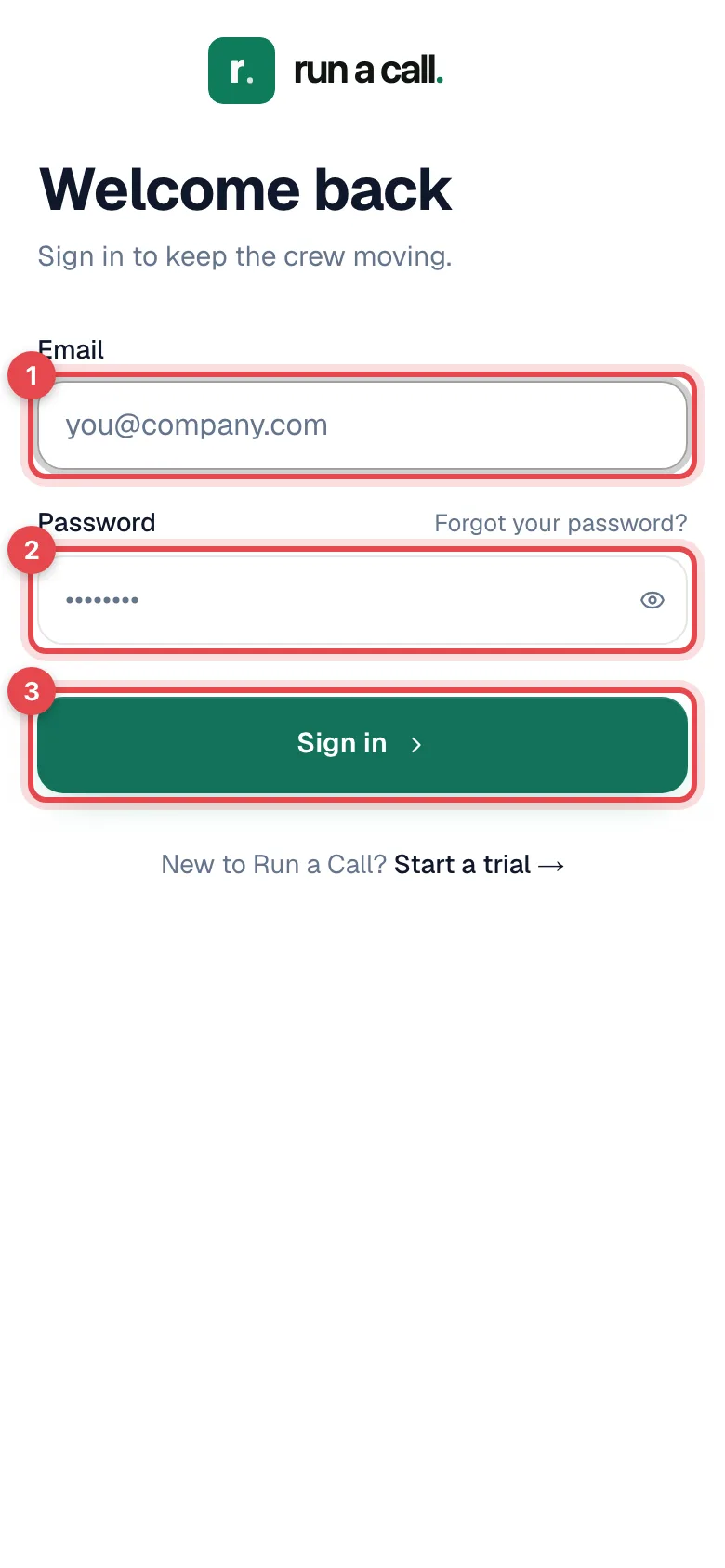
Field techs land on Jobs, the list of today's stops. See Managing jobs on mobile.
Allow permissions
Android asks for each permission when the app first needs it:
| Permission | What it's used for |
|---|---|
| Notifications | New and changed job assignments, team chat messages, @mentions, and time off decisions. |
| Location | Shows dispatch where you are while you're on the way to or working a job. |
| Camera | Job photos and video, data plates, receipts. |
| Microphone | Voice notes in team chat and calls from the business line. |
| Nearby devices (Bluetooth) | Only if your company uses a card reader for Tap to Pay. |
Said no by accident? Open Android Settings → Apps → Run a Call → Permissions and turn it on.
Getting around the app
The bar at the bottom has an icon for each area: Jobs (briefcase), Conversations (chat bubble), Timesheet (clock), Ranks (trophy, only if your company turned on the leaderboard), and Profile (person). The iPhone article has the full rundown: Getting around the app.
Updates
Most improvements show up in the app on their own the next time you open it, without a Play Store update. Keep automatic updates on in the Play Store anyway, because some features, like card readers, need the latest version of the app.
If the app has been open for a long time, it refreshes itself overnight (between 1 and 5 AM) while you're not using it. It never refreshes in the middle of your work or while you have changes that haven't synced.
Troubleshooting
| Problem | What to do |
|---|---|
| Can't find the app | Search the Play Store for Run a Call. |
| Sign-in doesn't work | Use the email your invitation was sent to, or reset your password with Forgot your password?. No invitation? Ask your office to send one. |
| Camera doesn't open for job photos | Android Settings → Apps → Run a Call → Permissions, and allow Camera. |
| No notifications | Android Settings → Apps → Run a Call → Notifications, and turn them on. |