
You sign in to Run a Call with your email and password — the same ones on the web at app.runacall.com and in the mobile app on iPhone, iPad, or Android. You can stay signed in on as many devices as you like.
Your first sign-in
You don't create your own login. The owner or an admin invites you from Settings → Team, and you get an email saying you've been invited to join your company. Click the link, confirm your name, create a password, and click Accept & join. See How to add new team members.
Sign in
- Go to app.runacall.com, or open the Run a Call app.
- Enter your Email and Password.
- Click Sign in.
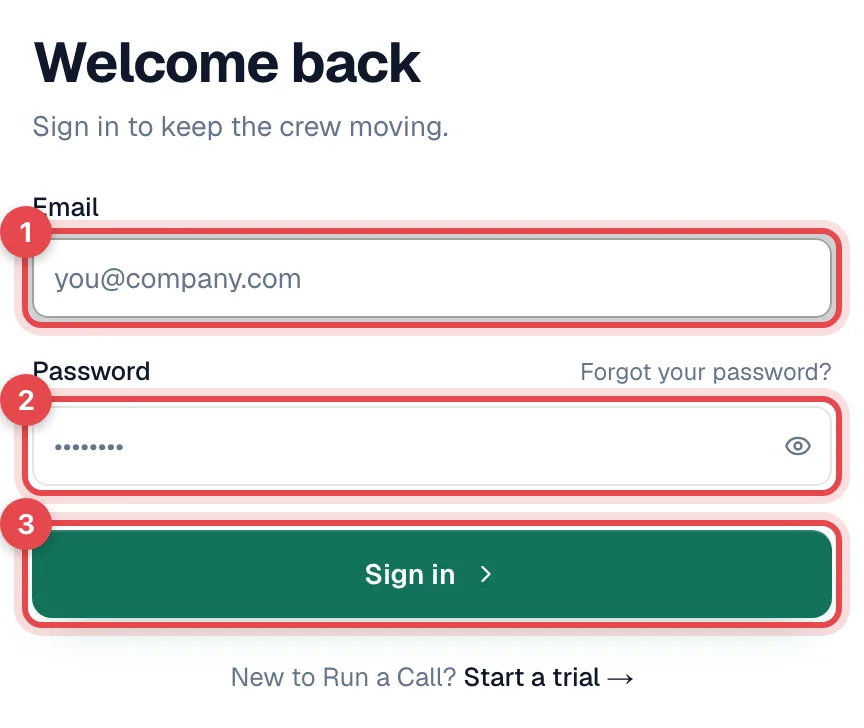
Where you land depends on your role:
| You are | You land on |
|---|---|
| Office staff on a computer | The Dashboard |
| Office staff in the mobile app | Jobs |
| A technician | My Jobs in the mobile field app |
| An owner, admin, or anyone whose role uses both apps, in the mobile app | The first time, a choice between Office Mode (manage your business — dispatch, invoices, reports) and Drive Mode (your assigned jobs, the same view a technician has). The app remembers your choice. |
If your role uses both apps, you can switch to Drive Mode any time from the sidebar in the mobile app.
Forgot your password?
Click Forgot your password? on the sign-in page, enter your email, and click Send reset link. See Changing or resetting your own password.
Sign out
| Where | How |
|---|---|
| Web / office app | Click your name at the bottom of the sidebar, choose Sign out, and confirm |
| Mobile field app | Tap the Profile tab, tap Sign out, and confirm Sign out of this device? |
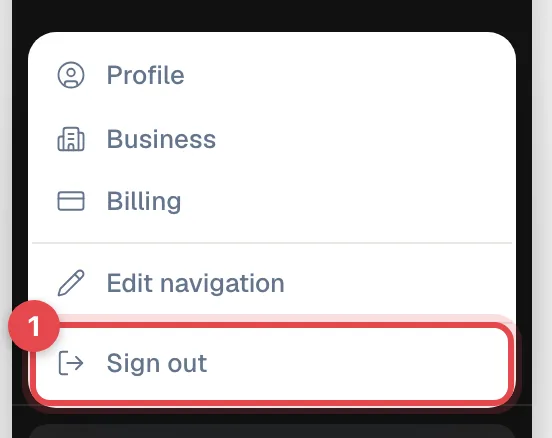
Signing out only signs out that device. Your other devices stay signed in.
In the field app, changes you made while offline sync the next time you sign in. If you can, reconnect to the internet and let the app catch up before you sign out.
See and sign out other devices
Go to Settings → Profile and click See all active sessions. You'll see every device signed in to your account. Click Sign out next to a device you don't recognize, or Sign out everywhere else.
Messages you might see
| Message | What it means |
|---|---|
| Link expired | The invite or reset link was already used or has expired. If you already set a password, just sign in. Otherwise ask for a new link. |
| Your account has been deactivated. Contact your administrator. | An owner or admin turned off your access, and this device was signed out. Ask them to reactivate you. If you try to sign in again before they do, the sign-in page shows an "account has been closed" message instead. It means the same thing: ask an owner or admin to turn your access back on. |
| Please verify your email before signing in. | You started a trial but haven't clicked the confirmation link in your email yet. |
| Your trial ended / Your payment is past due | Your company's Run a Call subscription needs attention. An owner or admin can fix it in Settings → Billing. |
Run a Call uses email and password sign-in. Signing in with Google or another single sign-on provider, and two-factor authentication, aren't available.