
Cash Collected shows the money your customers actually paid you in a period — not what you invoiced — and where it came from: by day, by kind of work, and by customer. It's the "how much came in?" report.
Open it from Reports → Money → Cash Collected. Owners and admins can see it.
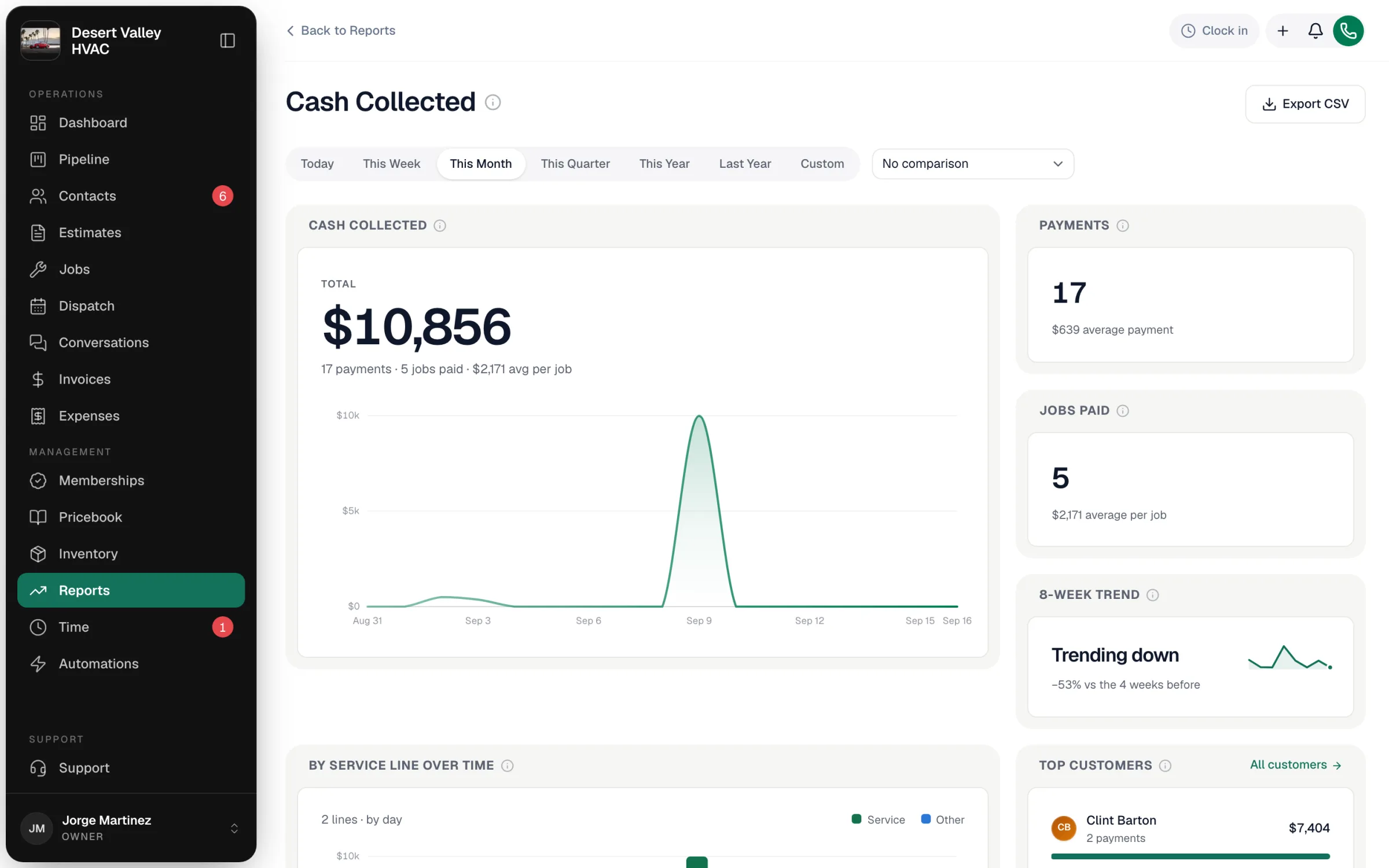
Pick a period
Use the range buttons (Today through Last Year, or Custom). The report counts a payment on the date it was collected, no matter when the job was done or the invoice was sent.
Compare (optional)
The No comparison menu can switch to vs previous period (the same number of days just before) or vs same period last year. The chart then shows the earlier period behind this one, and with vs same period last year a Year over year chart appears at the bottom with each month beside the same month a year earlier.
What the tiles mean
| Tile | What it counts |
|---|---|
| Cash collected | Every successful payment in the period — card, bank, cash, check, any method — however it was taken. The chart shows it by day, week or month depending on how long the range is. |
| Payments | How many payments, and the average payment. |
| Jobs paid | How many different jobs received at least one payment, and the average collected per paid job. |
| 8-week trend | Weekly collections over the last 8 weeks, whatever range you picked. Compares the latest 4 weeks with the 4 before (Trending up, Steady, Trending down…). |
| By service line over time | Each period's cash split by kind of work. |
| Top customers | The five customers who paid the most in the period. Click a name to open their profile. |
| Service lines in detail | Each kind of work: its trend, what it brought in, its share, jobs paid, and average per job. |
How "service line" is decided
A payment's service line is the job type of the job its invoice belongs to (Service, Maintenance, Installation, or your own job types). Payments on invoices that aren't tied to a job — a counter sale or membership billing, for example — show as Other.
By service line or by department
Under the tiles, switch between By service line and By department.
By department replaces the service-line charts with By department over time: each period's cash stacked by department, and below it each department's total and share. Each payment is split across its invoice's departments in the same proportions as the invoice's lines, so the total matches the service-line view. A line's department is worked out the same way as on the Invoiced Revenue report: its price book item's QuickBooks class, else the job type's class, else the job type.
What's counted and what isn't
| Counted | Not counted |
|---|---|
| Payments with a successful status | Pending, failed or refunded payments |
| Partial payments, on the day each one came in | Invoices that were sent but not paid |
| Payments recorded by the office or collected in the field | Money you're still owed — see Unpaid Invoices |
Export
Export CSV downloads the totals, the comparison, the day/week/month series by service line, the service-line table and top customers. With By department on, it also includes the split by department per period.
Good to know
- Why doesn't this match Job Profitability? Profitability counts jobs finished in the period; Cash Collected counts money received in the period. A job finished in March and paid in April shows up in different months.
- Why doesn't it match my bank deposits? Card processors pay out on their own schedule and take fees. This report shows what the customer paid, on the day they paid.