
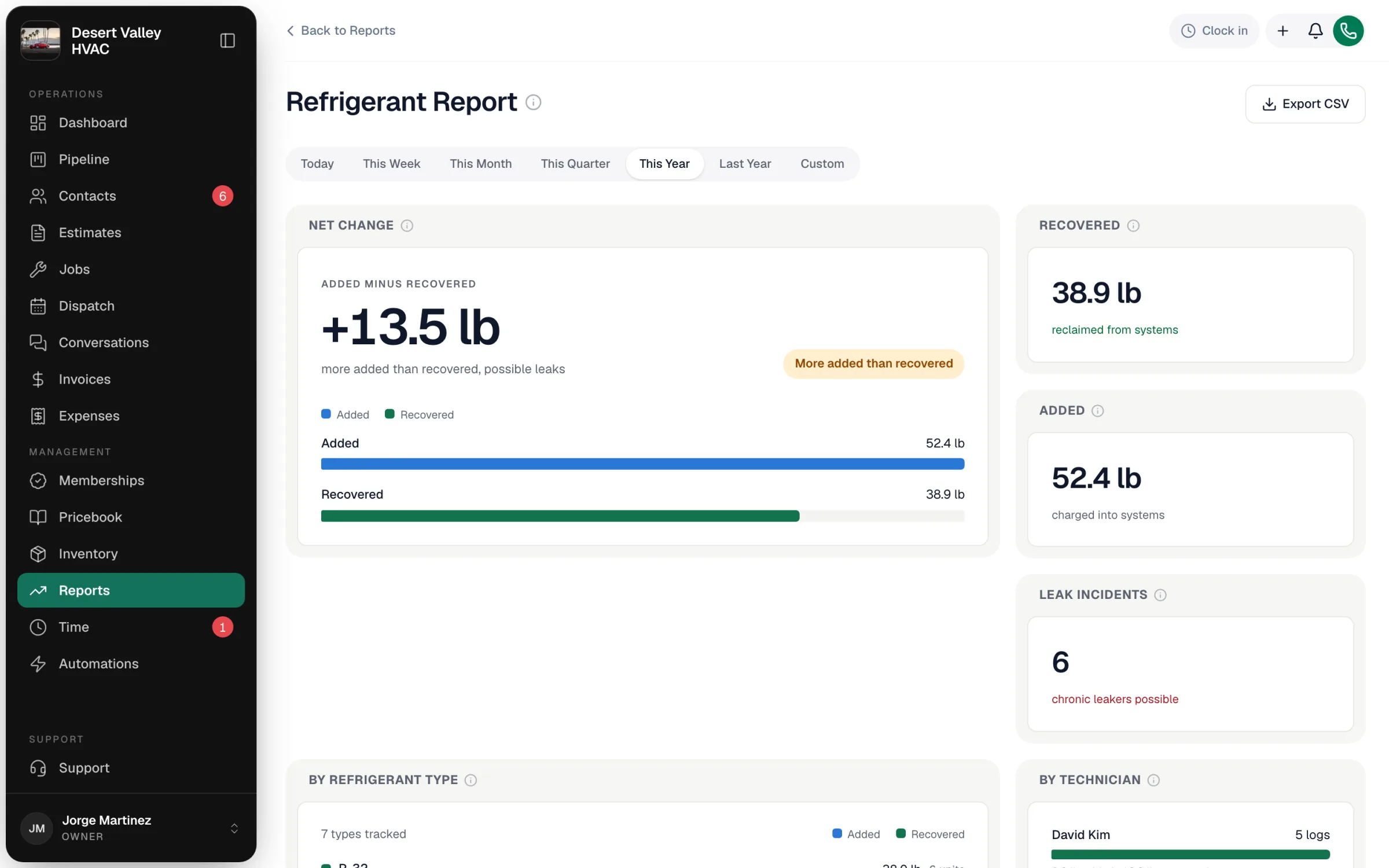
The Refrigerant report is your EPA Section 608 record in one place: every pound of refrigerant your team added to or recovered from equipment, every leak they flagged, by refrigerant type, by unit and by technician. When an inspector or a customer asks for records, export the CSV.
Open it from Reports → Compliance → Refrigerant. Owners and admins can see it.
Where the records come from
Each entry is a refrigerant log your team saves on a job:
- In the field app — techs log refrigerant from the job screen. See Logging refrigerant on mobile.
- In the office — open the job and click Log refrigerant.
A log records the Equipment, Refrigerant type, Action (Added, Recovered, or Added & recovered), Quantity in pounds, whether a Leak detected (with Leak location and an optional Leak rate %), and Notes. The tech and customer come from the job.
The report opens on This Year. Change the range with the buttons at the top; a log counts on the day it was saved.
The tiles
| Tile | What it shows |
|---|---|
| Net change | Pounds added minus recovered. Near zero means the team puts back what it pulls. Consistently positive means systems are losing refrigerant somewhere — usually leaks. Negative means you're banking recovered refrigerant. |
| Recovered | Pounds recovered from equipment in the period. |
| Added | Pounds charged into equipment in the period. |
| Leak incidents | How many times a tech flagged a leak. |
| By refrigerant type | Added and recovered pounds per refrigerant, and how many units. R-22 still showing up points to ageing systems worth flagging for replacement. |
| By technician | Which techs log refrigerant work and how often. |
| By equipment | Totals per unit (by serial number). The same unit leaking again and again is a chronic leaker to repair or replace rather than keep topping up. |
| Leak detail | Every flagged leak — when, which unit and customer, the leak rate, and the tech. |
Export for audits
Export CSV creates a compliance file with a summary (total added, total recovered, net, leak incidents), a breakdown by refrigerant type, a breakdown by equipment (serial number, type, customer, pounds added and recovered, leaks), and a leak report (date, equipment serial and type, customer, location, leak rate, tech, refrigerant, quantity). Pick the date range the auditor asks for before exporting.
Run a Call keeps the records your team enters. Your recordkeeping obligations under Section 608 — and certification records for your technicians — remain your responsibility; check current EPA rules for what applies to you.
Common gaps
| Problem | Fix |
|---|---|
| A job had refrigerant work but no log | Open the job and use Log refrigerant to add it. |