
Equipment tracking keeps a record of every unit at a customer's address (AC, furnace, heat pump, walk-in cooler and so on) and ties it to the jobs and invoices that touched it. Over time each unit builds its own service and spend history, so you can see a unit's age, warranty and repair bill before you quote.
Where equipment lives
Equipment belongs to an address, not directly to the customer. A customer with two homes has two separate equipment lists.
| Where | What you see there |
|---|---|
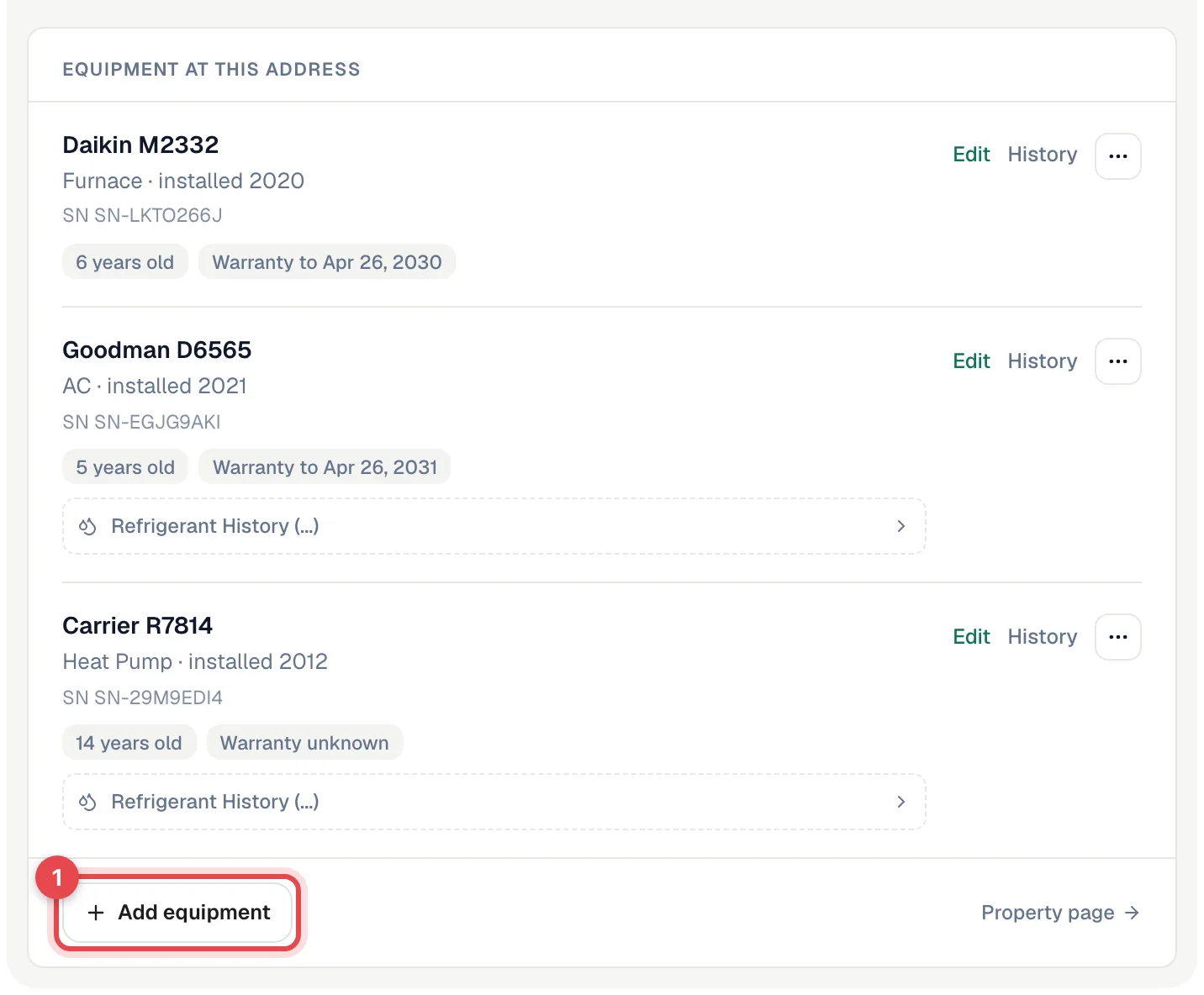
| Contacts → customer → Properties tab | Each address with an Equipment at this address list: make and model, type, install year, asset ID, serial number, age, warranty status, filter size and notes. |
| Customer page, right-hand rail | An Equipment summary grouped by system, on every tab except Properties. |
| Property page | Every unit at one address, split into Systems and Not in a system. Open it from an address's ⋯ menu → Property page. |
| The unit's own page | Overview, Cost History, Jobs, Refrigerant and Photos tabs. See Viewing a unit's page and history. |
| Job page and field app | The units on this job, plus a sheet with everything on file at the address. See Equipment on a job. |
Why it's worth doing
| Use case | What it gets you |
|---|---|
| Diagnosis | The tech sees the unit's age, condition and past repairs before walking in. |
| Warranty claims | Install date, serial number, and separate parts and labor warranty dates are on file. |
| Refrigerant records | Units that track refrigerant carry an EPA Section 608 log. See the Refrigerant compliance report. |
| Repair or replace | Each unit adds up its billed repairs, so you can show a customer what an old unit is costing them. See Reading a unit's cost history. |
Adding equipment
Units can be added from the office or from the field app. Both use the same form.
- Office: open the customer, go to the Properties tab, and click Add equipment under the right address. See Manually adding new equipment to a client.
- Field: on the job, tap Equipment under This visit (or the house icon at the top), then tap +.
- A whole list at once: owners and admins can use Import equipment on the Properties tab. See Importing equipment from a spreadsheet.
Linking equipment to jobs
When a job is at an address with equipment on file, pick which units you're working on with Attach equipment on the job page (or the On this job switch in the field app). Linked jobs show up on the unit's Jobs tab.
Individual line items can also be assigned to a unit. That's what builds each unit's cost history. See Assigning job and invoice items to equipment.
Reading the equipment list
| Label | What it means |
|---|---|
| 6 years old / Under a year old | Worked out from the install date. |
| Warranty to Apr 26, 2030 | The parts warranty date, or the labor warranty date if there's no parts date. It's still in the future. |
| Out of warranty | The warranty date has passed. |
| Warranty unknown | No warranty date on file. |
| Installed on a job | A link to the job the unit was installed on. Units added with Add to property from a job's installed equipment lines get this link — see Equipment on a job. |
| Refrigerant History | Expands the unit's refrigerant log (only on units that track refrigerant). |
| Show N retired | Units marked inactive. They stay on file with their history. |
The Properties tab shows up to 10 units per address. If there are more, follow See all N units to the property page.