
Every unit has its own page with its specs, the jobs it was on, what it has cost the customer, its refrigerant log and its photos. Use it to answer questions like "have we worked on this unit before?" or "is it still under warranty?"
Open a unit
- Go to Contacts and open the customer.
- Click the Properties tab.
- Click the unit's name, or History next to it.
You can also click a unit on the property page, a system page, or the Equipment Cost Analysis report.
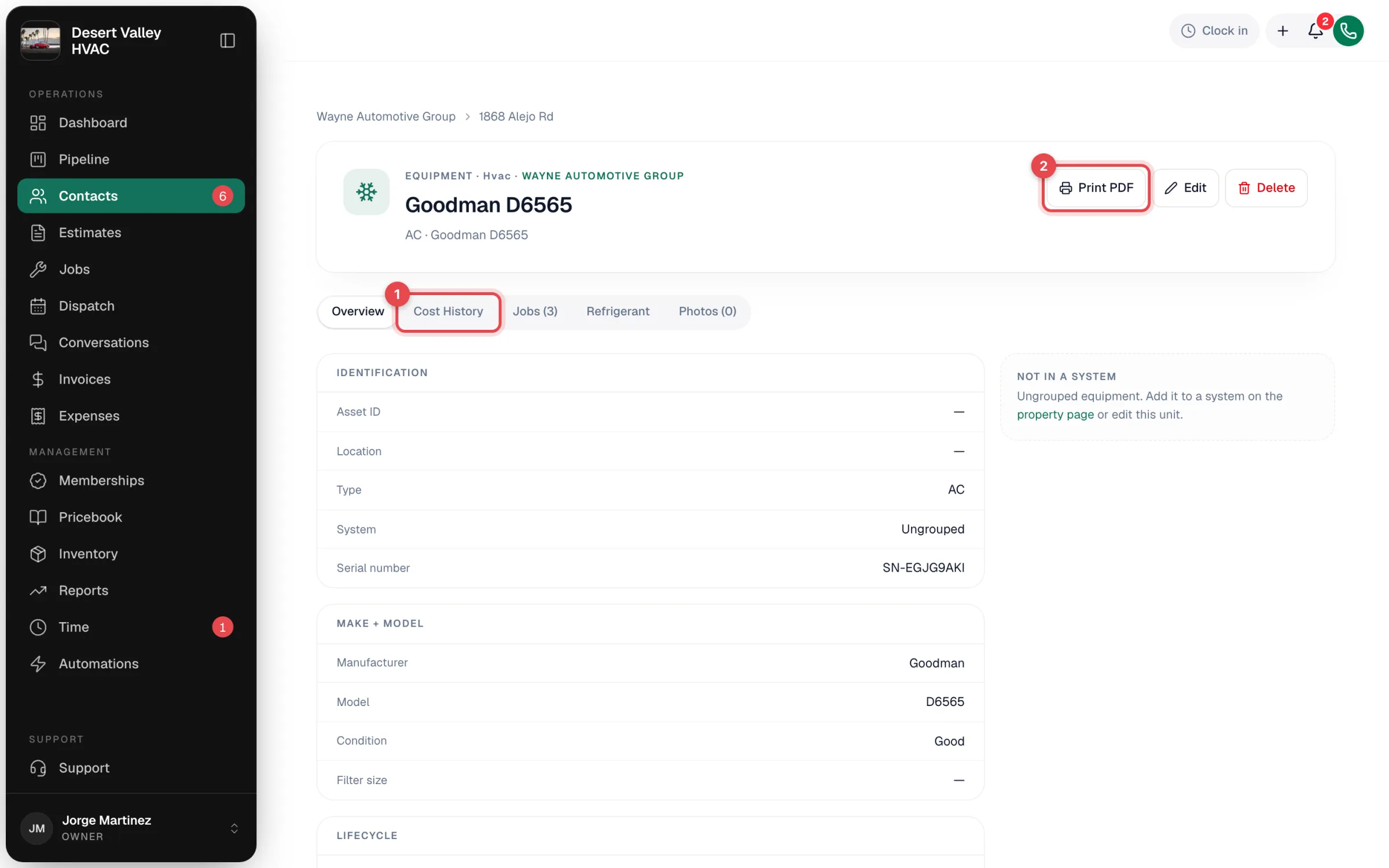
The breadcrumb at the top links back to the customer, the address and, if the unit is in one, its system.
The tabs
| Tab | What's on it |
|---|---|
| Overview | The unit's details in groups: Identification (Asset ID, Location, Type, System, Serial number), Make + model (Manufacturer, Model, Condition, Filter size), Lifecycle (Install date, Parts warranty, Labor warranty, Retired) and Notes. A side card shows the system it's part of, or says it's not in a system. |
| Cost History | Billed spend on this unit: lifetime total, last serviced date, spend per year and every billed line. See Reading a unit's cost history. |
| Jobs (N) | Every job the unit was linked to, newest first, with status, type, date and job total. Click one to open it. |
| Refrigerant | Only on units that track refrigerant. Shows the EPA Section 608 log: amounts added and recovered, the net amount, leak count, and each entry with date, refrigerant type and tech. |
| Photos (N) | Data plate, before, after, damage, install and other photos. With edit access you can add photos here, tag them and remove them. |
Refrigerant is logged from the job, in the office or the field app, not from this page. See Logging refrigerant on mobile.
Buttons in the header
| Button | What it does |
|---|---|
| Print PDF | Opens your browser's print dialog with a branded equipment history for the customer. See Printing an equipment history for a customer. |
| Edit | Opens the equipment form. |
| Delete | Removes the unit from lists. Past jobs and invoices aren't changed. |
Edit and Delete only show for roles that can edit customers (owners, admins and dispatchers by default).
Replaced and retired units
When a unit is marked inactive, it gets a Retired badge and the date appears under Lifecycle. It stays on file with its jobs, costs and refrigerant log. If it was replaced by another unit, a Replacement chain card says so. Each unit keeps its own Cost History.
Good to know
- Changes to a unit's details aren't logged step by step. The page always shows the current values.
- There's no separate history export. Print PDF is the printable version, and you can save it as a PDF from the print dialog.