
Conversations in the app holds two kinds of threads: texts with customers, and chats with your own team. Team chats are for quick questions to dispatch, the install crew, or another tech. Customers never see them.
Find your team chats
Tap the chat bubble icon in the bottom bar. Team chats sit in the same list as customer threads and are marked INTERNAL. Tap the Internal chip to see only team chats, or Unread for anything waiting on you. Search matches group names and the people in them.
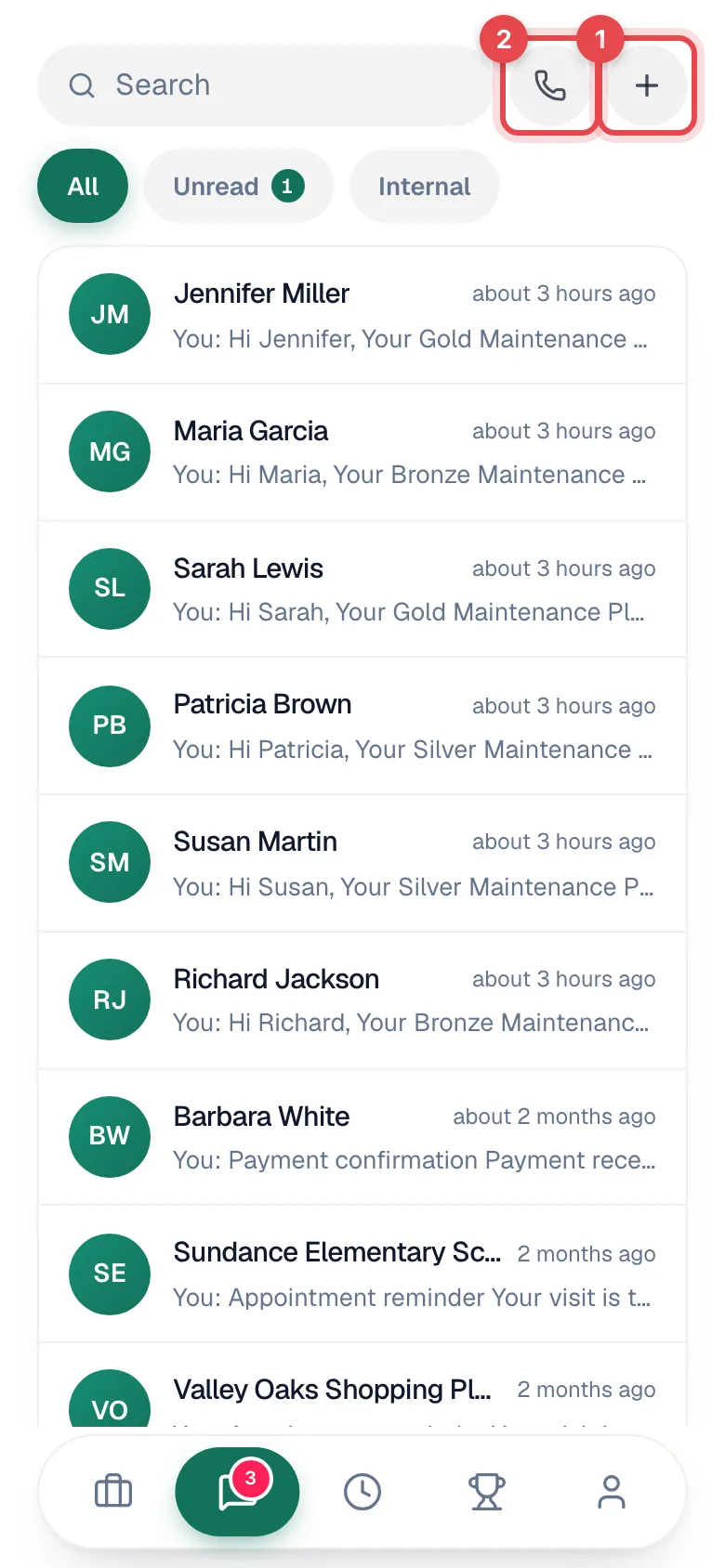
Start a chat or a group
- Tap + at the top of Conversations, then New team chat (Message a teammate or start a group).
- Pick one teammate for a direct message, or several for a group. Search teammates helps in a big crew. A green dot means they're online.
- For a group, fill in Group name (for example Dispatch morning huddle).
- Tap Start chat (or Create group).
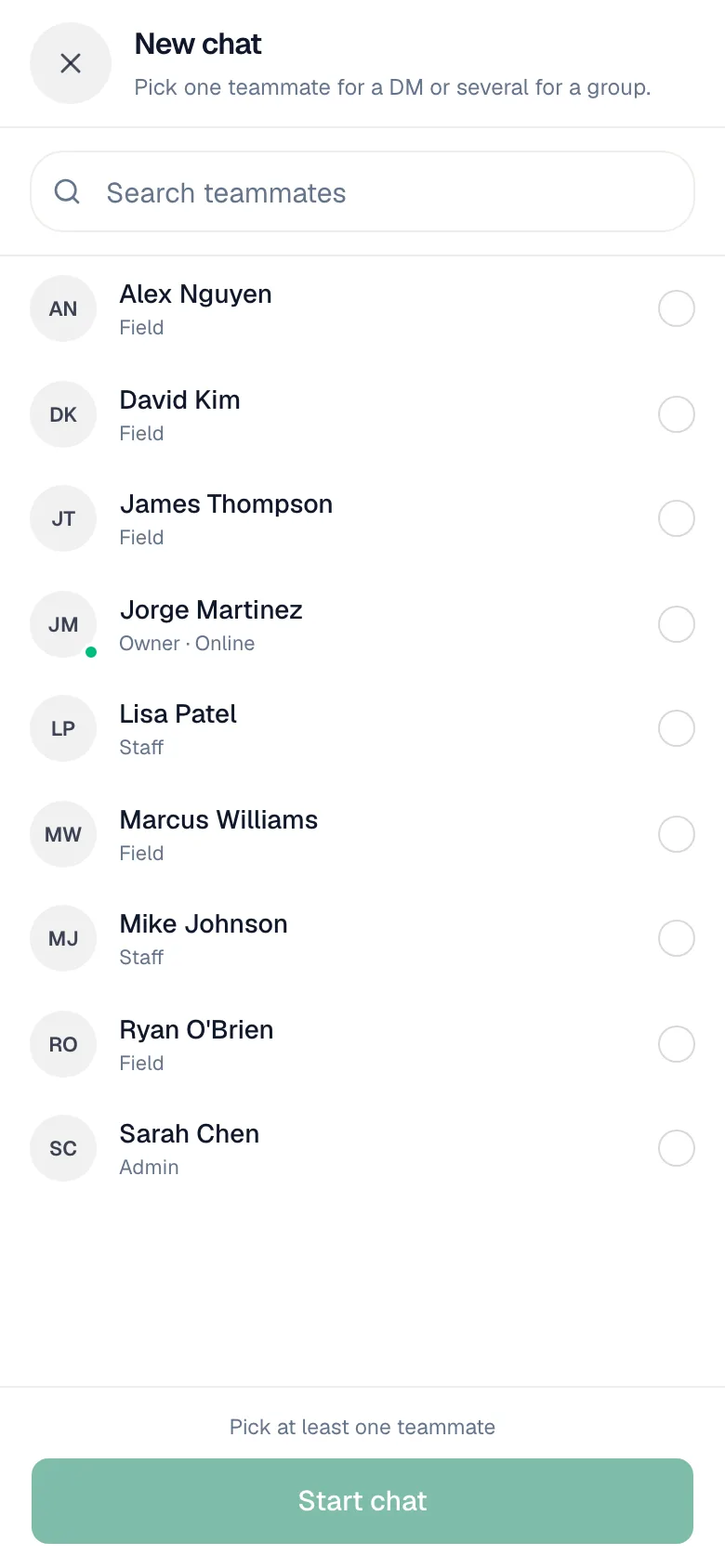
Groups can have up to 50 people. Anyone on the team can make one, so set up the groups that match how you actually work.
What you can send
| How | |
|---|---|
| Text | Type and send. |
| Mention someone | Type @ and pick a teammate. They get a push notification. |
| Photos and files | Tap the paperclip. |
| Voice notes | Record with the microphone button, then send or discard. |
| Replies | Reply to a specific message so the thread stays clear. |
Team messages you send with no signal show as Queued — will send when back online and go out when you reconnect.
Notifications
You get a push notification for new team messages. When someone @mentions you, the notification says so (Maria mentioned you). The red badge on the chat bubble icon counts unread customer and team messages together.
Need to leave something on a specific job instead? Use a job note. You can @mention a teammate there too, and the note stays with the job. See Adding and editing job notes.