
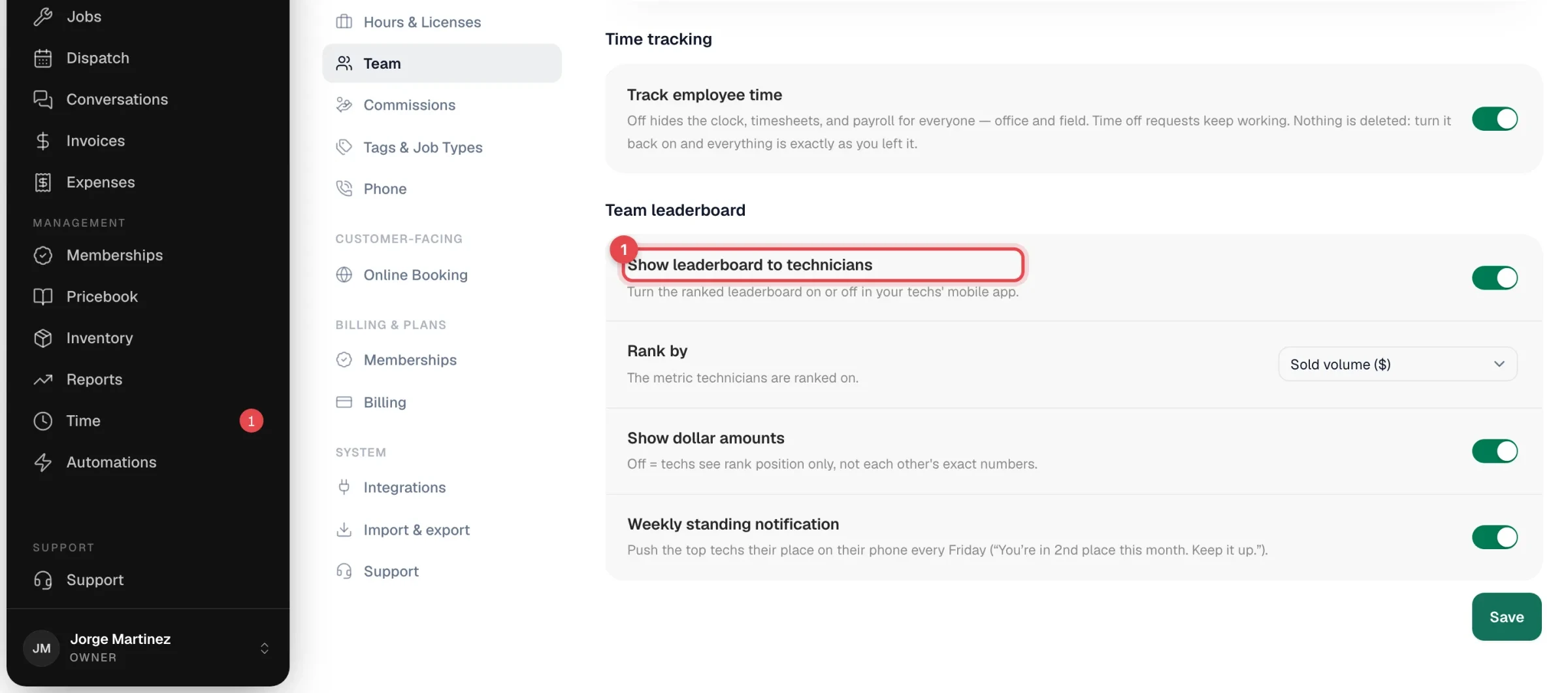
The leaderboard ranks your technicians against each other, right in their app — this month by default, with a switch for this week, last month or the year. Pick what they're ranked on and whether dollar amounts are visible. It's off until an owner or admin turns it on.
Turn it on (owners and admins)
- In the office app, go to Settings → Team.
- Find the Team leaderboard card.
- Set it up:
| Setting | What it does |
|---|---|
| Show leaderboard to technicians | Adds the Ranks tab (a trophy icon) to the bottom bar of your techs' app. |
| Rank by | The one number everyone is ranked on. See the table below. |
| Show dollar amounts | Off means techs see their rank position only, not each other's dollar figures. Only matters when ranking by Sold volume ($). The other metrics always show their numbers. |
| Weekly standing notification | Every Friday afternoon, the top three techs get a push notification with their place, for example "You're in 2nd place this month. Keep it up." Nobody gets a message about being near the bottom. |
- Click Save. You'll see Leaderboard settings saved.
What you can rank by
| Rank by | What it counts in the period shown |
|---|---|
| Sold volume ($) | The total of estimates each tech sold that customers approved in the period. |
| Jobs completed | Jobs each tech finished. |
| Memberships sold | New memberships each tech signed up. |
| Membership conversion % | Memberships each tech sold, compared with the jobs they completed for customers who weren't members. |
| Leads generated | Opportunities each tech flagged for the office. See Flagging an opportunity. |
Pick the one that matches what you're trying to grow. A shop pushing maintenance plans gets more from Memberships sold than from sales dollars.
What techs see
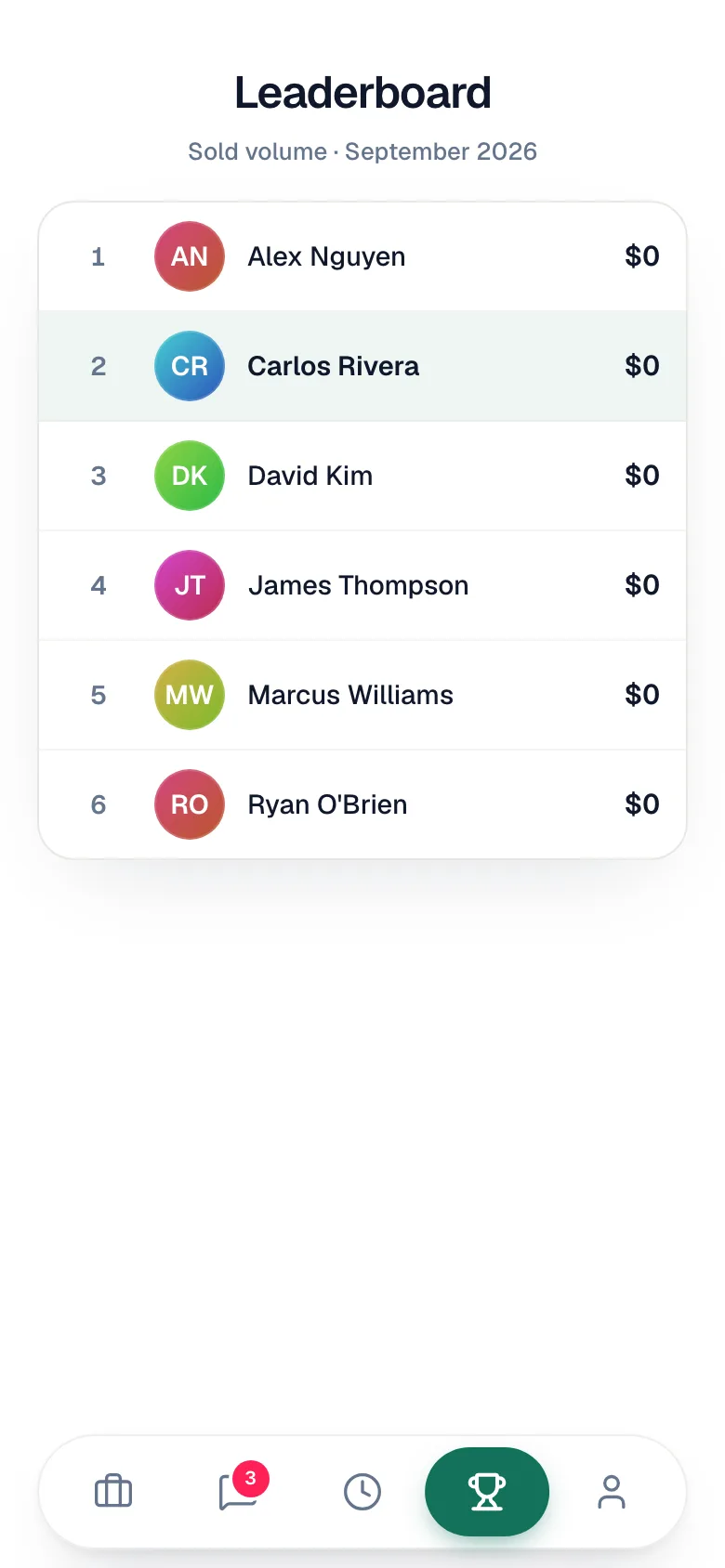
Techs tap Ranks (the trophy) in the bottom bar. The Leaderboard screen shows the metric and the period at the top (for example Sold volume · September 2026), then your field techs in rank order. The top three with real activity get medals, and the tech's own row is highlighted.
Pick the period
A row of four buttons under the title switches the window:
| Period | Counts |
|---|---|
| This week | Monday through today. The heading shows the dates, for example Oct 26 – Nov 1. |
| This month | The 1st through today. This is the default. |
| Last month | The whole previous month — handy on the 1st, when this month is still at zero. |
| This year | January 1 through today. |
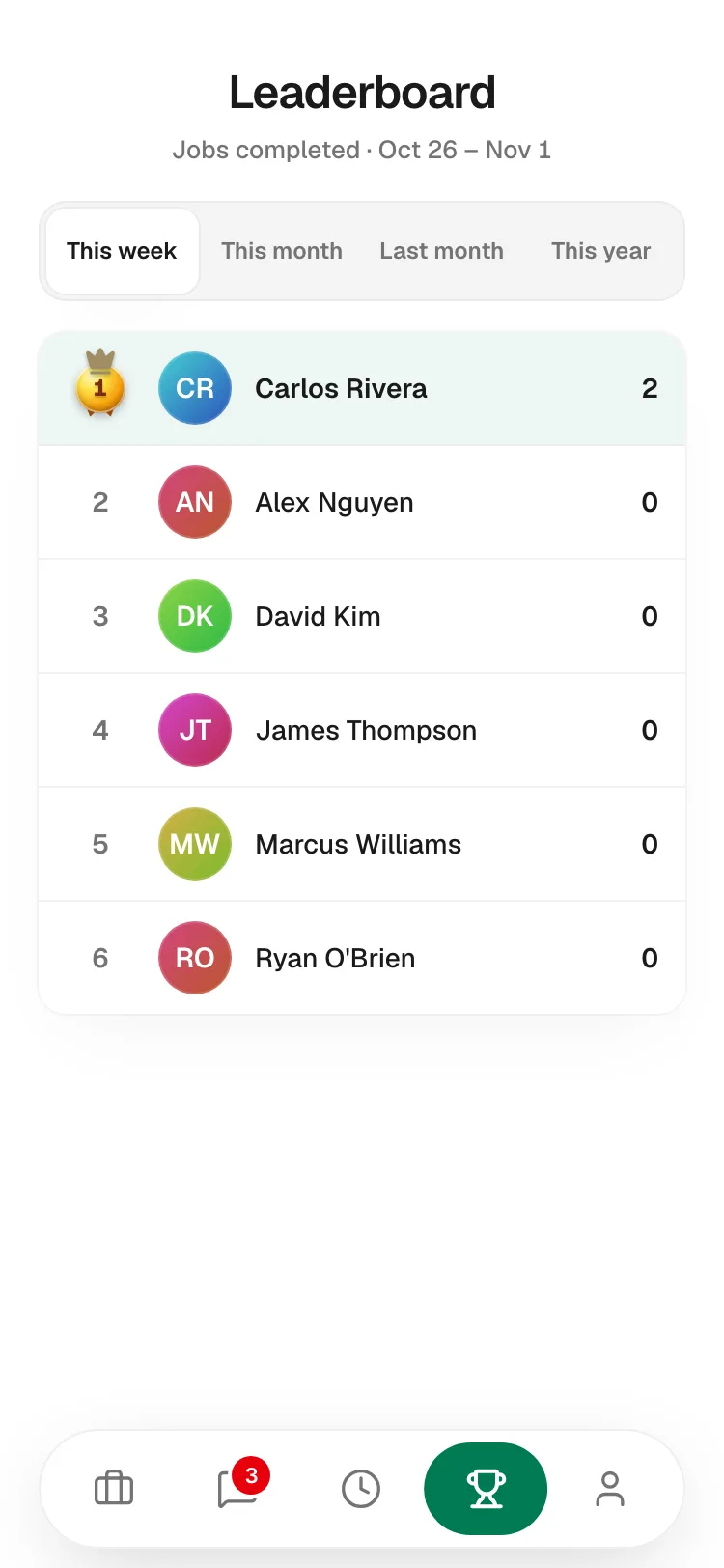
The choice is remembered on that phone only, so one tech switching to This year doesn't change what anyone else sees. The Friday Weekly standing notification always reports this month's standing, whatever a tech has picked.
Early in a period everyone can sit at zero. Techs with nothing yet still appear in the list, but no one gets a medal for zero.
The standings are recalculated every time the screen opens or the period changes.
The office view
For a fuller picture, add the Tech leaderboard widget to your dashboard. It shows revenue, jobs, average ticket, and on-time rate per tech. It's available to roles that can see reports.