
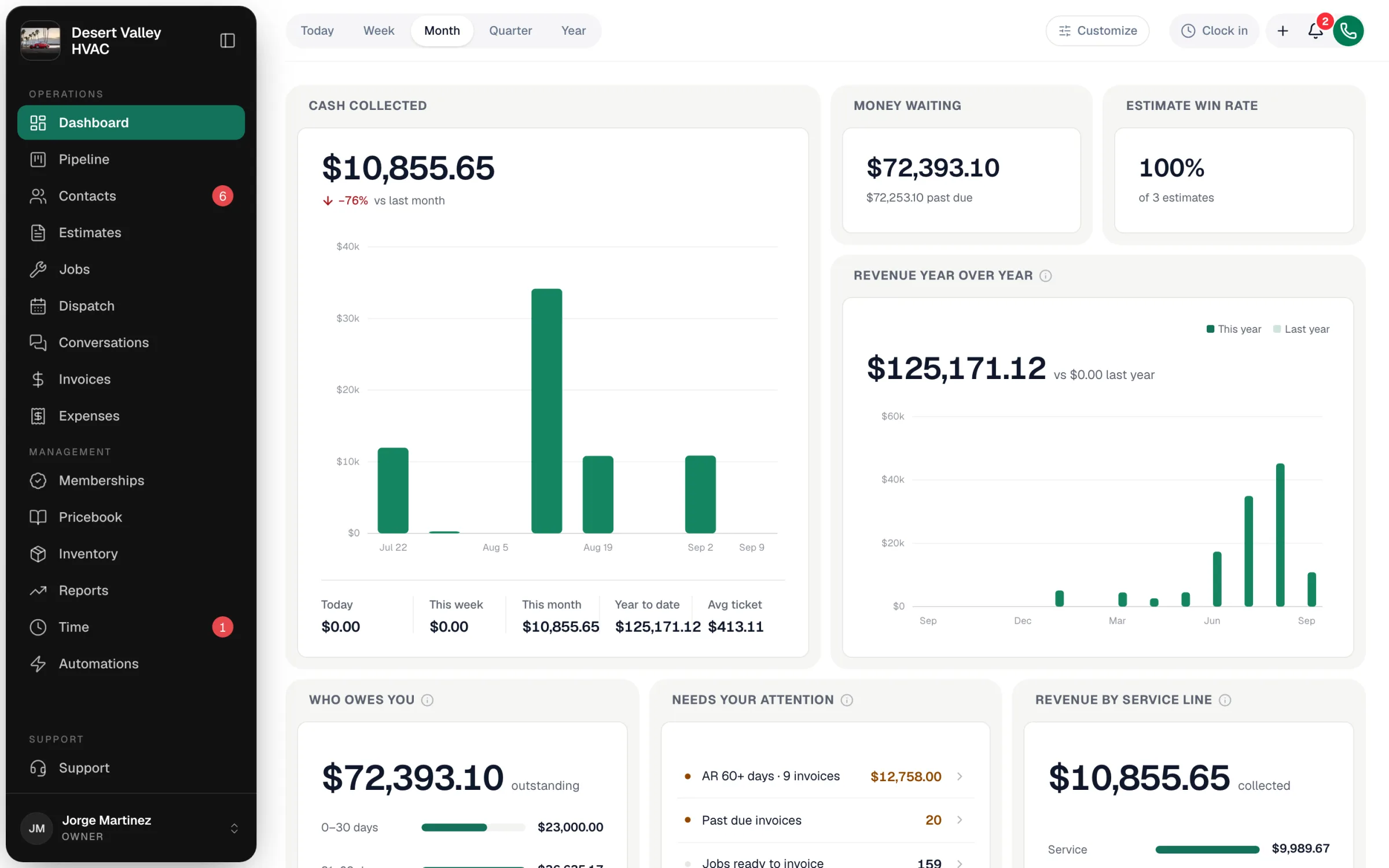
The dashboard is the first page you see after signing in on a computer. It's made of cards — cash collected, who owes you, today's schedule, and more — and you choose which cards you see and in what order.
Open it any time from Dashboard at the top of the left sidebar.
Pick the time period
The buttons at the top — Today, Week, Month, Quarter, Year — set the period for the whole dashboard. Change it and every card updates.
Customize your dashboard
Click Customize at the top right. (It's only on computers; the dashboard you set up also shows on your phone.)
Pick a starting point
What do you want to see? offers three ready-made dashboards. Click one and you're done:
| Choice | Shows |
|---|---|
| Am I making money? | Cash collected, what is still owed, and what needs chasing |
| What's happening today? | Today's schedule, what needs doing, and what your team is up to right now |
| A bit of everything | The money numbers plus how today is going |
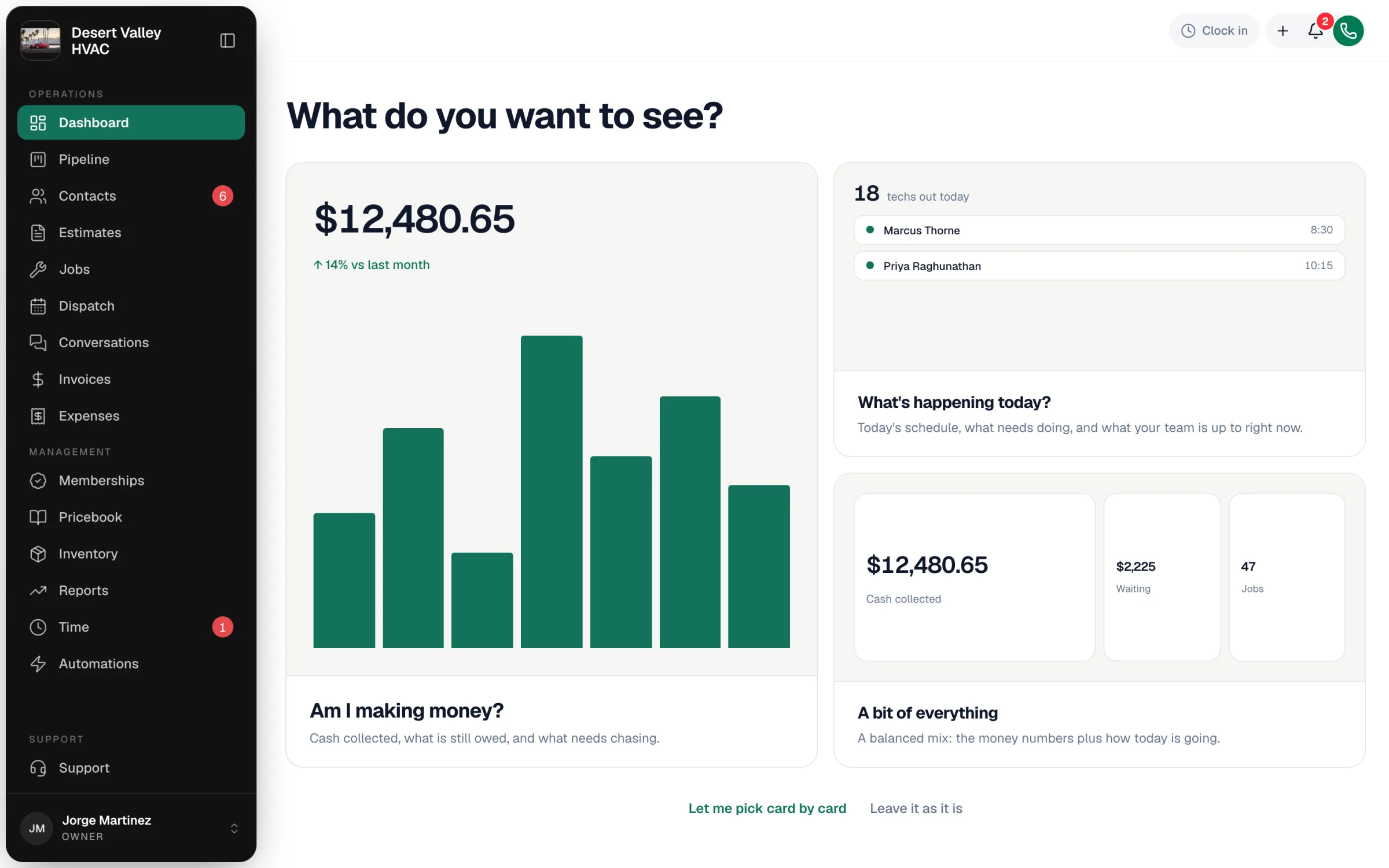
To fine-tune instead, click Let me pick card by card. Leave it as it is closes without changing anything.
Pick your cards
On Pick your cards, click Change on any card:
- Put something else here — swap it for a different card.
- Move up / Move down — change its position.
- Take this off my dashboard — remove it.
Click Add a card at the bottom to add one. Start over puts back the standard dashboard the app comes with, and Back to the simple choices returns to the three starting points.
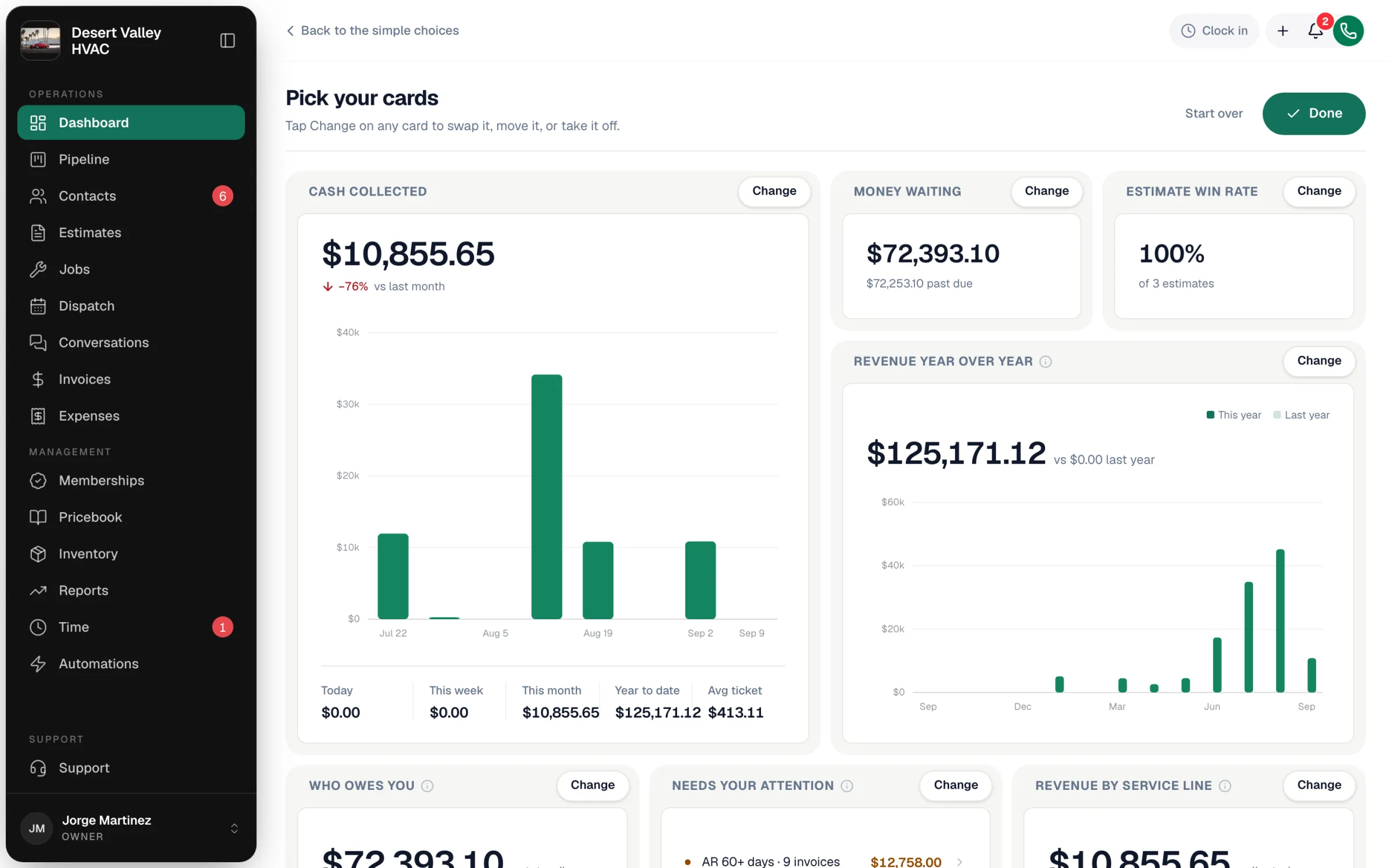
Click Done
Your dashboard is saved for you. Everyone on your team has their own dashboard, so your changes don't affect anyone else.
Want to size and place cards yourself? At the bottom of Pick your cards, click Arrange it myself. You can drag cards around, resize them, and use a card's options menu to change how it's drawn (for example bars or a donut). Click Save when you're done, or Reset to standard to go back to the dashboard the app comes with.
The cards
Money
| Card | What it shows |
|---|---|
| Cash collected | Money collected over time, with today, this week, this month, year to date, and average ticket |
| Money waiting | Unpaid invoices, minus anything already collected |
| Who owes you | Unpaid invoice dollars grouped by how overdue they are |
| Needs your attention | What's stuck: overdue invoices, aging balances, jobs ready to invoice, estimates about to expire |
| Job profitability | Gross margin split across service, install, and maintenance |
| Revenue by service line | Cash collected split across service, install, and maintenance |
| Revenue year over year | Each month's cash collected next to the same month last year |
| Parts & expenses | Purchase order spend this period, with your biggest vendors |
Today's work
| Card | What it shows |
|---|---|
| Today's schedule | Techs out, jobs scheduled, in progress, unassigned, and ready to invoice, with a link to dispatch |
| Today's actions | A short to-do list: invoice, follow up, chase, review |
| Team activity | A running feed of what your team is doing |
| Jobs completed | Jobs finished in the selected period |
| Job volume | Jobs booked this period by status or job type, against last period |
Sales & calls
| Card | What it shows |
|---|---|
| Estimate win rate | Share of decided estimates that were approved |
| Estimate pipeline | Where every open estimate sits, and the dollars still on the table |
| Sales by seller | Approved estimate dollars per person |
| Where jobs come from | Jobs booked this period by source: calls, online, referrals |
| Sales performance | Calls answered, jobs booked, and estimate close rate |
| Calls today | Inbound calls since midnight |
Your team
| Card | What it shows |
|---|---|
| Tech leaderboard | Revenue, jobs, average ticket, and on-time rate per tech |
| Service quality | First-time-fix rate and callback rate |
| Hours & payroll | On-site, travel, and idle hours this period, with the billable share |
| Active members | Customers on a maintenance membership right now |
| Membership revenue | Monthly recurring revenue from active memberships |
Why you might not see every card
| Reason | What happens |
|---|---|
| Your role | Money, sales, team, and membership cards need access to reports: Cash collected, Money waiting, Who owes you, Job profitability, Revenue by service line, Revenue year over year, Parts & expenses, Estimate win rate, Estimate pipeline, Sales by seller, Sales performance, Tech leaderboard, Hours & payroll, Active members, and Membership revenue. Dispatchers (and any custom role without reports) don't see those cards. |
| Your phone setup | Calls today and Sales performance only appear if your account can receive calls (Voice or the AI Receptionist). |